

Adobe Employee
June 20, 2022
Question

Photo Restoration Neural Filter now available in Photoshop Beta!

  • June 20, 2022
  • 53 replies
  • 128611 views

Hello Beta Community!


We are excited to share that Photo Restoration is now available in the Photoshop Beta. Photo Restoration is a new Neural Filter that uses an AI trained model to help restore old or damaged photographs. Using the Photo Restoration filter, users can restore the quality of their images using the basic editing options or choose to further refine using our advanced options (adjustments). Once complete, there is always an option to export the image to the main Photoshop workspace for further refinement.


Main Editing Features:

  • Photo enhancement - Improve color, contrast, and details
  • Enhance faces - Improve the detail on face specifically
  • Scratch reduction - Restore areas of the photo that have been scratched or damaged (off by default)


Advanced Editing Features (Adjustments):

  • Noise reduction
  • Color noise reduction
  • Halftone artifact reduction
  • JPEG artifacts reduction


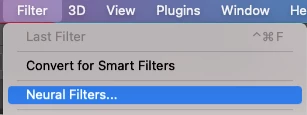
To access the filter, go to File > Neural Filters > Photo Restoration and switch the toggle to “on”. This will initiate the filter download and activate it for use.

 

Please share any thoughts and comments here on our community thread, or in-app through our Beta feedback panel (accessed via the flask icon in the upper righthand corner of the application). We look forward to hearing your feedback and seeing what you create!

53 replies

Scott Readman
Participating Frequently
September 21, 2022

Hi,

I can download the filter but I get "We've temporarily disabled this filter because of an error" (see attachment). I followed the advice and deleted the 'PluginData' folder but it didn't work. I've tried with several photos and several resolutions. I'm not on any VPN or network. Just home Macbook.

Polo Freitas
Known Participant
September 21, 2022

It happens to me in some photos that have several people, try with a photo of a single face, it should work.

Scott Readman
Participating Frequently
September 21, 2022

Same result with 3 different photos with a single face.

Participant
September 16, 2022

Why doesnt photo restoration show up in neural filters? I have downloaded the latest Beta update for Photoshop.

Pete.Green
Community Manager
September 16, 2022

Hi @VicRattlehead33,


Make sure once you've downloaded the Photoshop beta, that it's the one you're opening. If on Windows, you may need to quit the regular release of Photoshop then open the Photoshop beta (the one with the White icon and blue Ps).


That should give you the correct set of Neural Filters.


Regards,

Pete

Scott Readman
Participating Frequently
September 21, 2022

Hi,


I can download the filter but I get "We've temporarily disabled this filter because of an error" (see attachment). I followed the advice and deleted the 'PluginData' folder but it didn't work. I've tried with several photos and several resolutions. I'm not on any VPN or network. Just home Macbook.

Polo Freitas
Known Participant
September 16, 2022

The last update didn't fix the quality, it's still very strange, I hope it goes back to the adjustments of version 23.4, which was very good. I show another example of an initial restore that I had tested in version 23.4 and the result of the new update 24. You can compare.


Participant
September 14, 2022

Hi,

So i ve been using the neural filter for photo restauration and its great for somethings and yet for others not so much. So if we wanna keep the image with the features without damage, use remini its better, because with the filter you distort certain features. But if you wanna fix only the color and  the texture photoshop its the best. Taling about restoration the idea that i have its that all the ai filters damage the old images; because you have the texture of the clothes or the people and you have the texture of the photo so if you wanna clean the texture of the picture you damage the other one so we need to come up with a way to separate both like some plugins that already exist that clean images with patterns but leave the texture. The other point its that its useless to restore and old picture with ai if only the ai helps with skin and face we need to think like a database of clothing that ai could replace. I dont know maybe in a future.

Polo Freitas
Known Participant
September 15, 2022

I respect your message but I don't agree.

I restore old photos for over 20 years, and the fact that we have this filter does not force us to use it all the time, we can continue in some photos with traditional photoshop methods, but for people's faces that even families don't remember the physiognomy, this filter is awesome, and it's what many clients want, clean faces to expose their photos in a frame. I wait and hope that it works again perfectly, very, very good.
Sorry for my bad English...I'm French/Portuguese.

Known Participant
September 14, 2022

After update to newest beta photorestoration is slow, I mean really slow. First I thought that it is not working and reset neural filters (cleared those two folders suggested). Reinstalled and same behaviour. Start to write this and looked what has happened in PS and filters has done the job. Changed parameters and now progression bar shows up pretty quickly.


Quality of the filter is still bad, photo looses all textures and sharpness but not scratches.

Known Participant
September 16, 2022

UPDATE! New version fixed performance issues. Getting better!

bobk2992755
Participating Frequently
September 16, 2022

Not sure getting the restoration filter to do a bad job quicker is a good thing 😉 

Participant
September 14, 2022

I want to photo restoration

NicArtistic
Participant
September 11, 2022

Please FIX the photo restoration filter with regard to the enhance "face" feature! It was SO good before this new BETA update. The 23.5 update ruined it because it the new update is causing weird brightness and contrast issues, and provides an almost "painterly" look. (This is not what most people are looking for with regard to Face Restoration!)  Here's an image from an AI generated image and the results I received from the previous version. It was wonderful and it corrected the weird shapes and details while achieving a great level of realism. 


bobk2992755
Participating Frequently
September 13, 2022

You can kind of get it using the portrait Neural Filter and just move a slider say for eyes and it will produce a better eye. Not as good as the original Photo Restoration Filter though..... I miss that 😞

bobk2992755
Participating Frequently
September 13, 2022

Not sure if latest update has broken that too 😞

Polo Freitas
Known Participant
September 8, 2022

I downgraded to older versions but the filter is no longer available, can't we go back to the previous version that worked fine? I know it's a beta, but it was really good.

Pete.Green
Community Manager
September 8, 2022

Hi @Polo Freitas


Unfortunately, until we can adjust the version number (coming soon), the 23.5 that you have access to is the latest. The team is still making updates to this filter, so please stay tuned. Apologies for the inconvenience.


Regards,

PG

TewRogers
Participating Frequently
September 13, 2022

Hi Pete-Does it mean that all the neutral filters in the beta will now be available in the new version of the desktop?


Terry

Participant
September 6, 2022

hi 

i have a problem , photo restoration in photoshop beta after update its bad result who fix that 

thank you

Participant
September 6, 2022

Photo Restoration Filter in Photoshop

Why install the new beta version 23.5, the filter for faces is not working properly, it gives a strange result,

davescm
Community Expert
Community Expert
September 6, 2022

Hi

Have you given feedback using the feedback form within the neural filter, explaining why the result falls short of expectation with your image?


Dave

Polo Freitas
Known Participant
September 5, 2022

the filter update is very strange, I hope it comes back, or is there any adjustment that was changed? can confirm that version 23.5 the faces does not work.