Participating Frequently
September 12, 2023
Question

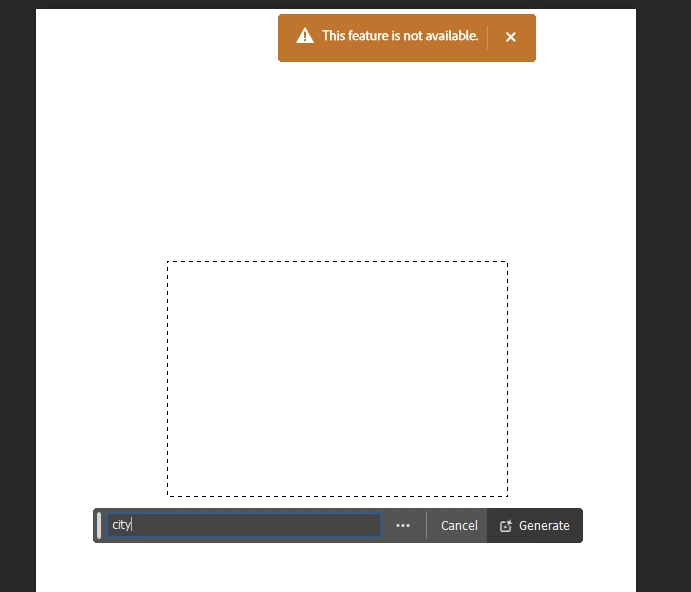
this feature is not available (beta)

  • September 12, 2023
  • 5 replies
  • 37506 views

why when i use Generative fill, photoshop said : this feature is not available
5 replies

Participant
October 3, 2023

Same problem here. Both in the beta and the 25.0.0 version.
Pls crack this issue, I'm trying to educate a lot of students and this a major set-back.
Yours Mikkel

Participant
October 3, 2023

To Adobe: As I'm reading the posts in this threat, several post are from educators. Could this relate to the education-licence?

Participant
October 3, 2023

Not threat but thread 🙂

Participant
September 21, 2023

I have the same issue. I am an admin, managing an enterprise CC All Apps shared device licensing plan, and am currently Photoshop v.25.0.0. I have initiated 2 cases, 1 at the Admin Console Support Page (To no avail), and 1 at Adobe headquarters. I hope they will fix the bug (if it is a bug), and fix it as soon as possible.

Participant
September 28, 2023

I noticed for the people it does work on, it prompts them to accept Adobe's Generative AI terms. This box appears when you first click on generate. I have a mixed bag of teachers who work and don't work. The ones that don't say they've never seen the acceptance box. I'm just now fighting this issue today. So I'm going to dig in that direction.

Participant
September 28, 2023

Well, I had the user reset their settings. The hold ctrl+alt+shift when opening Photoshop. They tried again to generate some infill and this time got the acceptance popup. But I was then mocked by the feature not being available. Guess I'll wait for the patch.

CShubert
Community Manager
Community Manager
September 13, 2023

@Fung Hei Chun322211372bwm  and @Nickolaus32261157mtr2 it is possible due to your account that the schools IT Admin has blocked it. Please see this thread explaining it and forward to your IT dept to see if they will allow Ps beta.  As a side note, GenAI technology is now available in the release version of Ps: Adobe Photoshop Version: 25.0.0 20230906.r.37 b14e317 x64


Here is the link to the article: https://community.adobe.com/t5/enterprise-teams-discussions/photoshop-beta-not-available-in-creative-cloud-desktop-application/td-p/13834355


Participating Frequently
September 13, 2023

I updated to Adobe Photoshop Version: 25.0.0 20230906.r.37 b14e317 x64, not available also, is it need to find our IT admin to fix it?

Participating Frequently
September 14, 2023

Participant
September 13, 2023

Same issue, I just updated to 25.0 and I am using my college account for photoshop.

Participant
September 13, 2023

can't use generative fill in PS BETA "The Feature is not available"

CShubert
Community Manager
Community Manager
September 13, 2023

Hi @สงกรานต์25200048m94w we see you have multiple accounts so it may depend on which one you are logging in with?  If it is your enterprise one, it is possible your IT Admin has beta apps blocked?


https://community.adobe.com/t5/enterprise-teams-discussions/photoshop-beta-not-available-in-creative-cloud-desktop-application/td-p/13834355


Generative Fill/Expand is now available in the public release of Photoshop.
Adobe Photoshop Version: 25.0.0 20230906.r.37 b14e317 x64


Participant
September 25, 2023

I believe all of us that are having this issue are not running on BETA accounts - we are all running on version 25. Can you please help us with a response that aligns with our issue? Our issue again has nothing to do with BETA access.


Yeah, we're all on v25, and probably knows that Generative Fill doesn't work on Beta anymore.
