Participating Frequently
August 25, 2020
Question

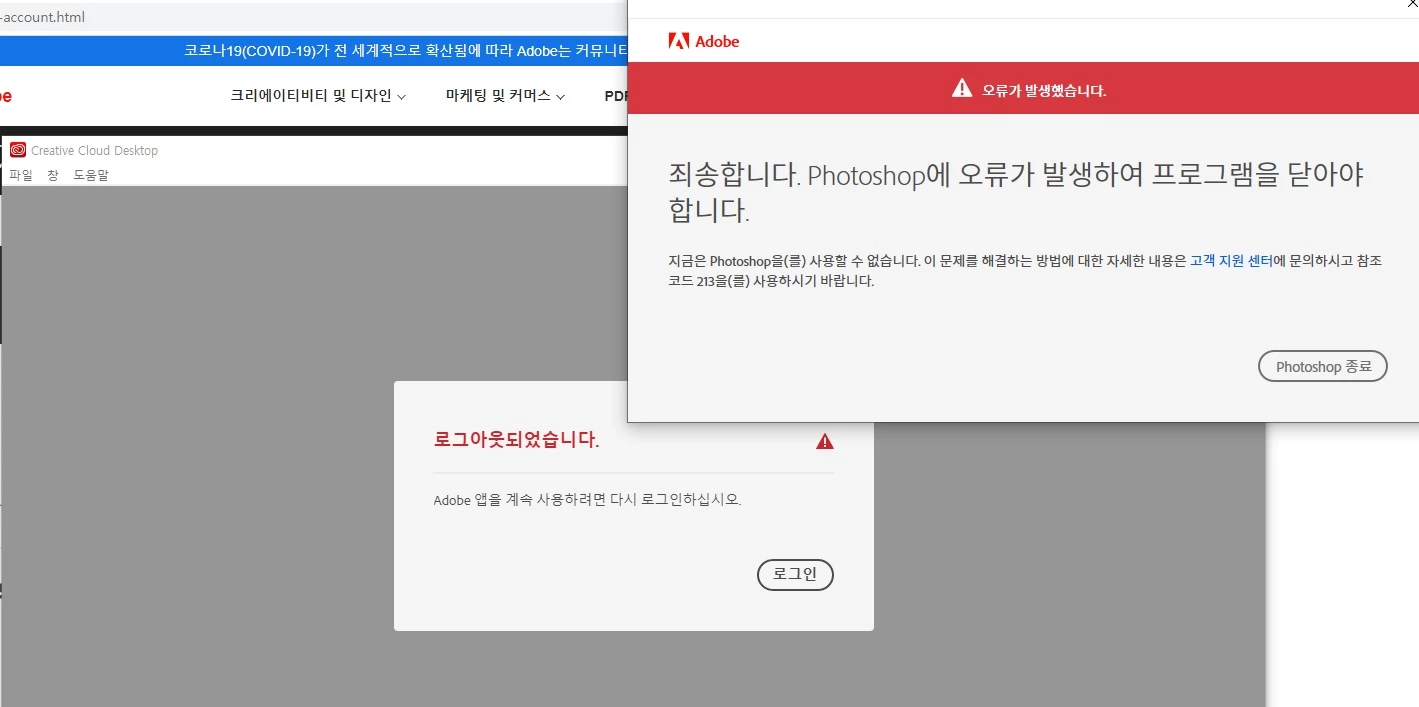
포토샵만 안켜지는 오류 코드 213 Photoshop crashing issue (Code 213)
  • August 25, 2020
  • 1 reply
  • 719 views


포럼보니 저와 같은 문제이신 분들이 계시네요 

저는 cc 프로그램에서 계속 로그인하라고 하고 지워지지도 않고 딱 포토샵만 안되고 있어서

저도 챗 서포트 요청하고 40분넘게 기다렸는데 

마침내 직원분이랑 연결되었을 때 갑자기 cc에 로그인 되고 포토샵이 작동하네요

당황스럽습니다 

This topic has been closed for replies.

1 reply

Akash Sharma
Legend
August 28, 2020

Hi there, 


Sorry that you're getting an error code 213 while using Photoshop via the Creative Cloud Desktop.


Would you mind checking the version of Photoshop you have installed? If using the latest version of Photoshop 2020 v 21.2.2 but still facing the issue, please save your work & close Photoshop(if open) and checkout the steps below:

  • Open the Run dialog box (Windows key+R)
  • Type in %appdata% and click OK
  • Open the Adobe folder
  • Delete the Adobe PCD folder
  • Delete the SLData folder
  • Launch Photoshop


For more details, see https://community.adobe.com/t5/photoshop/213-19-error-code/td-p/4453456

Let us know the outcome.


Thanks,

Akash

Kate5EC2Author
Participating Frequently
August 30, 2020

Hi there, 

If same issue occurs, I will try this way. 

Thanks 

Kate 

Akash Sharma
Legend
September 3, 2020

Thanks, let us know how it goes. 


~Akash