This topic has been closed for replies.

62 replies

Akash Sharma
Legend
July 21, 2020

We are happy to announce the release of Photoshop 21.2.1 that should resolve this issue.

This update includes fixes to some of the top customer reported issues among other bug fixes. See Bug fixes and security updates

To update Photoshop to 21.2.1, click "Update" in the Creative Cloud desktop app next to Photoshop. 

More detailed instructions for updating

Let us know how it goes.

Thanks,

Akash

Participant
July 17, 2020
ALTERNATE WORKAROUND:
(because the 'Legacy Compositing' trick doesn't always work)
1) Create a new document with the same dimensions as the glitching document
2) Select all layers, Rt/Click, "Duplicate Layers...", Destination->Document->[New doc from step 1]
--
For me this works more often and permanently
Inspiring
July 16, 2020


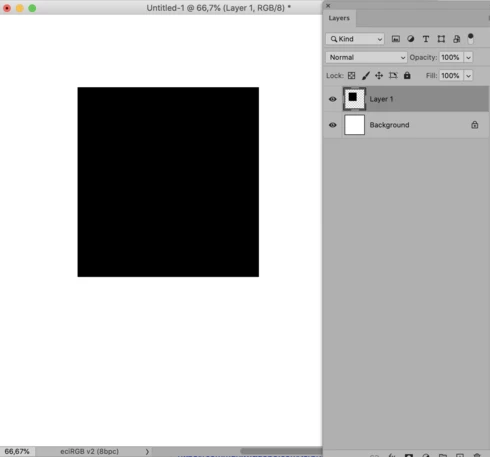
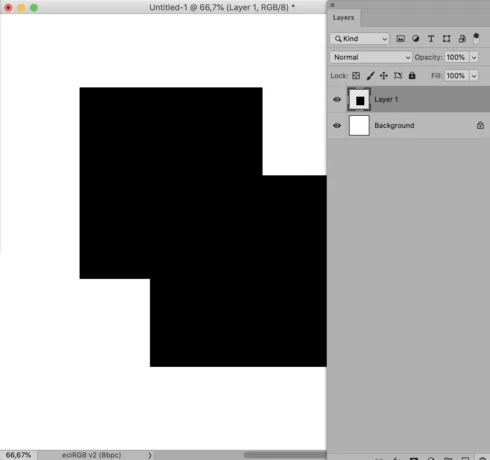
Layers in my photoshop files appear visibly duplicated when I move them or zoom, and sometimes show a previous version of the layer. These "duplicates" are not actually duplicate layers - they are like "after-images" that I cannot select or edit.
Inspiring
July 8, 2020
This is my experience too - new files work with Legacy Compositing unchecked, old files only work with flicking between on and off after every layer change. I have had to revert to 21.1.3 to avoid it for now, because it make Photoshop unusable with all my old files.

Have tried everything from resetting all my PS settings to reinstalling my graphics drivers with a completely clean install. Nothing helps. Definitely something to do with Legacy Compositing being messed up IMHO.
Known Participant
July 6, 2020
For the life of me, I can't find it now, but there was another thread that was a problem I had that said turn Legacy Compositing ON. I think it was performance related.
Known Participant
July 6, 2020
did not make it go away for me.
Inspiring
July 2, 2020


With the latest Photoshop update- every time I add text to my project, it creates an image of the sample text that I can't get rid of or move. The New text just goes on top of it. This does the same thing for duplicating the text boxes too. It will duplicated it but leave whatever was originall there, and then it won't go away. Ultimately if I save it the original box goes away, but it begins again if you begin to alter anything. It's infuriating and I've tried uninstalling and reinstalling, as well as making sure I have all the recent updates. I can't do my projects literally.
Adesculpture
Known Participant
June 30, 2020


Bring two images into PS.  Move the top layer, leaves a persistent image of the top layer on the bottom layer.  Cleared up by switching lower layer off and on, until the next action!

Blending two layers is not shown at all, or not correctly until the base layer is switched off and on.  This is appalling as its almost impossible to tune a blend as you have to keep switching the base layer on/off to see the result.

These bugs are only evident on Catalina, Mojave is fine.

Computer: MBP 13" 2020
Inspiring
June 30, 2020


After upgrading this morning to Ps 21.2 and then continuing to work on an on going current project I found both the eraser tool and lasso / delete were not working at all when trying to edit layers. I had to revert to the previous version of Ps which also has glitches with freezing tabs to be able to continue working on with the project. 
Participating Frequently
June 29, 2020
Here is a link to an excellent two hour long class on the changes made in 21.2 / other parts of Adobe's June update. It is by Ben Wilmore, who is an excellent instructor. I think that review of this material might be helpful for understanding the changes wrought in that Update, many of which have apparently caused considerable anguish!

https://mastersacademy.com/course/june2020updates/