Participant
February 24, 2023

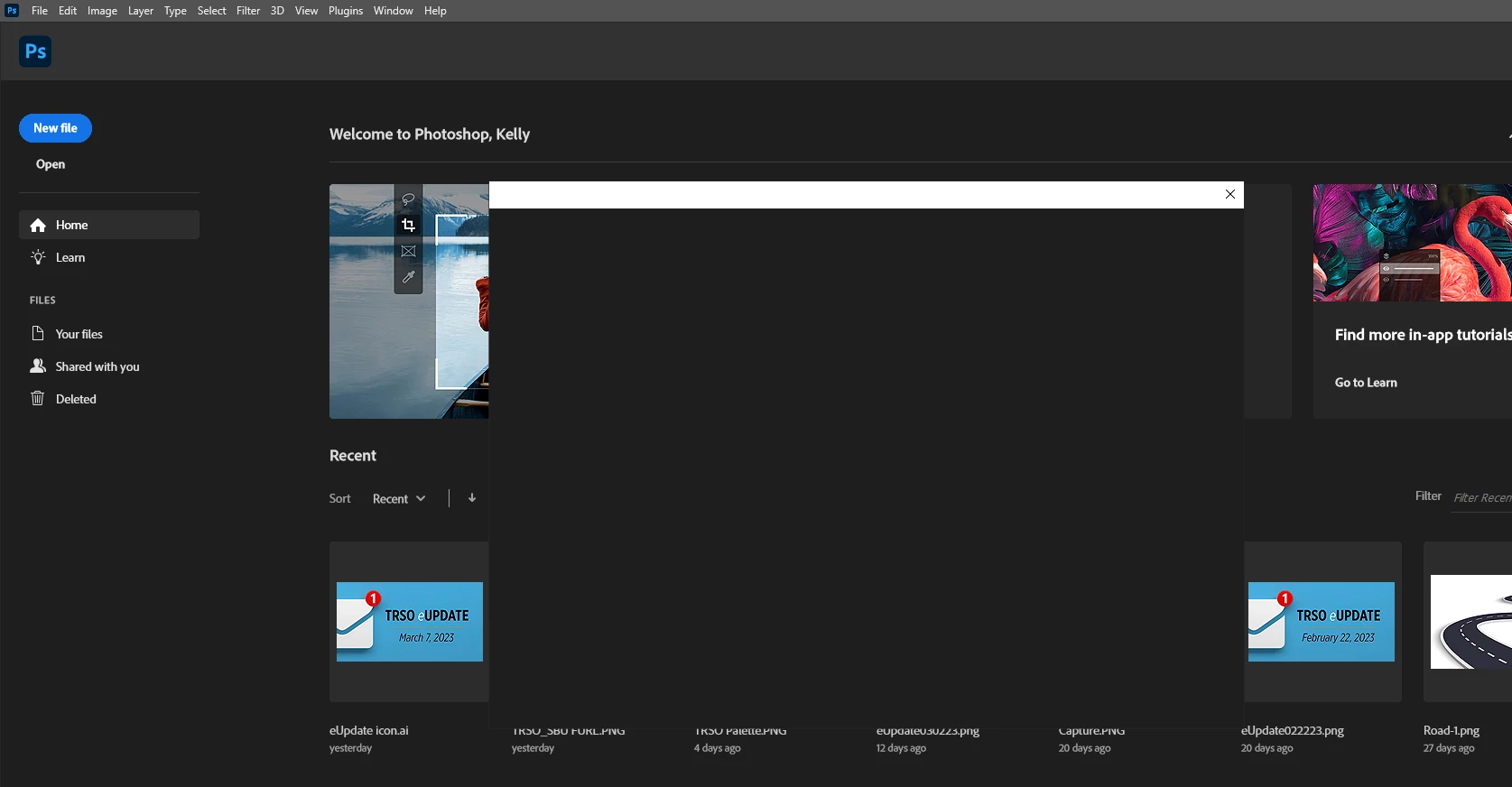
P: Photoshop 24.2 When trying to open or save box is blank

  • February 24, 2023
  • 80 replies
  • 32612 views

When tryin to open a file by choosing the file menu then open the browse box is blank. Version 24.2

 

80 replies

Participant
April 3, 2023

This is unacceptable, requiring Photoshop to call home via Creative Cloud before saving. I've now lost three hours of work because I can't save my document. Forcing Creative Cloud into everything is detrimental to people who rely on this software to just *work*. 

Mohit Goyal
Community Manager
Community Manager
April 3, 2023

Hi all,


We have fixed this issue with the latest Adobe Creative Cloud Desktop app update. Please update the Creative Cloud Desktop app if you still see this problem. 


Let us know if you are still seeing this issue after the update.


Thanks,

Mohit

Participant
March 24, 2023

The fix seems to be working after restarting the computers today. I did still have to go to the Mac OS settings> Privacy and Security>Full Disk Access and allow Photoshop for some of the computers but all are now working. 

Participating Frequently
March 24, 2023

24.2.1 seems to be working on my desktop PC today I'm yet to update student devices...
[edited by moderator]

Participant
March 24, 2023

Do you know what number that update was and does it specifically fix the Save As issue?

Participant
March 24, 2023

So i'd presume it's the update before the one i had that messed things up.


There was an update today that was pushed and it fixes the issue

Oleqsa
Known Participant
March 23, 2023

The 24.2.1 has the Default File Location setting (thanfully i didn't update)


Participant
March 23, 2023

Hi Cory, 

I am also having this issue in my new Mac Lab at our high school. All of our Macs are running on the M1 chip and have plenty of RAM. I upgraded the whole lab to Ventura yesterday. As an Adobe administrator, I can follow your suggestion to go to Settings>File Handling> and change the Default File Location to On Computer and I was able to save successfully, but only for my login. The students do not even have the option to change the Default File Location with their login. Thank you for your efforts with this. Like the other instructors, I am most anxious for a solution so I can get the students back to work.

Participant
March 23, 2023

I fixed it for now by going back to version 22.2.

Kevin Stohlmeyer
Community Expert
Community Expert
March 23, 2023

@Peter28912139rkdo it should unless you have permissions issues with the supporting folder. Thats a different issue altogether.