
Known Participant
February 22, 2024

P: PS v25.5&25.6 Missing ALT keyboard shortcuts in panels

  • February 22, 2024
  • 40 Antworten
  • 5391 Ansichten

I updated from Photoshop 25.4 to 25.5 on my Windows 11 PC running the latest patches and I noticed that many keyboard shortcuts using the ALT-key are now gone in editing panels, for instance Image Resize and Image Canvas.


ALT keyboard shortcuts have become something of a hidden feature in Photoshop, because they're only visibile when hold the ALT key pressed down. But when you know this trick it becomes possible to use the keyboard to access options in the PS pull-down menu and change numerical values; it can really speed up your workflow compared to using a mouse.  I only need three key presses to change any option in amy PS panel. Memorize those and you can speed through PS using just the keyboard.


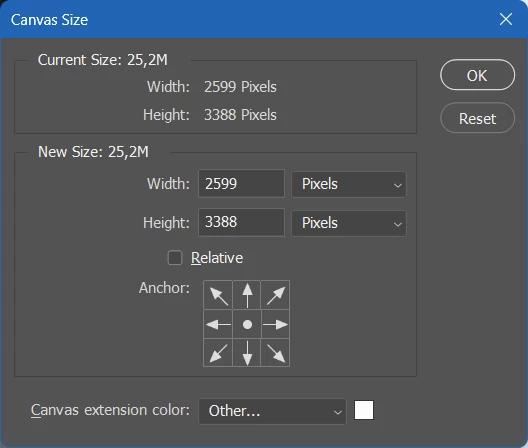
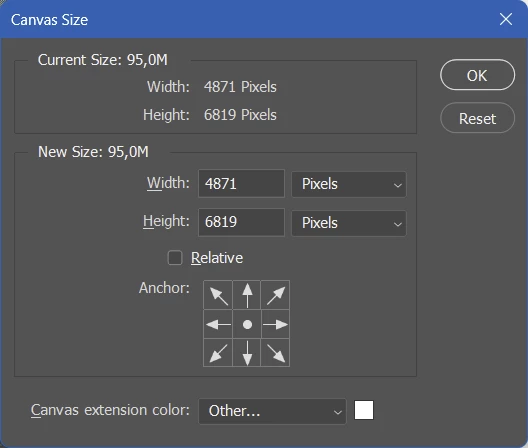
The problem is that the ALT hotkeys that have numerical input fields (like Width and Height in the Canvas Size panel), are gone in Photoshop 25.5 and 25.5.1. Needless to say it worked fine in 25.4 and every other Photoshop version released in the past 20 years.


Take these two screenshot of the Canvas Size panel (image top = PS 25.5, image bottom = PS 25.4). If you hold the ALT key you should not just see the Cancel button change to Reset, but the first letters of options like Width, Height, Relative and Canvas Extension color should now be underlined to indicate that you can press ALT plus an underlined letter to move the keyboard focus to those options.


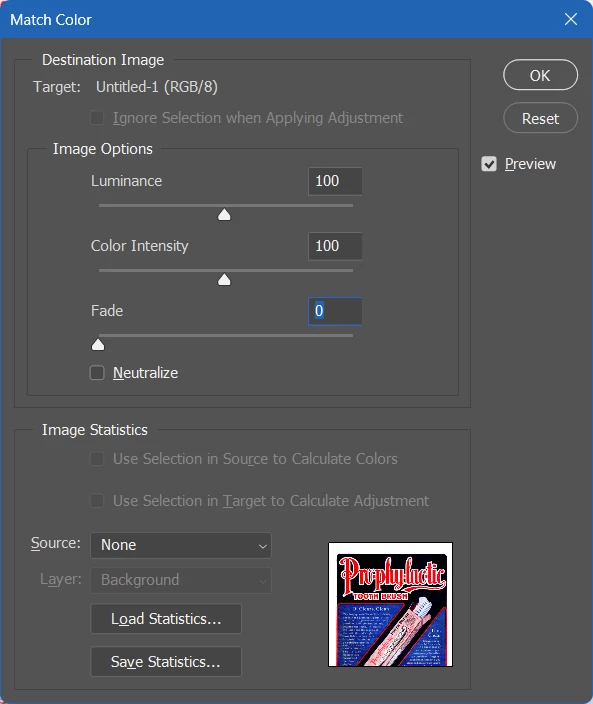
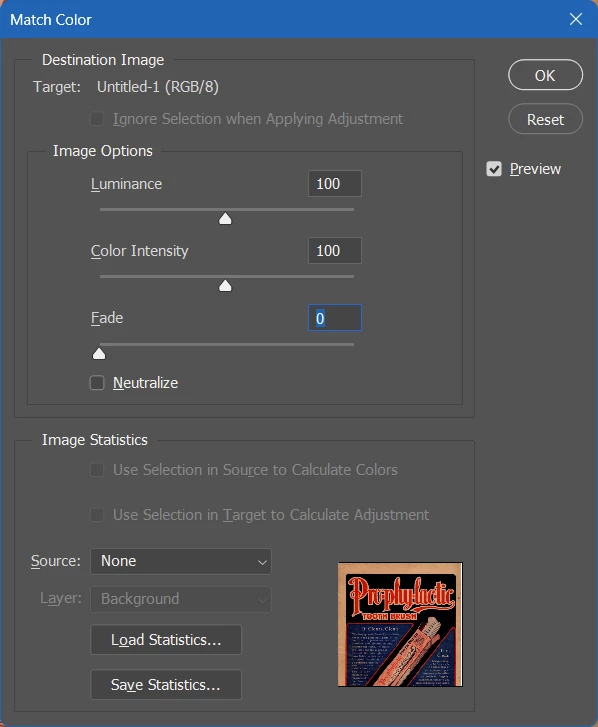
The same thing is happening in the Image Size panel. (image top = PS 25.5, image bottom = PS 25.4). In the latest PS version the ALT keyboard shortcuts for Luminance, Color Intensity and Fade don't work anymore.


Only a few people have acknowledged this issue in my previous posting. I'm trying again with a better structured post hoping that others can confirm this buy so that this bug will reach the Adobe devs. I rely a lot on ALT keyboard shortcuts in my Photoshop workflow and I'm really unhappy about this bug. The good news is that's incredibly easy to reproduce, the bad news is that probably not that many people even know these ALT keyboard shortcuts exist in the Windows version of Photoshop.

Dieses Thema wurde für Antworten geschlossen.

40 Antworten

Known Participant
July 24, 2024

25.4 is the last version without the bug.

Sawiro Takoni
Known Participant
July 24, 2024

Still using 25.3.1 here, the last version before the bug entered our live.

Known Participant
July 23, 2024

In March we got a notice that the PS team would investigate the bug report, at the start of July we heard that the root cause of the bug had (finally) been found. But when will it be actually fixed? Has the fix been implemented in a beta version perhaps?

michaljanata
Inspiring
July 23, 2024

I just have updated to 25.11 hoping to end my frustration and what do you think?

IT IS STILL NOT FIXED.

Great job, Adobe.


Bad luck I'm member of comapany subs plan, I would leave Adobe immediately.

Participant
July 4, 2024

Hi There!
Just wanted to join in here to testify that this issue is slowing down my workflow significantly.
Apart from all the time it takes to research such upgrade-related issues!

Though I uso nowhere near as advanced shortcuts as Saskia, Alt is needed here for re-applying the same values for any image adjustment operation (just add Alt to the mix)!
So - to me this ain't no gimick, but a tool for my work.
I could do with half the number of updates btw...

Sameer K
Community Manager
Community Manager
July 2, 2024

The team has found the root cause of this behavior.

Thanks for your patience.

Sameer K

michaljanata
Inspiring
July 2, 2024

It is almost 5 months from breaking down dialog windows and it is still not fixed.


@Sameer K, what are you still investigating?

Your engeneers do not keep track record of changes to source code? Why they can't fix it? Why do you not communicate?


I read it as very strong disrespect to paying customers! You make our work harder, not better.

dublove
Legend
June 23, 2024

Does Adobe officially read the forum?
They don't seem to pay attention to your information.
No one told them.
Or Adobe officially did this intentionally

Sawiro Takoni
Known Participant
June 13, 2024

Why not? I have been using Photoshop since about 1993 (Windows 3.11), that's almost 30 years ago.


So 2055 must be doable.


But on a more serious note; why are they not fixing the shortcuts?


And why did the remove, many years ago, the shortcuts (for quick menu access) when in fullscreen mode?


When NOT in fullscreen mode, you can enter something like;


ALT + T and than N + ENTER to simply go to "filters", select "noise" and execute it.


But when in fullscreen mode (tab F twice) the ALT +T (or whatever shortcut) doesn't work since +/- 10 years.


I used to work trully fullscreen, and had access to all shortcuts back in the days (until +/- 2010 I guess).

michaljanata
Inspiring
June 13, 2024

hopefully we will not need any Adobe in 2045 🙂