
Inspiring
March 4, 2022

P: Webp files from Wix.com creates an error message when exporting image via "Save for Web Option"

  • March 4, 2022
  • 27 replies
  • 12440 views

Photoshop 23.2.1 Mac

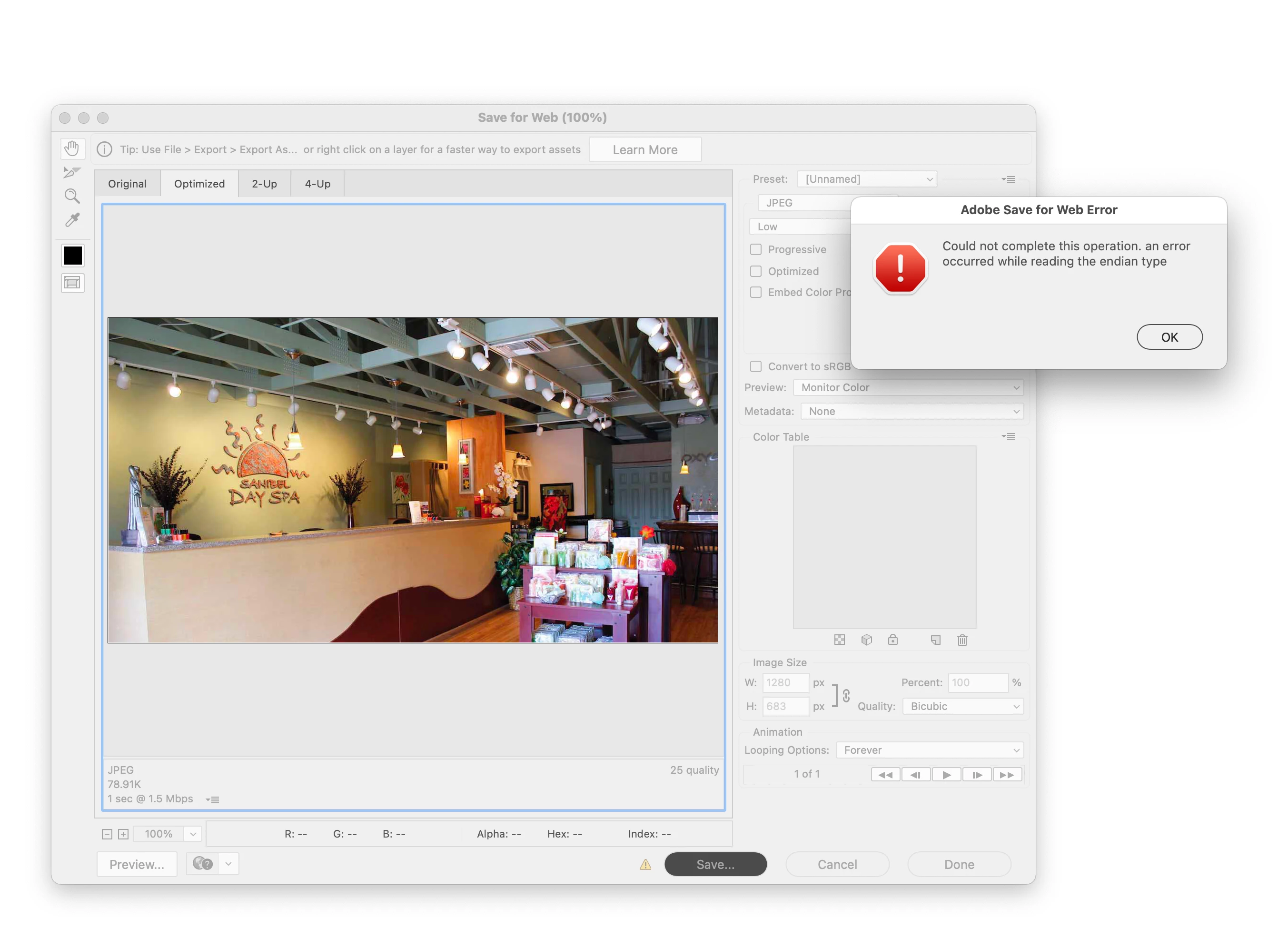
When you open a webp file and try to Export it with the "Save for Web (Legacy)" command, I get this error.

"Could not complete this operation. an error occurred while reading the endian type"

fyi The 'save as' option works.
27 replies

Legend
March 7, 2022

The issue appears to be that the EXIF metadata contained in this file is corrupt.

Inspiring
March 7, 2022

Hey Adobe, you really to add a way to edit your posts! I hit post too quikly and forgot to insert a link to https://www.wix.com/

Where other webp files that have the same issues are located.

Inspiring
March 7, 2022

It looks to be something in the way the 'website company Wix' is creating these files, as I went to their website and tried their first webp image, and it produced the same Save for Web error. I did however try a few other websites that had webp files and was not able to create the same error.  Maybe the engineers can dig into the code of how each webp file is created and see what the differences are.

BrettN
Community Manager
Community Manager
March 4, 2022

@Chad11111111 First impressions is there is something wrong with how these files are generated causing a conflict with Save for Web. If we save your file out of Photoshop using Save as a Copy, saving it at WebP, open that copy, it works fine through Save for Web. 


What can you tell us about the source of this file and the URL you've provided:

https://static.wixstatic.com/media/0ac669_cc5c46f864f64691bafb7384cc90d894~mv2.jpg/v1/fit/w_1000,h_659,q_90/0ac669_cc5c46f864f64691bafb7384cc90d894~mv2.webp


I can see that the first half of the URL is a link to a JPG version of this file (the link is valid if you truncate the webp part of it): https://static.wixstatic.com/media/0ac669_cc5c46f864f64691bafb7384cc90d894~mv2.jpg


This suggests that perhaps the rest of the URL is command which is converting the JPG into WebP (including some potential Width and Height manipulation) and perhaps there are issues with how this process is being managed by the server. I notice I get an error if I just trying going to wixstatic.com, so I'm not familiar with this site and what services it might be offering regarind WebP files. 

Legend
March 4, 2022

@Chad11111111 Perfect. Thanks. Will have engineering take a look,

Inspiring
March 4, 2022
Legend
March 4, 2022

Was the webP file saved out from Photoshop? or acquired/saved from a different source? I am no able to reproduce by saving a file as webP from Photoshop, opening that webP file and saving as a JPEG through Save for Web.


Could you post the WebP file you're having trouble with? (zip it up and share via dropbox or CC sync files)