Known Participant
Oct 2, 2023 3:10 AM UTC
Answered

Photoshop 2024 [v25.1] - Color Sliders don't work [Color picker issue -merged]

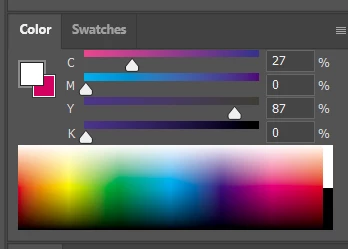
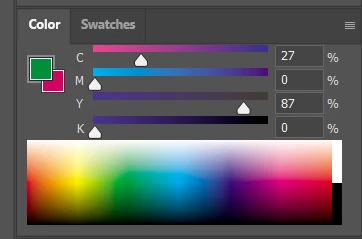
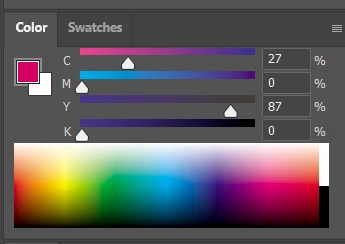
Color Sliders in my new Photoshop 2024 don't work at all - they don't change when i pick a color from the Spectrum or when i change Foreground/Bacground color with X key.

I reset Preferences, reinstaled PS and nothing works. Any ideas?

Photoshop 25.1.0, Windows 10.


This topic is closed to new replies. Start a new post to keep the conversation going.
Kevin Stohlmeyer
Kevin StohlmeyerCorrect answer
Community Expert
Nov 28, 2023 7:20 PM UTC

@robzartworx there is a phased roll out for update 25.2 happening globally.

If you are in a managed environment (Enterprise/Teams/Edu) you may have to reach out to your plan admin to allow access to new updates within 30 days of release.

246 replies

Participating Frequently
Feb 27, 2024 1:28 PM UTC

I tried 25.5/ 25.4/25.3.1/ 25.2  all fkin have this problem, WELL DONE ADOBE

Translate
jonathanv94257306
Participating Frequently
Feb 22, 2024 5:23 PM UTC

Really wish Adobe would stop implementing (cursing removed) new features for beginners but focus on putting out high quality bug free software for professionals. Still working with a ton of glitches and bugs and every new big update it's riddled with more bugs.

Translate
Participating Frequently
Feb 19, 2024 8:14 AM UTC

THANKS ADOBE, I PAID MONEY FOR THIS *****

Translate
Kevin Stohlmeyer
Community Expert
Community Expert
Dec 6, 2023 9:27 PM UTC

@War_Squirrel please start a new thread for this new issue. This thread is marked as answered.

Translate
Participant
Dec 6, 2023 9:21 PM UTC

The colour picking is fixed with the last update, but I now have the screen freezing issue back that was resolved with a previous version. I can use all the peripheral things like the menus, but not the canvas itself. Is anyone else having this issue with the last update?


Resetting preferences doesn't fix the issue. Thankfully I can still save before closing and re-opening the program. There doesn't seem to be a specific time that it occurs, but it does seem to occur more frequently if I am zoomed in while working on the canvas.

Translate
Participant
Dec 6, 2023 9:14 PM UTC

The issue was fixed for the Beta a few weeks ago, but was only fixed recently for Release with the last update.

Translate
jane-e
Community Expert
Community Expert
Dec 6, 2023 9:04 PM UTC


quote

Man, this issue was fixed a week ago with version 25.2.

By @Solar99


If you are saying that to First340984212j0v, that account is spewing nonsense and has been reported. Staff will look at it.


Jane


Translate
Solar99Author
Known Participant
Dec 6, 2023 8:59 PM UTC

Man, this issue was fixed a week ago with version 25.2.

Translate
jakeM17166197
Known Participant
Nov 29, 2023 5:02 PM UTC

Yay I'm so glad it's working again as expected! 

This does highlight that instead of their next rollout of whatever new feature that Adobe believes would "move the needle", if they just did a pass at all the features that are already in place, perhaps a code cleanup, it would probably convince people to stay. Fix all the parts they've  broken over the years! Take a second look at the Adobe Community pages and see what people are complaining about. 

~ Just a thought.

Translate
mjmdvm
Inspiring
Nov 29, 2023 2:24 PM UTC

Just updated to version 25.2 and can confirm that the color picking issue has been fixed!  Please Adobe..less gimicks like AI and focus on base functionality!!!  

Translate