



Answered
Photoshop Workspace keeps resetting to an undesired layout
I'm using Photoshop 24.0.1, a.k.a Photoshop 2023, fully updated so far as I know. My platform is Windows 11 on a Surface Pro 6.
When I open Photoshop, the Workspace is less than ideal. Notably, the "Layers," "Channels," and "Paths" tabs are all stuck near the bottom right of the screen, where their contents can't be seen, as in this screenshot:
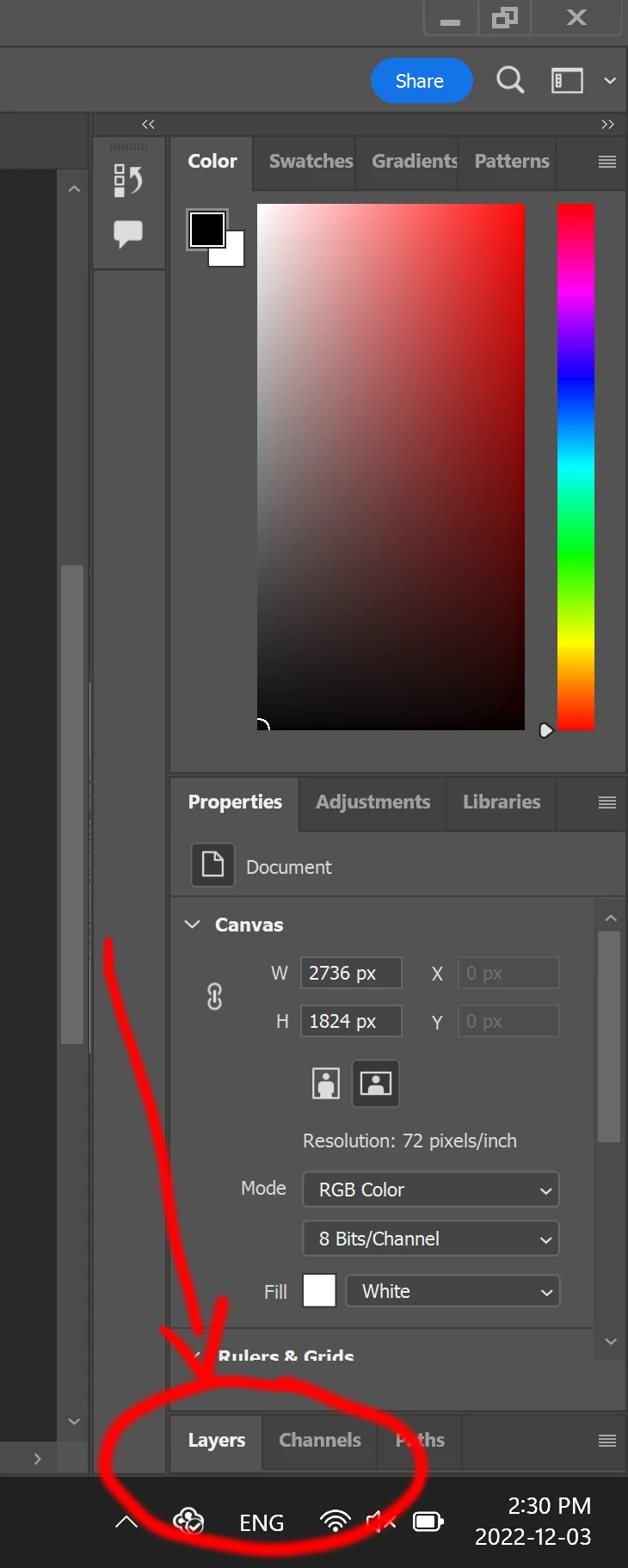
This is not the only problem, but it's the most clear. I would like to move my layout around to something customized, and save it.
However, no matter how I move the layout, and even if I select "Window->Workspace-Lock Workspace," when I close Photoshop and re-open it, the layout returns to the one described above.
How do I stop Photoshop from constantly retutning to this undesired Workspace layout?
 AdChoices