Participant
October 23, 2023
Question

Problem when editing text in Photoshop

  • October 23, 2023
  • 4 replies
  • 285 views

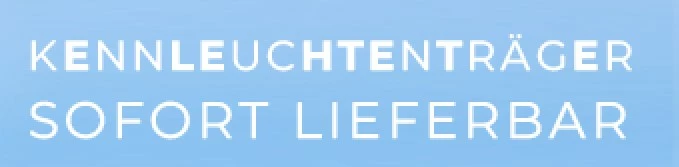
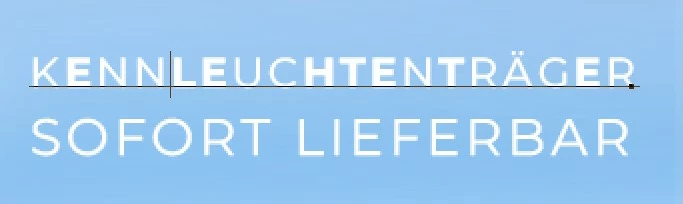
I tried to edit a text today and some letters changed the look. It does no longer look like bold, what it should do, it looks like the regular font. But Photoshop says it is still bold. I can not find anything that would cause this look. I did not change anything. 

Last time I worked on that was last week and everything was ok. I don't know what happened.
Can someone help me with this?


Before editing (only opened the file)


When clicking in the textbox to edit when confirmed the editing
This topic has been closed for replies.

4 replies

jane-e
Community Expert
Community Expert
October 24, 2023


I am using "Montserrat,

By @Stefanie_Blaulichtverkauf


Montserrat is the very first typeface mentioned in this primary thread on the Beta forum. It's a known issue.

https://community.adobe.com/t5/photoshop-beta-bugs/p-error-with-variable-fonts-in-photoshop/idi-p/14069372 


Participant
October 24, 2023

Hello @Aks33126896y3gh,
I tried everything you said, but it did not work. How do I contact the support? Can not find an e-mail or phone number..


Participant
October 24, 2023

Hello Jane,

thank you for your response. 
I'm sorry but what is a variable font? I am using "Montserrat", how can I find out, if it's a variable font?

jane-e
Community Expert
Community Expert
October 23, 2023