
Swipe with two fingers gesture stops working after enabling the "Zoom with Scroll Wheel" option
The two-finger swipe gesture on a trackpad ceases to function correctly after enabling the "Zoom with Scroll Wheel" option in preferences. Instead of panning, the gesture begins zooming the canvas. It appears that Photoshop fails to distinguish between input devices, treating the trackpad as though it were a mouse.
Steps to reproduce:
1) Initiate a two-finger swipe on a trackpad; this gesture typically serves as a pan tool.
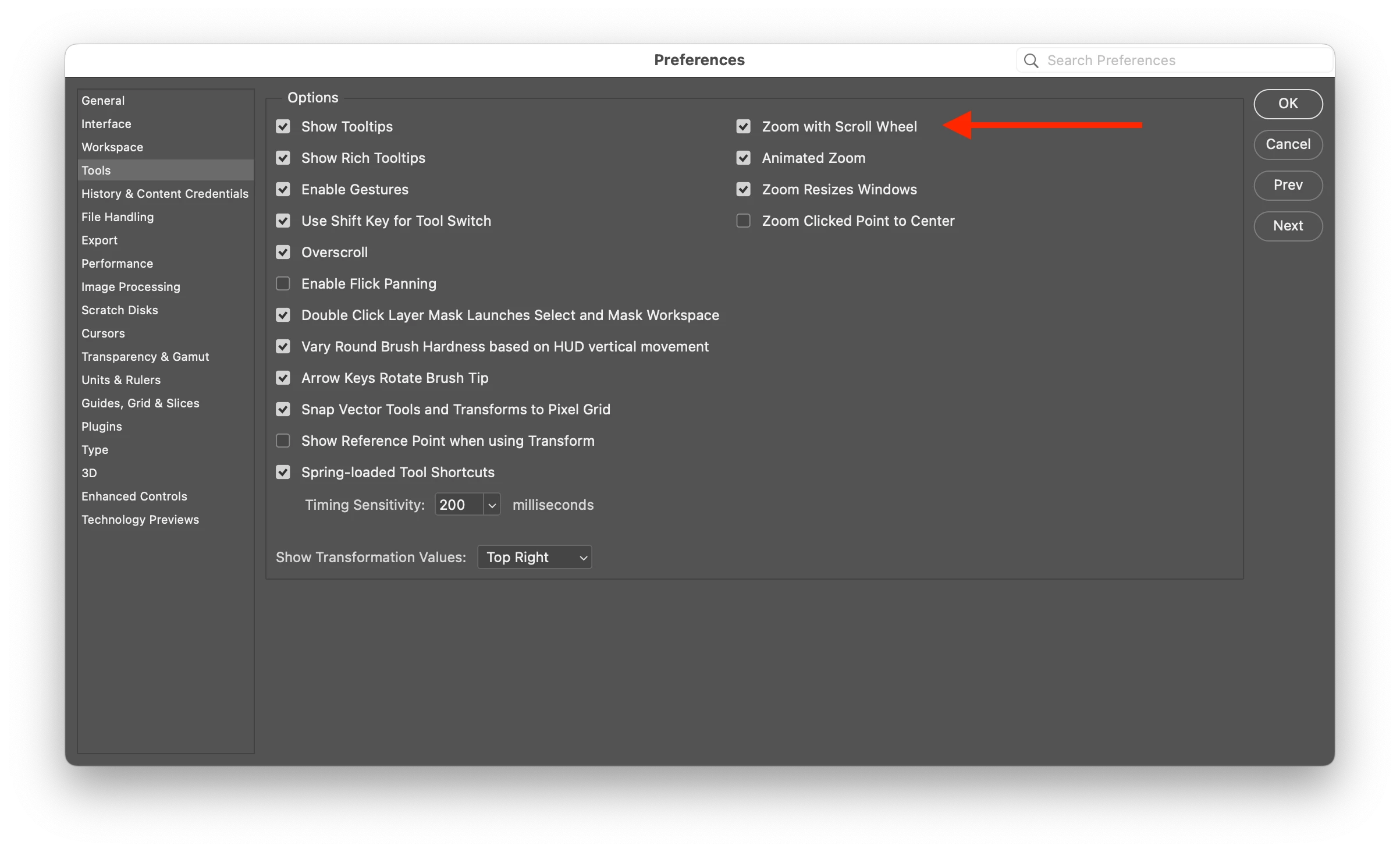
2) Enable "Zoom with Scroll Wheel" in "Preferences → Tools".
3) Following this adjustment, the scroll wheel zooms the canvas in and out, while the two-finger swipe, intended for panning, starts zooming the canvas.
It seems Photoshop misinterprets the trackpad as a scroll wheel, leading to confusion in their respective functions.
"Zoom with Scroll Wheel" disabled:
| behaviour | |
| Scroll Wheel up/down | scrolls the canvas up/down |
| Two-finger swipe | moves the canvas (pan) |
"Zoom with Scroll Wheel" enabled:
| behaviour | |
| Scroll Wheel up/down | zooms the canvas in/out |
| Two-finger swipe | zooms the canvas in/out |
Unexpectedly, the setting for the mouse (scroll wheel) impacts the behavior of trackpad gestures, which is not intended. Please address this issue.
This bug doesn't happen in Illustrator. The two-finger gesture works fine there.
Photoshop version: 25
macOS version: 12.7


 AdChoices