


1px hairline in Photoshop after scaling a selection (feather is set to 0px)
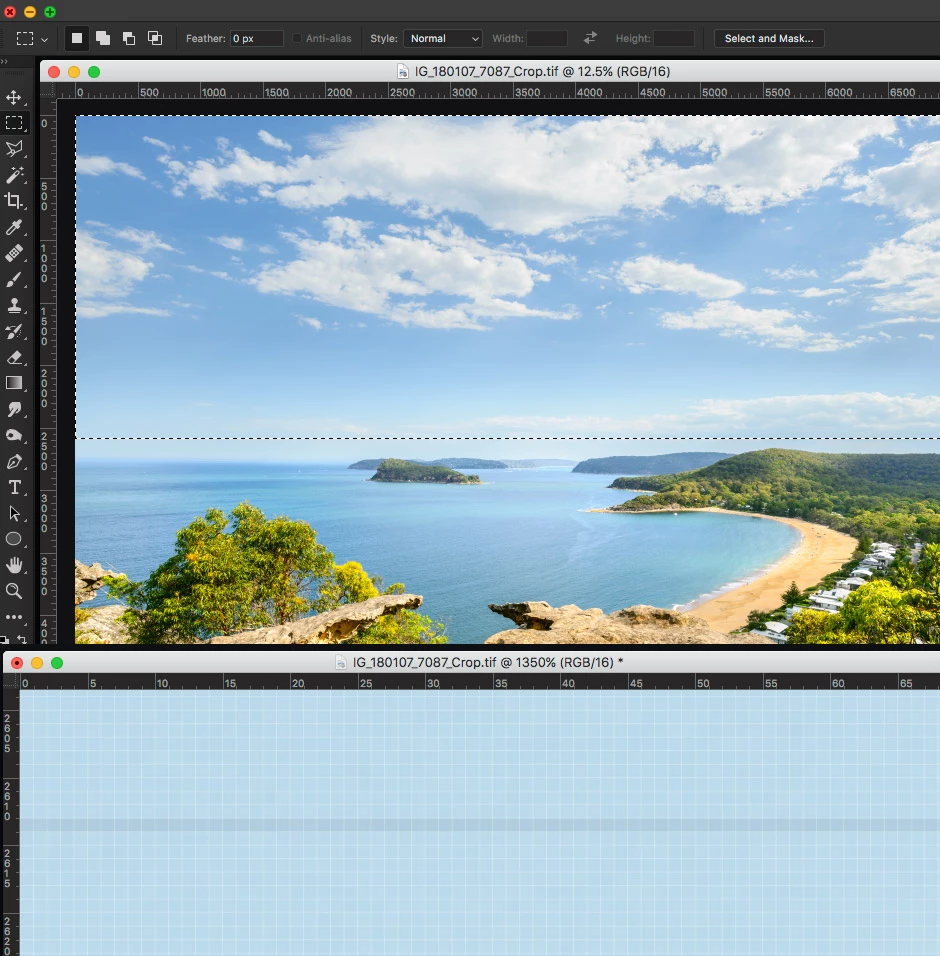
After some upgrade of Photoshop CC (from PS CC 2017 to 2018 I guess) I noticed 1px hairline on images after scaling a selection. Anti-aliasing is turned off for selection borders and Feather is set to 0px as on the screenshot below. The first image is just a selection. After scaling selection down by squeezing from the top (Edit > Transform > Scale) a 1px hairline appears right on the bottom border of the selection. Obviously it can be edited, but if the file is big and has lots of details it could take a while. Also PS CC 2015/2016/2017 wasn't doing that until relatively recent time as I was using this tool before without any issues. Any settings can be changes to restore the original behaviour?
Cropping is not an option. This image was selected just to show the issue - hairline against plain background. I was using scaling of a selection a lot before in architecture photography to correct visual appearance of top part of buildings after perspective correction. Also there shouldn't be any artifacts as the image has the same pixel color on both sides of the selection. It was introduced in PS just recently and since then scaling of a selection became pretty much unusable.
 AdChoices