

sacb0y
Known Participant
July 13, 2024
Question

20 years later and photoshop still can't properly export a transparent PNG

  • July 13, 2024
  • 1 reply
  • 1404 views

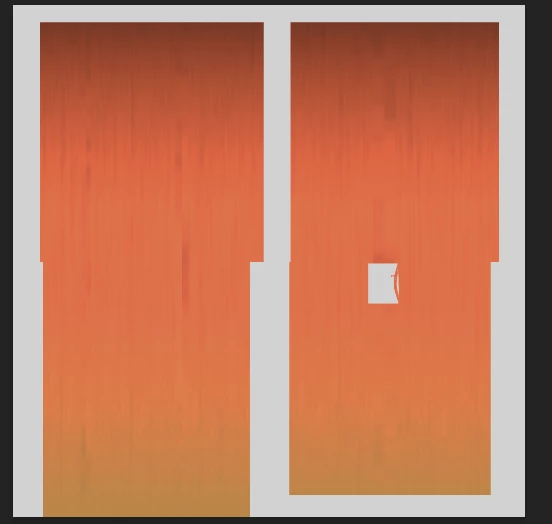
Colors without transparency before export
Colors without transparency after export (and modified colors cause that was the need)
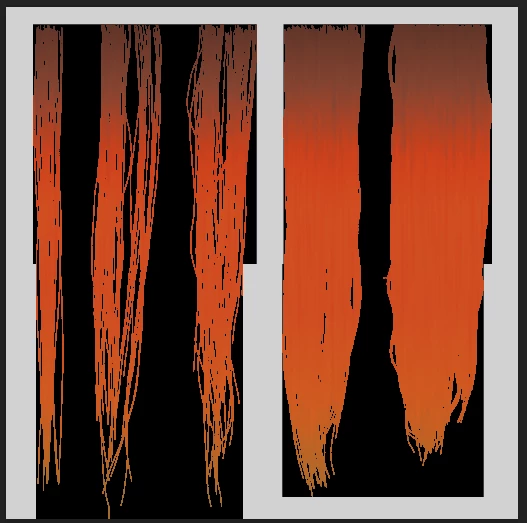
Why has this never been fixed? Who needs PNG's to work this way? 


Two decades of people complaining about this problem, and photoshop has never fixed it for what reason? Shouldn't it be considered embarassing that the defacto image program can't export a usable PNG for anything but a twitter post? 


1 reply

c.pfaffenbichler
Community Expert
Community Expert
July 14, 2024

Please read this (in particular the section titled "Supply pertinent information for more timely and effective answers”) and post meaningful screenshots:
https://community.adobe.com/t5/using-the-community/community-how-to-guide-tips-amp-best-practices/td-p/11601738?page=1


How did you export the pngs exactly? PNG-24 via Save for Web? 

sacb0y
sacb0yAuthor
Known Participant
August 2, 2024

I do not know eactly what process i used for those images but the results after saving are kind of random anyway.
Hair texture exported from substance painter

Save for web (png 24, and even if this did work it is astronimically slow, it's insane)

Quick export as png

Export as PNG (ensuring transprency is enabled)

Save a copy 

Save As works SOMETIMES, other times it does this for no reason. Meaning even if it can work i hae to double check the file every time.


This has been a known problem with photoshop amoung game developers for over a decade and it's never been reliably fixed. People used to use SuperPNG but now that seems to be gone or just too old to work. There's multiple threads on this issue spanning years and adobe wonders why people are frustrated with the subscription.


PNG exports break RGB channels - Adobe Community - 10435169 

c.pfaffenbichler
Community Expert
Community Expert
August 4, 2024

@sacb0y , I am not completely sure what your screenshots are intended to illustrate. 

Do you mean that the composite content of (some of the) pixels with 0% opacity is trashed?