Participant
February 25, 2023
解決済み

24.2 update

  • February 25, 2023
  • 返信数 1.
  • 1428 ビュー

Hi,

I just update photoshop with the version 24.2.

I don't know if that's related but the rulers doesn't appear anymore, thought clicking on Ctrl+R or checking on the window tab. See attached file.

I've got  Windows 10.

Any help?

Thanks

このトピックへの返信は締め切られました。
解決に役立った回答 Ged_Traynor

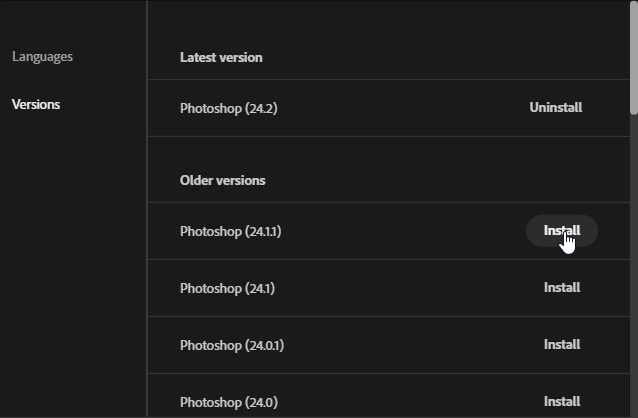
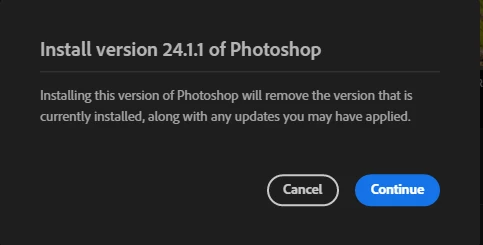
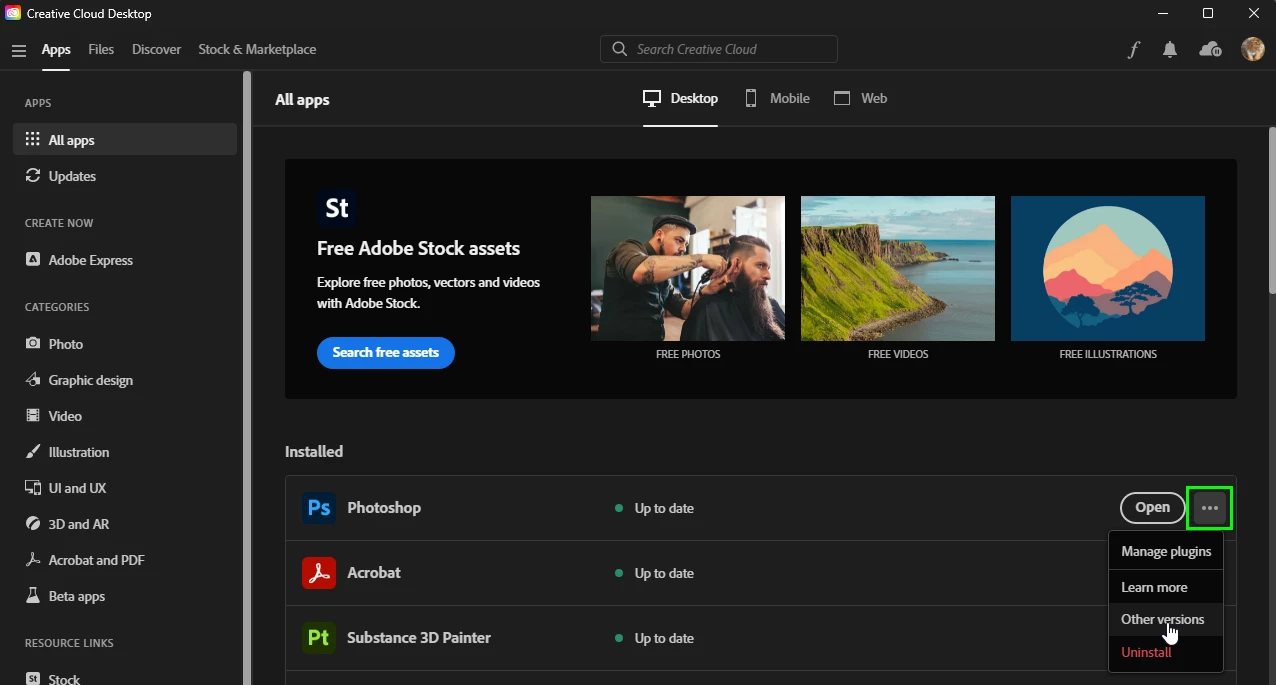
Yes you can install a previous version from the Creative Cloud app, more info

https://helpx.adobe.com/ie/download-install/using/install-previous-version.html
返信数 1

Ged_Traynor
Community Expert
Community Expert
February 25, 2023

Hi

The rulers are showing fine for me with Photoshop version 24.2, both with Ctrl + R and from the View menu, someone else reported the same issue here

https://community.adobe.com/t5/photoshop-ecosystem-bugs/photoshop-update-today/idi-p/13605427

CecHP作成者
Participant
February 25, 2023
Thank you for your reply so quickly.

Unfortunately, I tried every suggestion but nothing worked for me/ the
issue persists.

As I use photoshop from the cloud, is it possible to go back to the
previous version?

Best regards
CecHP
Ged_Traynor
Community Expert
Ged_TraynorCommunity Expert解決!
Community Expert
February 25, 2023

Yes you can install a previous version from the Creative Cloud app, more info

https://helpx.adobe.com/ie/download-install/using/install-previous-version.html