
Participating Frequently
October 28, 2018
Answered

Adding a stroke to a frame layer (CC 2019)

  • October 28, 2018
  • 2 replies
  • 6747 views

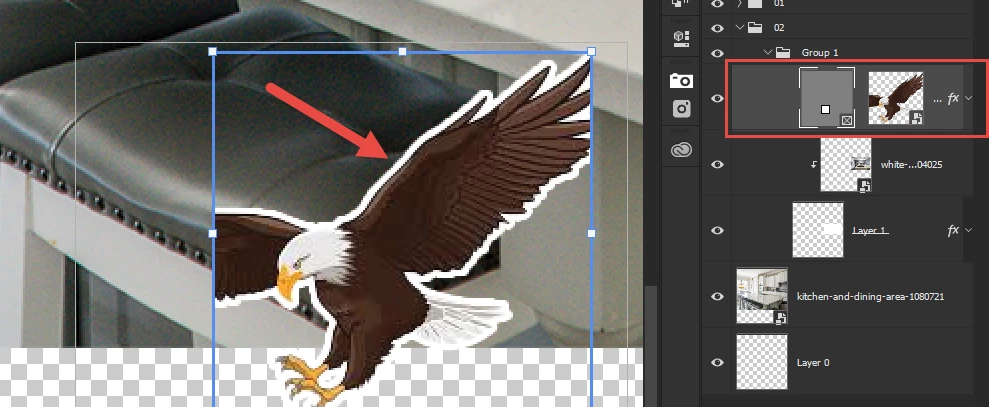
How can I add a stroke to a frame layer I created with the frame tool? I'm only able to add the stroke to the contents inside of the frame but not the frame itself. Is this not possible or am I missing something?
This topic has been closed for replies.
Correct answer Muqqarib Hassan

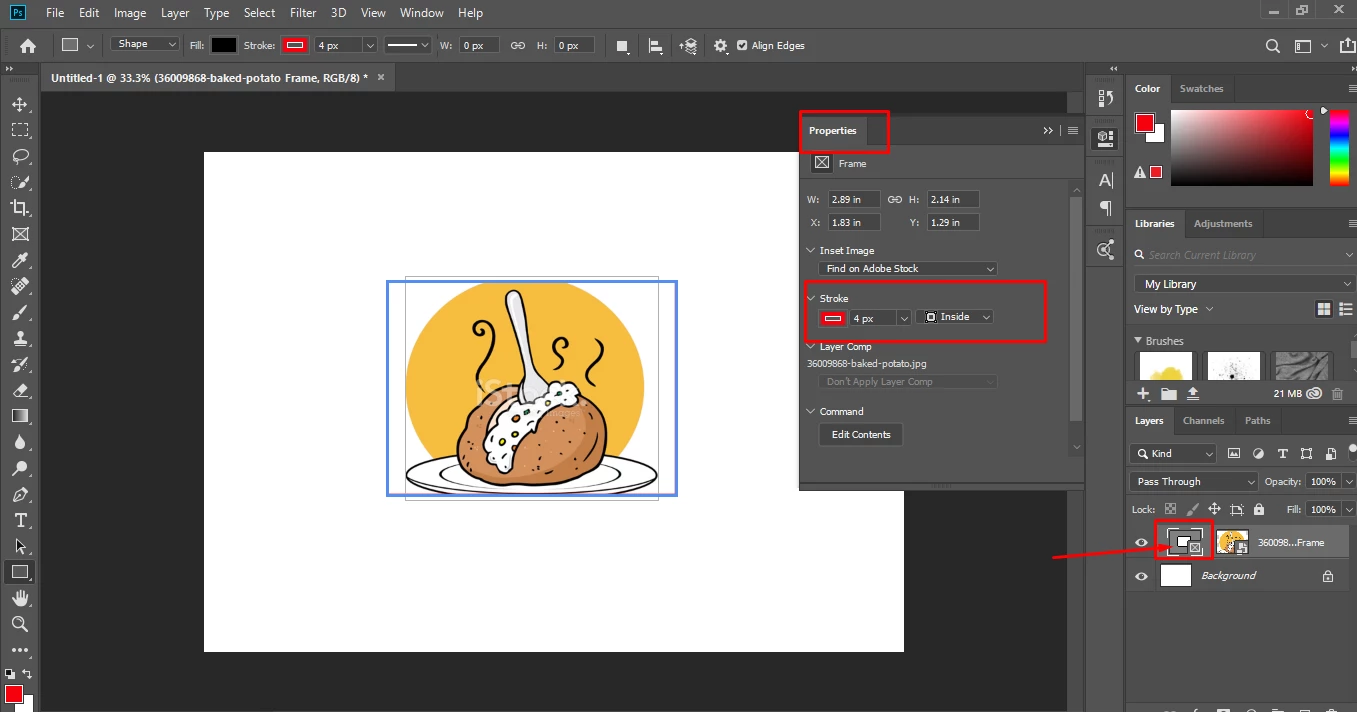
Hi, Select the frame tool and Go to properties (Go to Window>Properties) and turn on the stroke option and fil your color and increase the value according to your need.

Thanks.

2 replies

JJMack
Community Expert
October 28, 2018

Adobe Frame layers are a strange  Photoshop layer. Adobe State that Frames are like a mask and they are depicted like a backwards layer where the Frame mask is on the Left and the Layer Content on the Right.  A Frame mask  does not mask like a normal layer mask or a vector layer mask and you can not add a normal or vector mask to a Frame layer.  If you add layers style the way the effects are generated may not be what you expect.  Though you can add layer styles they most likely will not be the effects you may be expecting.

Also if the image you place in has transparent boarders they will most likely be trimmed off by Photoshop's Place feature when Photoshop renders pixels for the smart object layers content. So the Image may not be position like you expect it to be.  Copy Paste has the same Trim boarders problem.  The way I get around this is I put a 1% opacity pixel in the top left and bottom right corners of the Image canvas to eliminate transparent borders with two pixel the human eye I will not see.

The Transparent Border thing.  Here I use two different JJMack png files with transparent boarders one with the 1% opaque corner pixels the other one did not the PNG files are the same size and resolution, Frames created two differen size smart object layers

JJMack
JJMack
Community Expert
October 29, 2018

Also notove the the Propertis panel get messed up when you edidit the smart object  show the pixels size of width and height as "in" not px.

JJMack
Muqqarib Hassan
Muqqarib HassanCorrect answer
Inspiring
October 28, 2018

Hi, Select the frame tool and Go to properties (Go to Window>Properties) and turn on the stroke option and fil your color and increase the value according to your need.

Thanks.

joelucio_Author
Participating Frequently
October 28, 2018

Nice! Thank you!

Muqqarib Hassan
Inspiring
October 28, 2018

You are welcome!