


Participant
October 25, 2021
해결됨

Adobe Photoshop 2021 Brush Cracked
  • October 25, 2021
  • 2 답변들
  • 1336 조회

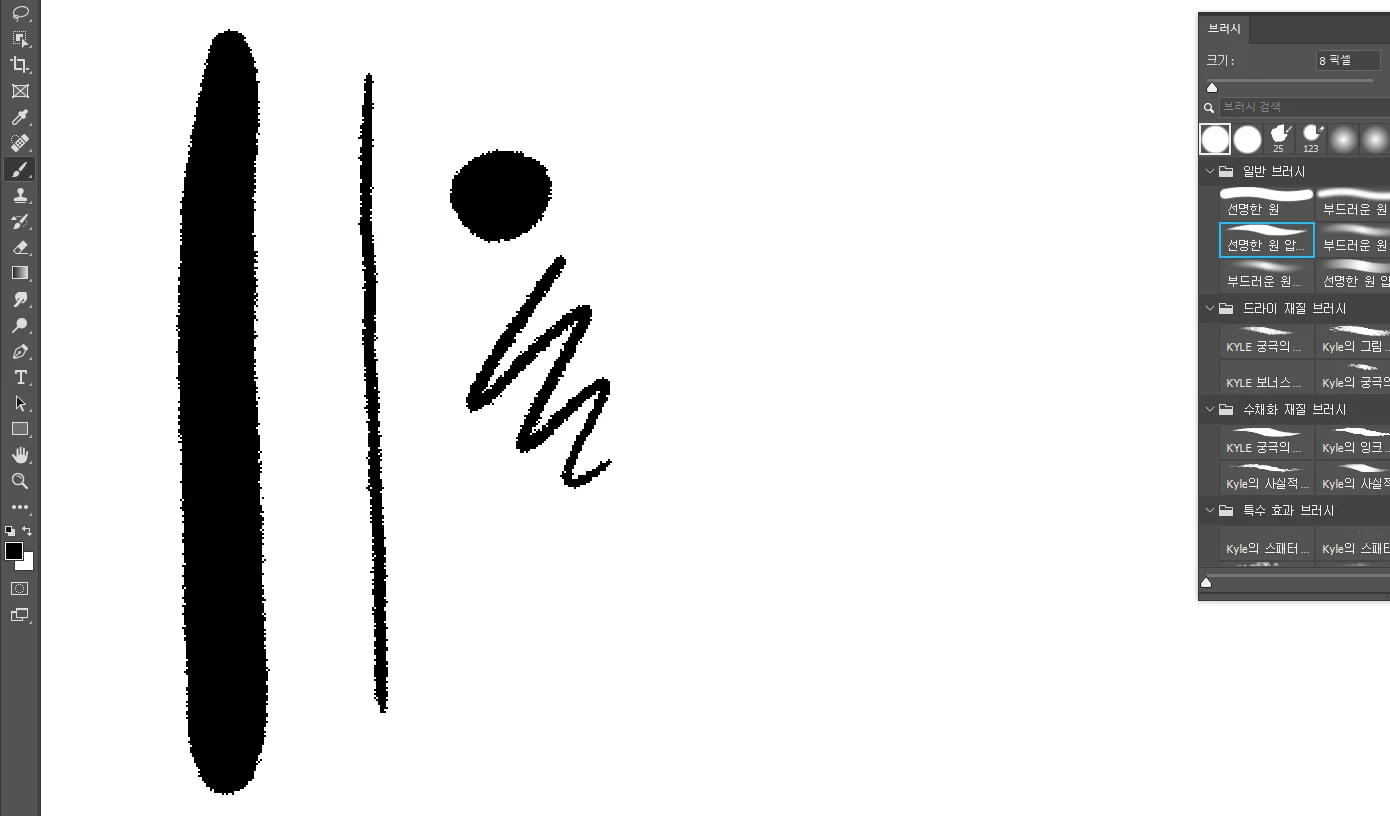
안녕하세요, 저는 어도비 포토샵 2021을 약 3개월 동안 사용하고 있는 한국인입니다. 그릴 때 브러시의 픽셀이 끊어지게 됩니다. 캔버스의 너비는 67.73, 높이 38.1개, 해상도 72입니다. 나는 문제가 무엇인지 모른다.


This picture is a brush that works normally. The brush with the error is not a modified texture of the actual brush, but a neat brush.
이 주제는 답변이 닫혔습니다.
최고의 답변: J453

We need to see the entire interface so we can see the document color and bitdepth, along with the layers panel, its settings and the brush settings.


You probably have an incorrect blend mode set for the brush or layer. Make sure the blend mode is set to "Normal"

2 답변

davescm
Community Expert
Community Expert
October 25, 2021

It looks like the brush blend mode is set to "Dissolve". If it is, set it to "Normal".

Dave

J453답변
Legend
October 25, 2021

We need to see the entire interface so we can see the document color and bitdepth, along with the layers panel, its settings and the brush settings.


You probably have an incorrect blend mode set for the brush or layer. Make sure the blend mode is set to "Normal"

qazq00작성자
Participant
October 26, 2021

Thank you so much. When I changed to the standard mode, the brush became clean. I thought it was broken because the picture was too large. I posted a question after much consideration, and thank you so much for your kind answer. Everyone, have a good day!!!