
Yujie_Qui
Participant
July 31, 2023
Answered

After I saved my file, the final result is different from what I see on the Photoshop screen. Why?

  • July 31, 2023
  • 1 reply
  • 639 views

Hello! I'm Yujie, and I'm using Photoshop 2022. I've been troubled by this issue for a while now.

Whenever I save the file as a JPEG or PNG, the effects on the image disappear. I tried merging the layers with (fx) icons with other layers, but the issue remains.

What should I do to fix this problem?

(Note: If this is a basic question I am really sorry, but I've searched for solution for a long time.)
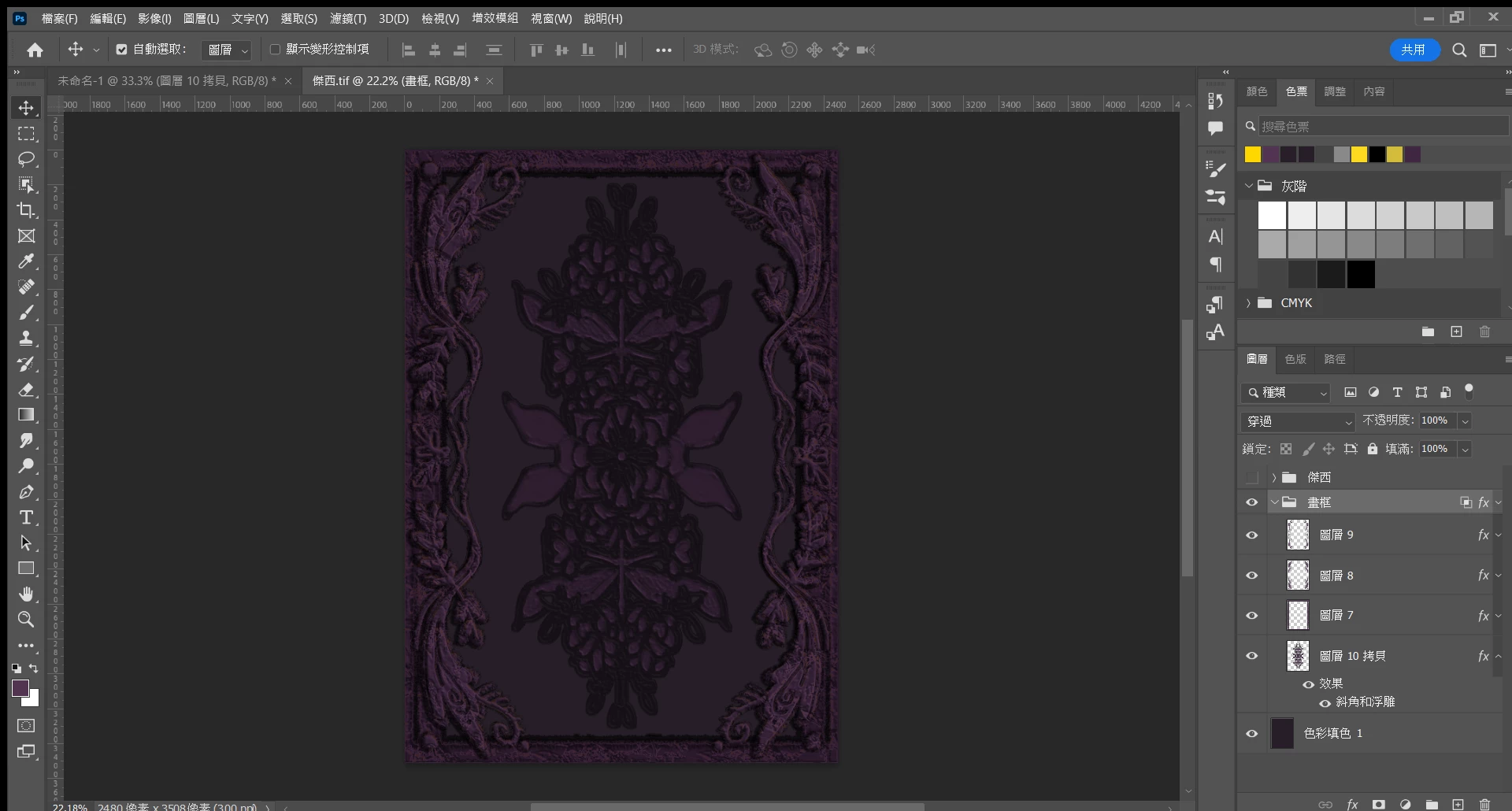
 ▲(The effect I want.)
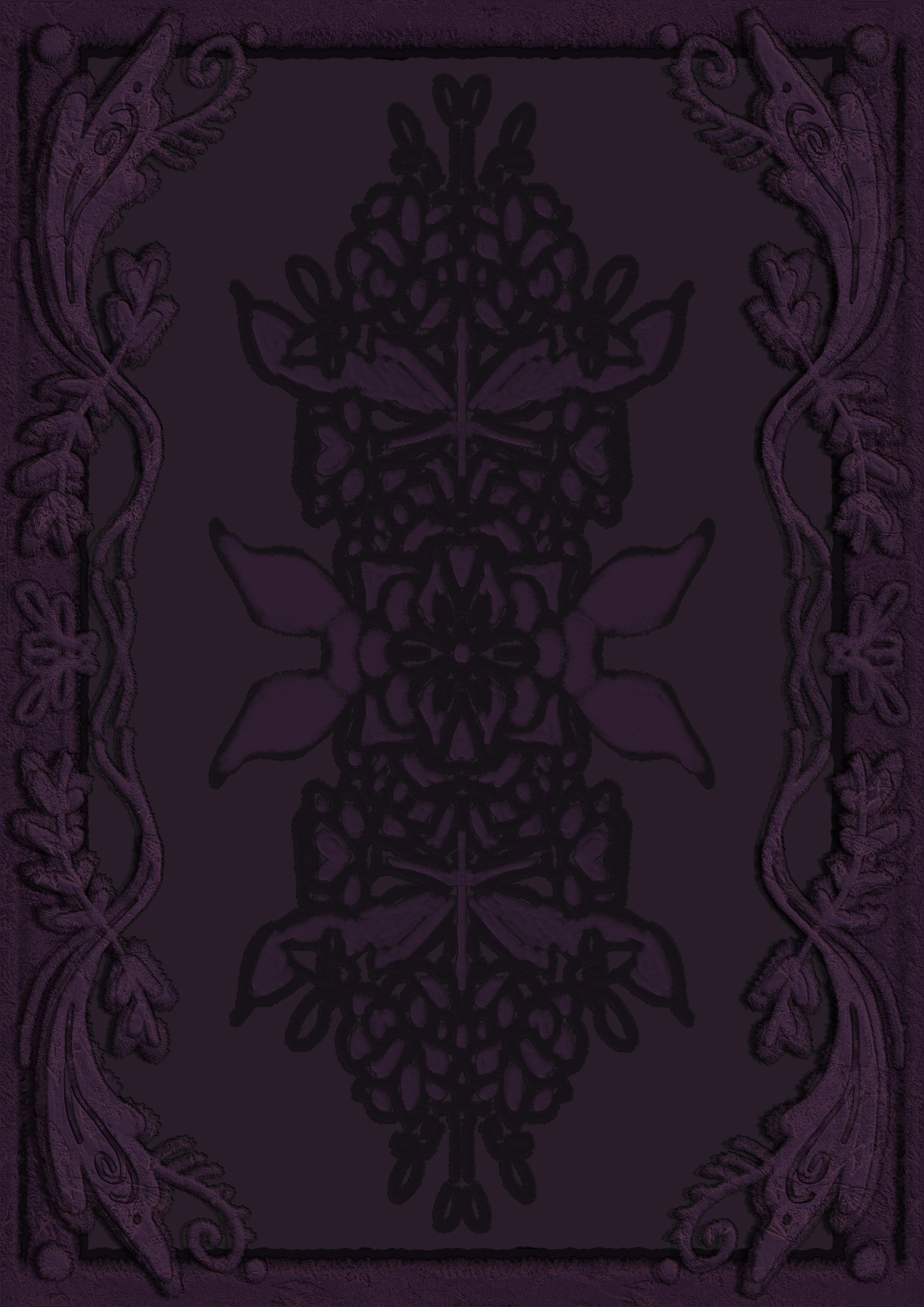
 ▲(The effect disappears after saving as a JPEG.)

 
This topic has been closed for replies.
Correct answer NB, colourmanagement

As @D Fosse wrote" only applications that support color management will actually use the monitor profile to display the image."

This means that to see a match to Photoshop [which gives you an accurate preview] you need to open and view images in a colour-managed application.

AND view at 100%


If you are using adjustment layers and blending effects, are you making a copy [archiving the original layered version] and flattening the before saving as a JPEG? 


I hope this helps
neil barstow, colourmanagement net - adobe forum volunteer - co-author: 'getting colour right'
google me "neil barstow colourmanagement" for lots of free articles on colour management

1 reply

Yujie_Qui
Yujie_QuiAuthor
Participant
July 31, 2023

I cropped the first photo a bit, so the contrast is clearer.

 ▲(The effect I want.)

  ▲(The effect disappears after saving as a JPEG.)

NB, colourmanagement
Community Expert
NB, colourmanagementCommunity ExpertCorrect answer
Community Expert
July 31, 2023

As @D Fosse wrote" only applications that support color management will actually use the monitor profile to display the image."

This means that to see a match to Photoshop [which gives you an accurate preview] you need to open and view images in a colour-managed application.

AND view at 100%


If you are using adjustment layers and blending effects, are you making a copy [archiving the original layered version] and flattening the before saving as a JPEG? 


I hope this helps
neil barstow, colourmanagement net - adobe forum volunteer - co-author: 'getting colour right'
google me "neil barstow colourmanagement" for lots of free articles on colour management

NB, colourmanagement
Community Expert
Community Expert
August 1, 2023

I followed your instructions and did it again (View → 100%). Indeed, the image now looks like how it would appear when saved as a JPEG file. Thank both of you!

Also, when I mentioned "save the file as a JPEG or PNG" I meant (File → Save a copy → JPEG \ PNG).
So, yes, I am saving it as a copy, and the original file is saved as a PSD file.
I apologize for any confusion I have caused.


@Yujie_Qui Thanks for letting us know the tips worked and marking as correct. 
No need to aplologise. We are here to help. 

neil