


WealthyWealth
Participating Frequently
October 1, 2023
해결됨

Align icon greyed out

  • October 1, 2023
  • 2 답변들
  • 638 조회

I have tried a lot to get my align icon to not be grayed but I can´t all the things I have found are non aplicable, any help?

이 주제는 답변이 닫혔습니다.
최고의 답변: Trevor.Dennis

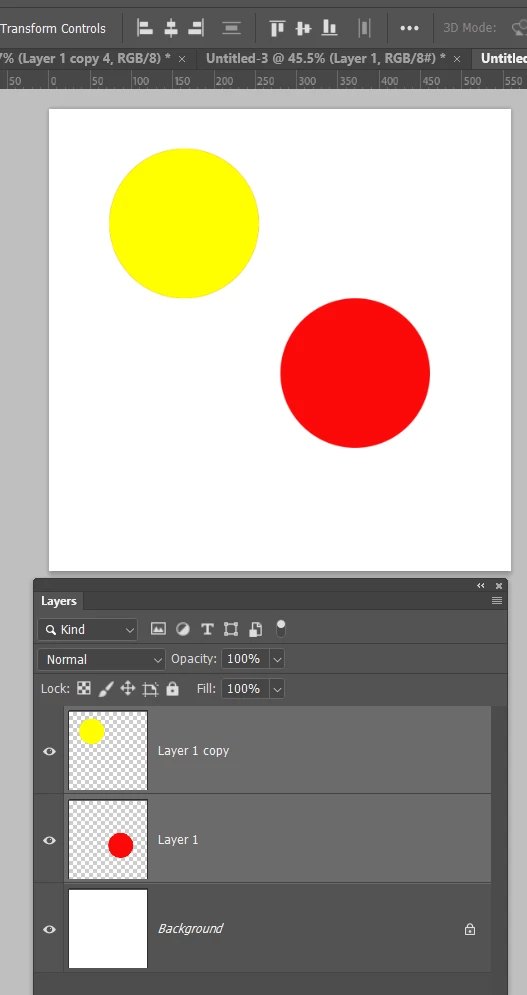
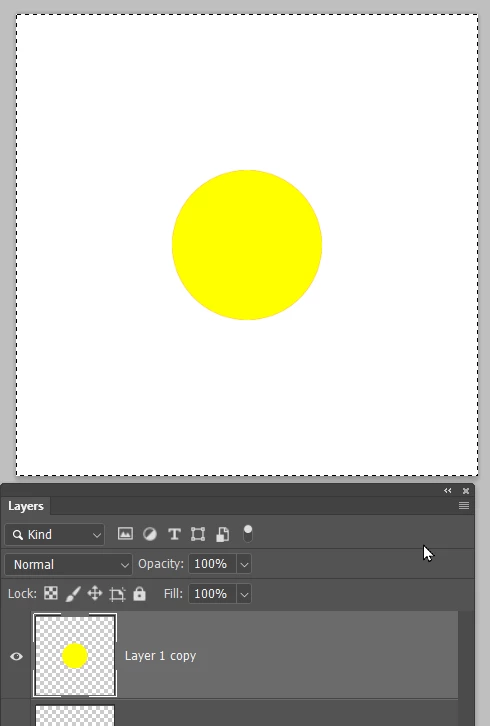
You have to have two or more layers selected for some options, or as Steven said, an active selection


Two layers selected
 

One layer selected and the entire canvas selected (Ctrl A /Cmd A)
2 답변

Trevor.Dennis
Community Expert
Community Expert
October 1, 2023

You have to have two or more layers selected for some options, or as Steven said, an active selection


Two layers selected


One layer selected and the entire canvas selected (Ctrl A /Cmd A)

WealthyWealth
WealthyWealth작성자
Participating Frequently
October 1, 2023

thank youuuuuuuuuuuuuuuuuu

Stephen Marsh
Community Expert
Community Expert
October 1, 2023

Have the moVe tool active, and the target layer active. If align is set to selection (rather than canvas) you also need to have an active selection.
