Serene_Echo5FB0
Participant
January 10, 2021
해결됨

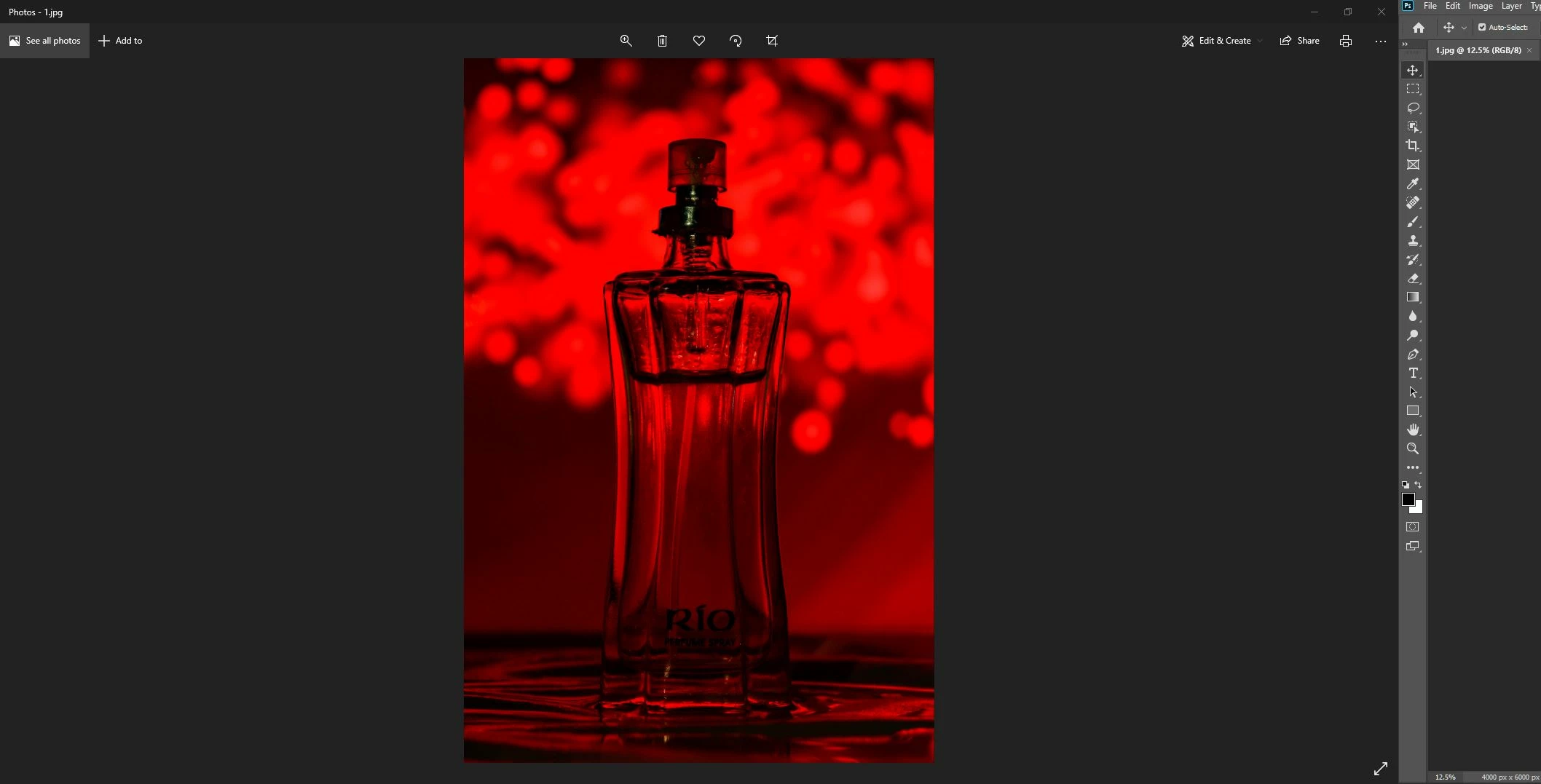
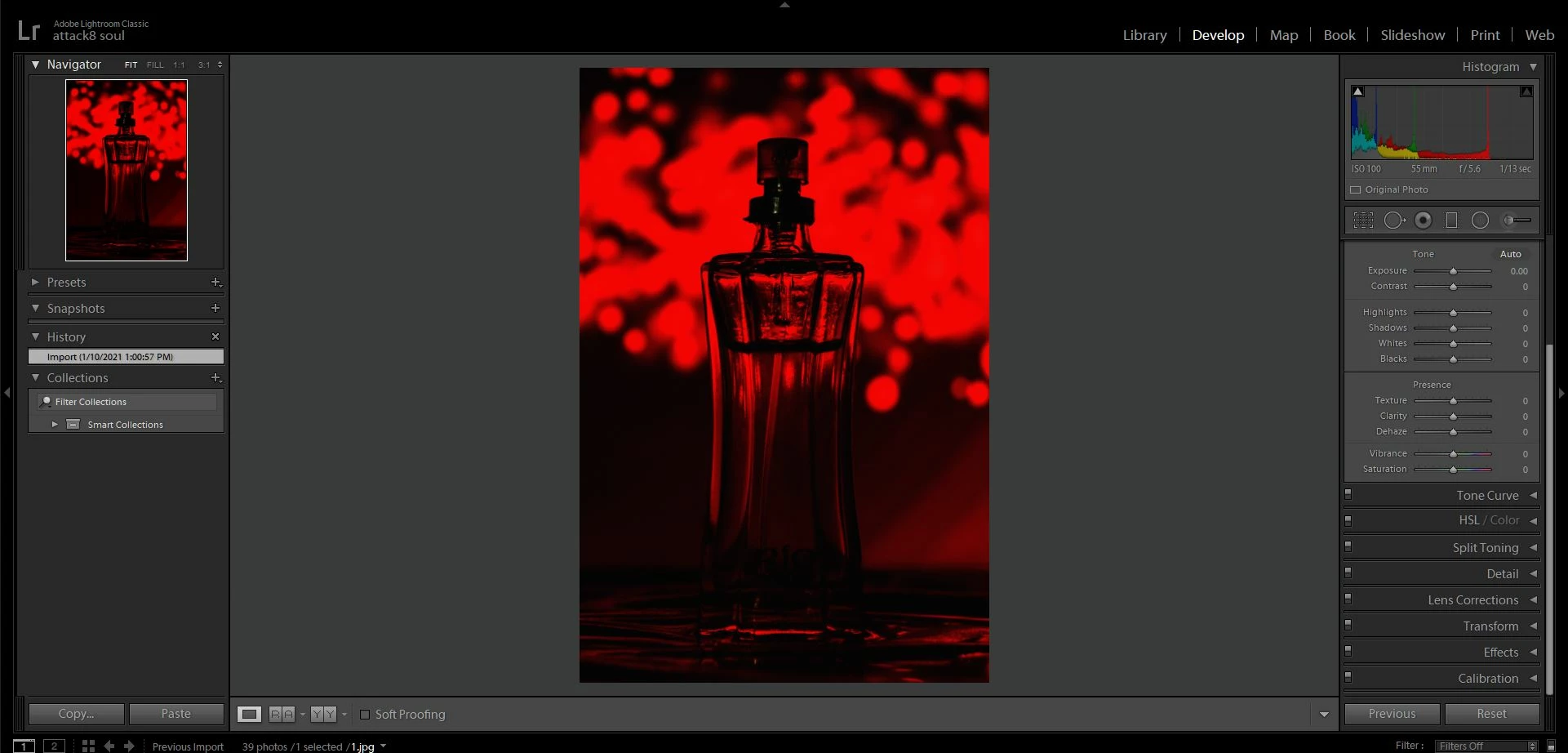
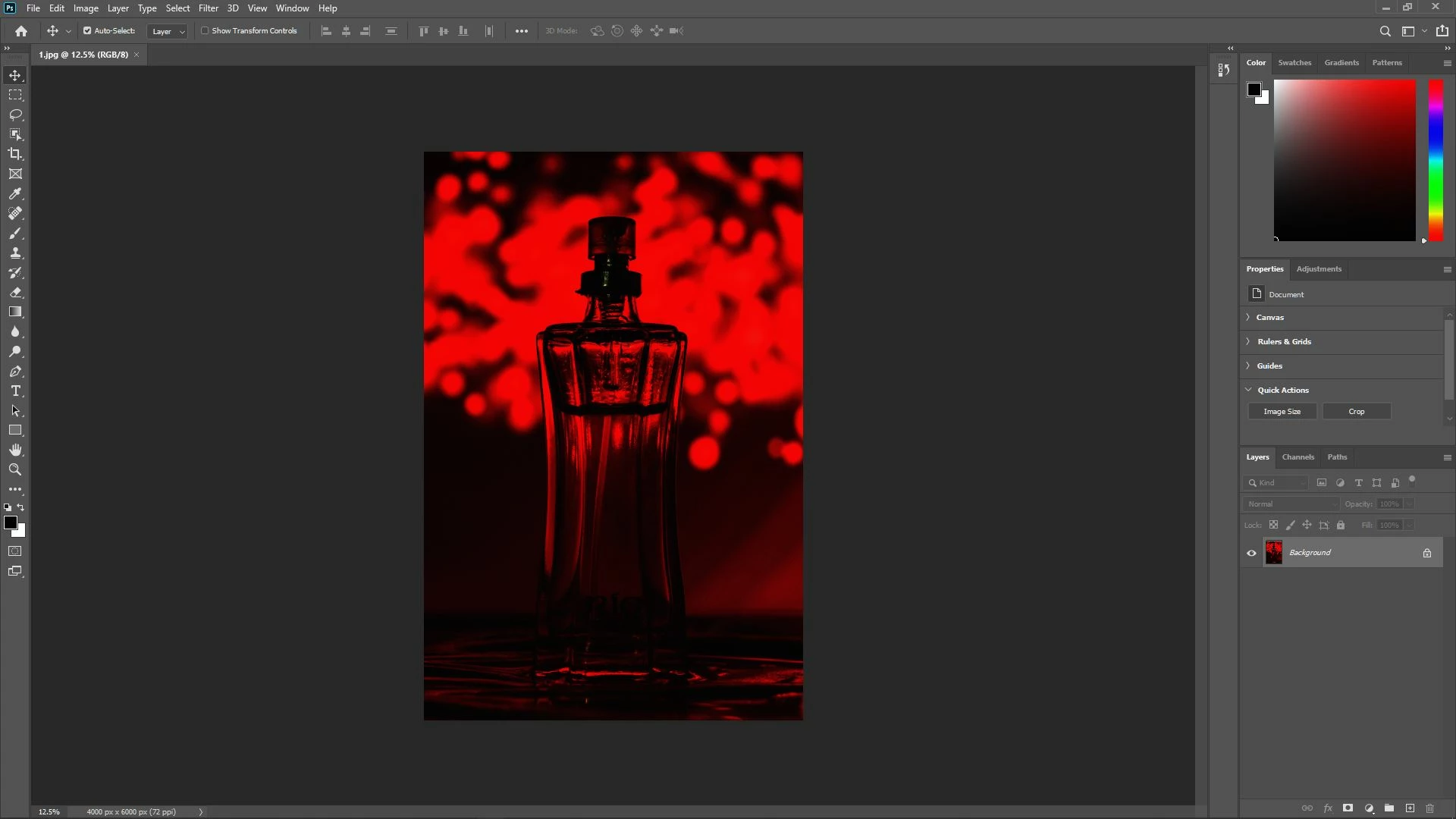
All images i am importing(raw) to Photoshop(PS) or lightroom(LR) turn dark

  • January 10, 2021
  • 1 답변
  • 1008 조회

The problem is that images look fine when i am watching them in image viewer or mobile device or any other device but when they are imported for editing purpose in PS or LR they turn dark(almost black) I tried evrything and i am stuck from last 3 days. I tred resetting prefrences, re-installing, and a lot of things and i got nothing. Someone please help.
이 주제는 답변이 닫혔습니다.
최고의 답변: D Fosse

Most likely a broken monitor profile. Windows "Photos" is not color managed and doesn't use the profile.


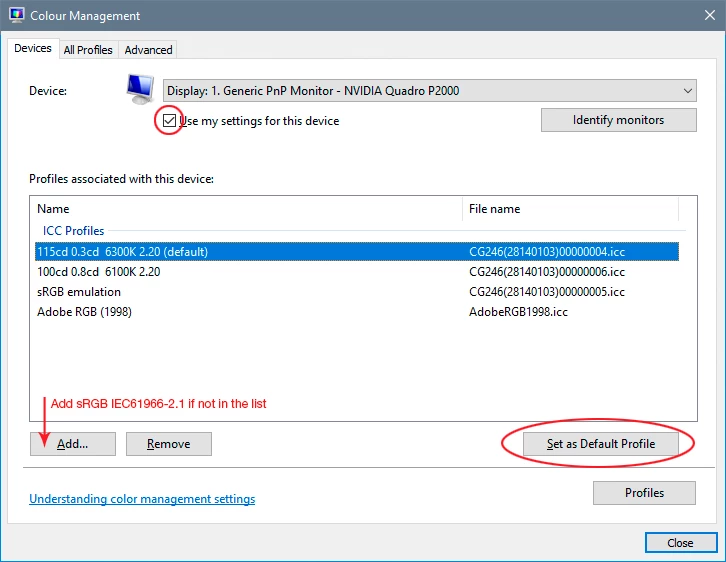
As a temporary fix, replace your current profile with sRGB IEC61966-2.1 and relaunch PS/Lr (the profile is loaded at application startup). The proper way to deal with it is to use a calibrator to make a new profile, but if you don't have one, sRGB should be close enough for non-critical work.

1 답변

D Fosse
Community Expert
D FosseCommunity Expert답변
Community Expert
January 10, 2021

Most likely a broken monitor profile. Windows "Photos" is not color managed and doesn't use the profile.


As a temporary fix, replace your current profile with sRGB IEC61966-2.1 and relaunch PS/Lr (the profile is loaded at application startup). The proper way to deal with it is to use a calibrator to make a new profile, but if you don't have one, sRGB should be close enough for non-critical work.

Serene_Echo5FB0
Participant
January 10, 2021

Thank you so much, i was trying to change color profiles but only in Softwares, not WINDOWS. Thanks once again

D Fosse
Community Expert
Community Expert
January 10, 2021

It's important to distinguish between document profiles, which are handled in application color settings, and the monitor profile, which is handled by the operating system.


Photoshop and Lightroom have no influence over the monitor profile. They just have to use whatever they get from the operating system.