
Answered
Anti Alias Box missing
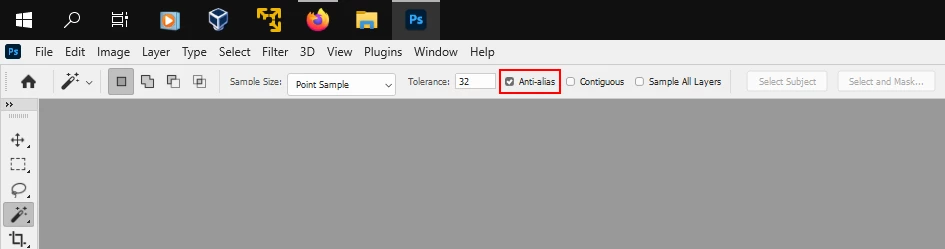
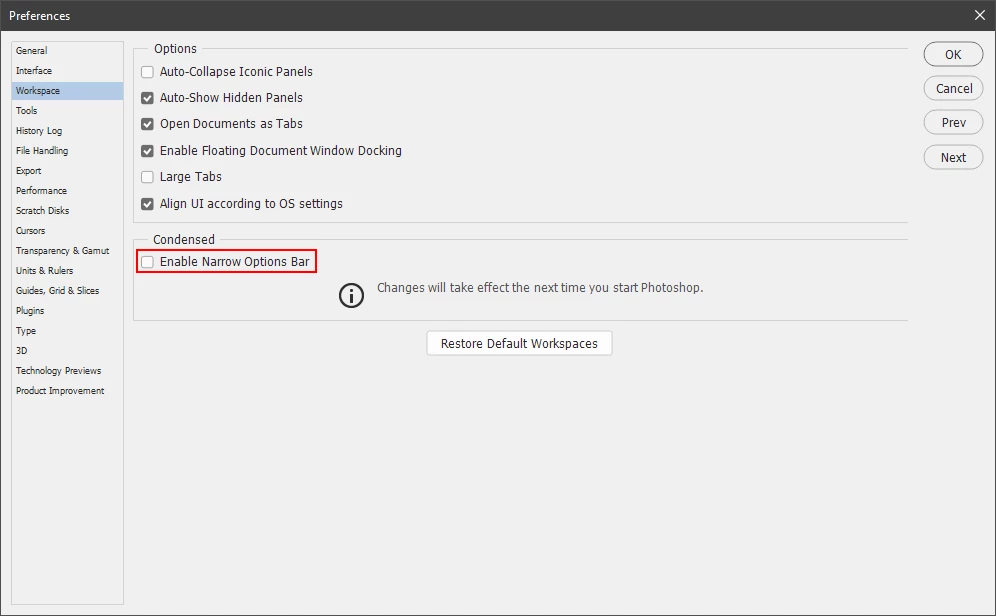
I'm unable to find the anti alias box. I've confirmed that Enable Narrow Options Bar is selected. However, it still does not show up. Attached screen shots show both lasso tool and magic wand tool which don't show the anti alias box to select or deselect. I'm running Windows 10 and Photoshop 22.4.2. I've pulled my hair out and searched everything I could find. I need this tool. I had it on a previous version, but can't find it on this version. 


 AdChoices