


Any way to reset text box scale after transform or image resize?
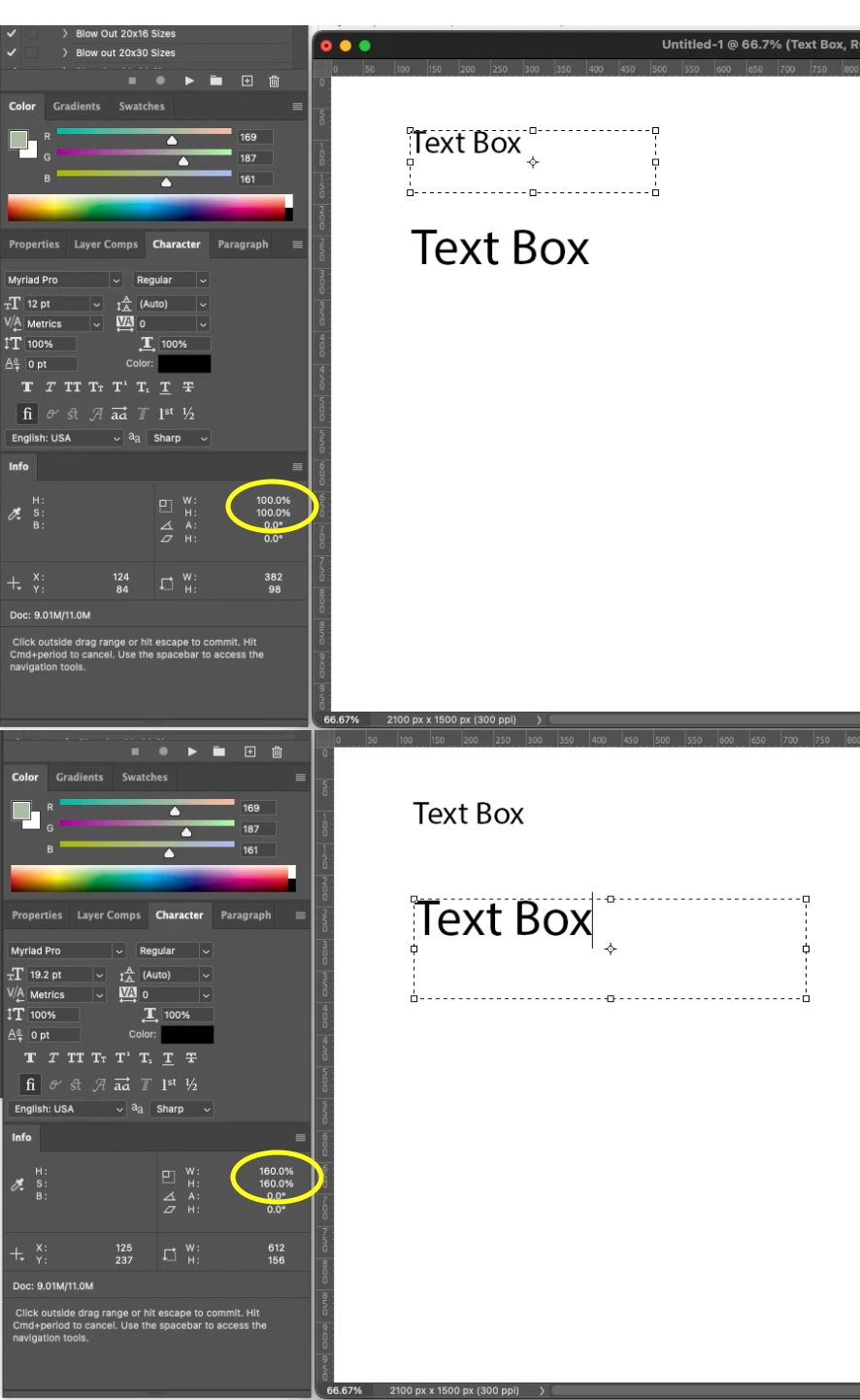
I am trying to find a solution that will reset the scale percentage of a text box after a transformation or image resize. I have a layout that needs to be rolled out to many different sizes and after I take it through all of the image size commands, the scale of the text boxes in all of the files shows the reduction or enlargement value in the info palette.
I have to upload these to an ecom platform (the layouts are ingested into a custom online builder where the customer can personalize the product by adding their own text/typography and images.
Unfortunately, the system will not properly ingest any text box that doesn't have a scale value of 100%. If it sees a scale value, it will reduce or enlarge the type according to that value.
I'm curious if there is a simple solution (scripting or otherwise) to quickly reset the scale value of the text box back to 100%, without affecting the point size. Right now, I have to manually reset the copy in each of the scaled layouts... sometimes hundreds of files.
Here is a snapshot illustrating what scale value i'm referring to.
 AdChoices