


stewart-k
Participating Frequently
November 22, 2021
Answered

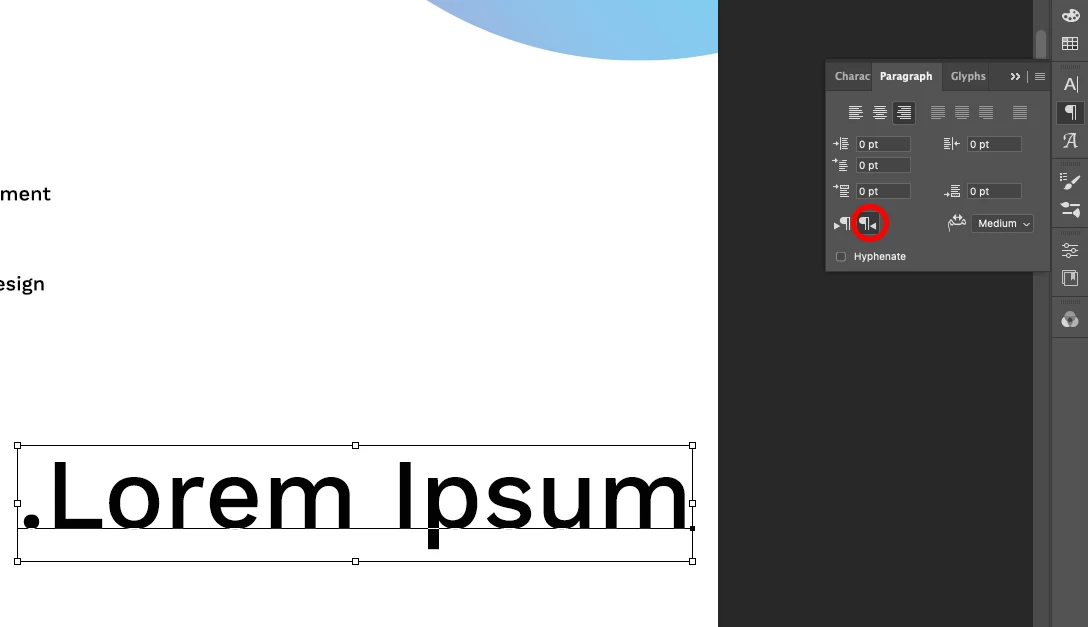
Arabic text direction is default, and it drives me crazy.

  • November 22, 2021
  • 1 reply
  • 10705 views

This is driving me crazy.

Every time I draw a new text box and type something, the paragraph direction switches to Arabic right-to-left. I want latin left-to-right as a default, always.
The language is set to Dutch or English, so this is not the problem.

How do I make latin left-to-right the default, and make it never switch to Arabic right-to-left again?
Thanks!!

 

This topic has been closed for replies.
Correct answer VinodBalakrishnan

Thank you. That IS possible, yes. What would be the way to check that?


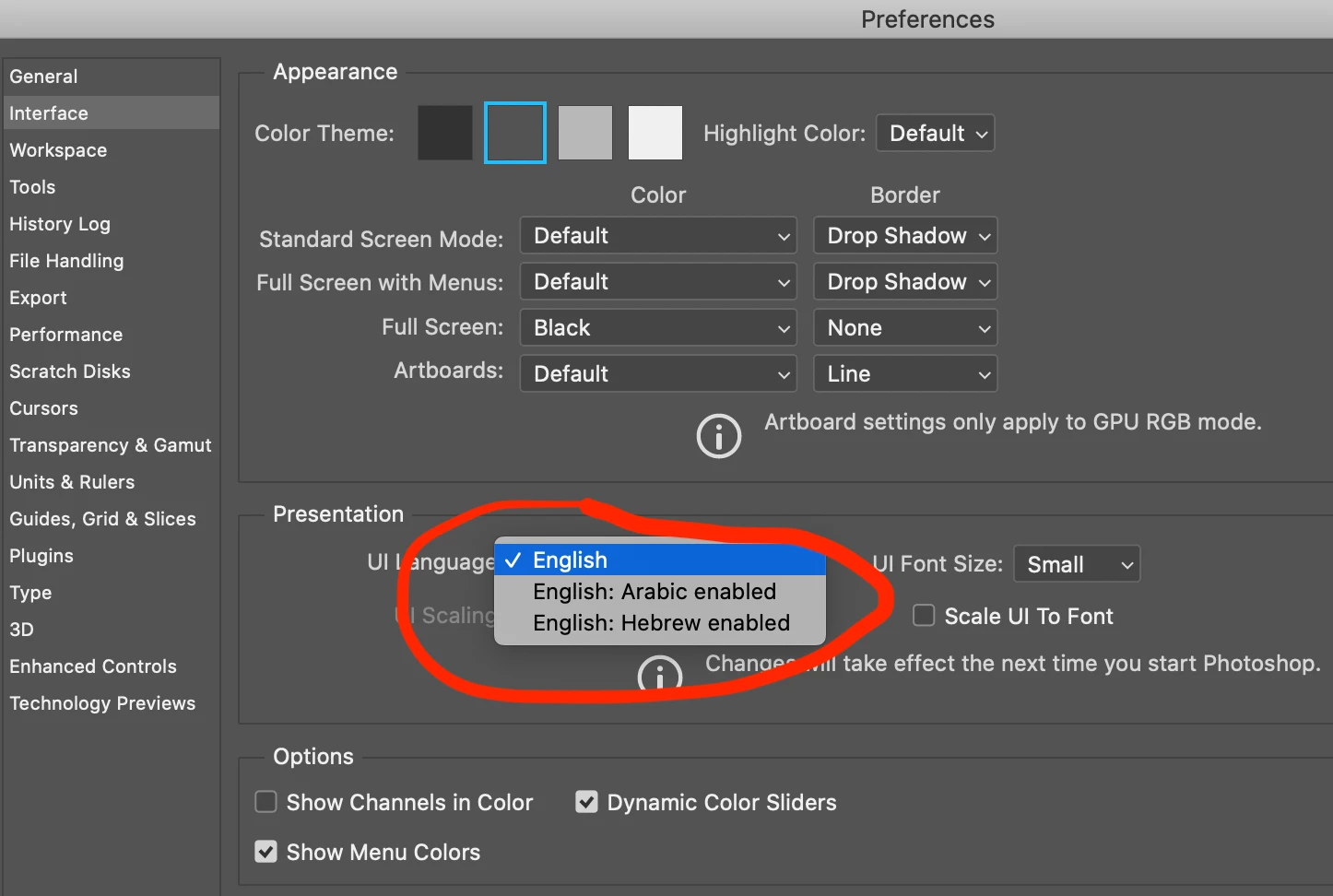
Please go the the preference dialog and select interface. The UI language should be English, if it is not English please reinstall/add an English version of the product.

1 reply

Zaid Al Hilali
Community Expert
Community Expert
November 23, 2021

I belive you need to change the default Paragraph Style named "Basic Paragraph" found in Paragraph Style panel which is dictating text attributes to your new text including Text Direction and few other formatting settings. Sadly, I couldn't find a way yet to delete the "Basic Pargraph" and replace it with my own settings.


Here is a link to how to add your own "Default Type Style", you can see it is not as easy as InDesign where we can change default text and frame defaults once and it will stick for good.

Note. Following the instructions found at the bottom of the page I linked up here, I created my own "Default Type Style", I had to load this default style each time I create a new document, yet I still have to clear overrides each time I create a new text frame, so I believe having Default Type Style didn't reduce the effort of changing direction each time !

stewart-k
stewart-kAuthor
Participating Frequently
December 3, 2021

Thank you!

The problem isn't solved yet: the default paragraph setting 'Latin and East Asian Layout' (Latin left-to-right) keeps jumping to 'World ready Layout' (Arabic right to left) when I click in the canvas with the type tool.

Extremely annoying 🙂

Any other tip to solve this is greatly appreciated!!

PECourtejoie
Community Expert
Community Expert
December 3, 2021

Hi, which version is it?

I would reset the text tool, and both text and character panels, the text tool by a right-click on its icon in the option bar, and the panels, by a click on their top right hamburger menus, then the reset at the bottom of the drop down list.