
Exit
  • Global community
    • Language:
      • Deutsch
      • English
      • Español
      • Français
      • Português
  • 日本語コミュニティ
  • 한국 커뮤니티
5

Automatic perspective correction not working

Community Beginner ,
Aug 18, 2023 Aug 18, 2023

Hello!


Computer 1. Windows 10, Adobe Photoshop 23.3.2 (version in Russian).

There are 2 files "1.jpeg", "2.jpeg" (attached). I need to do automatic perspective correction. For this:

  • Open file "1" in Photoshop.
  • Filter - Camera Row Filter - Geometry - Auto: Apply a balanced perspective correction.
  • A correction is in progress. Ready!
  • Open file "2" in Photoshop.
  • Filter - Camera Row Filter - Geometry - Auto: Apply a balanced perspective correction.
  • The message "Correction Upright not found" appears:
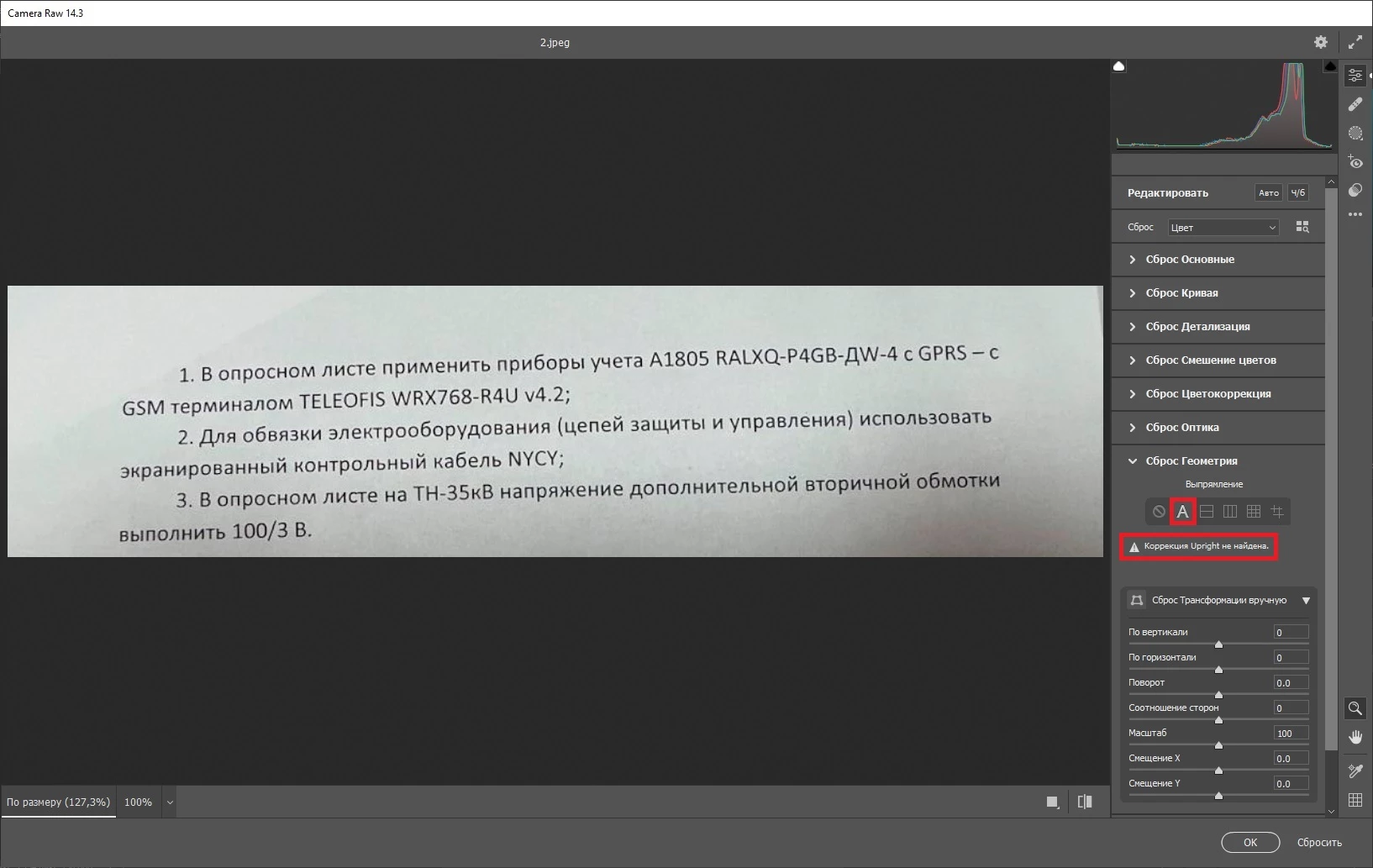
Correction Upright not found.jpg


Computer 2. Windows 10, Adobe Photoshop 24.1.1 (version in Russian).

I did the same operation on the second computer - the result is the same.


Question - why does the message “Upright correction not found” appear with file «2»?

How to make automatic perspective correction for file «2»?

Does Photoshop also work with file "2" on your computers?

TOPICS
Windows
679
Translate
Report
Community guidelines
Be kind and respectful, give credit to the original source of content, and search for duplicates before posting. Learn more
community guidelines
Adobe
Community Expert ,
Sep 30, 2023 Sep 30, 2023

Hi, I think file "2" contains not enough visual informations to make the automatic correction possible.

Translate
Report
Community guidelines
Be kind and respectful, give credit to the original source of content, and search for duplicates before posting. Learn more
community guidelines
Community Beginner ,
Oct 01, 2023 Oct 01, 2023

Thanks for the answer. Are there any ways/tricks to make the correction?

Translate
Report
Community guidelines
Be kind and respectful, give credit to the original source of content, and search for duplicates before posting. Learn more
community guidelines
Community Expert ,
Oct 01, 2023 Oct 01, 2023

Auto Correction is not going to work because, like the error message says, there is no vertical elements for it to work on.  However, what is puzzling is that I get the same error message when clicking on Level Correction Only.  This is one of those situations where I can't remember if this has always been the case, or is a new bug.

image.png

I tried it in the latest beta version as well, and got the same result.  I tried it with a bigger page of text, and all of the auto options worked perfectly, so perhaps your few lines of text do not provide enough information for Photoshop to work on.

Translate
Report
Community guidelines
Be kind and respectful, give credit to the original source of content, and search for duplicates before posting. Learn more
community guidelines
Community Beginner ,
Oct 02, 2023 Oct 02, 2023
LATEST

What versions (version number) of Photoshop did you try?

Thanks for the answer. It was important and useful to receive your comment!

Translate
Report
Community guidelines
Be kind and respectful, give credit to the original source of content, and search for duplicates before posting. Learn more
community guidelines