
Participant
April 19, 2023
Answered

Automatically match color for panorama

  • April 19, 2023
  • 1 reply
  • 1221 views

I took 30 images in a panoramic arrangement and compiled them in photoshop as so:
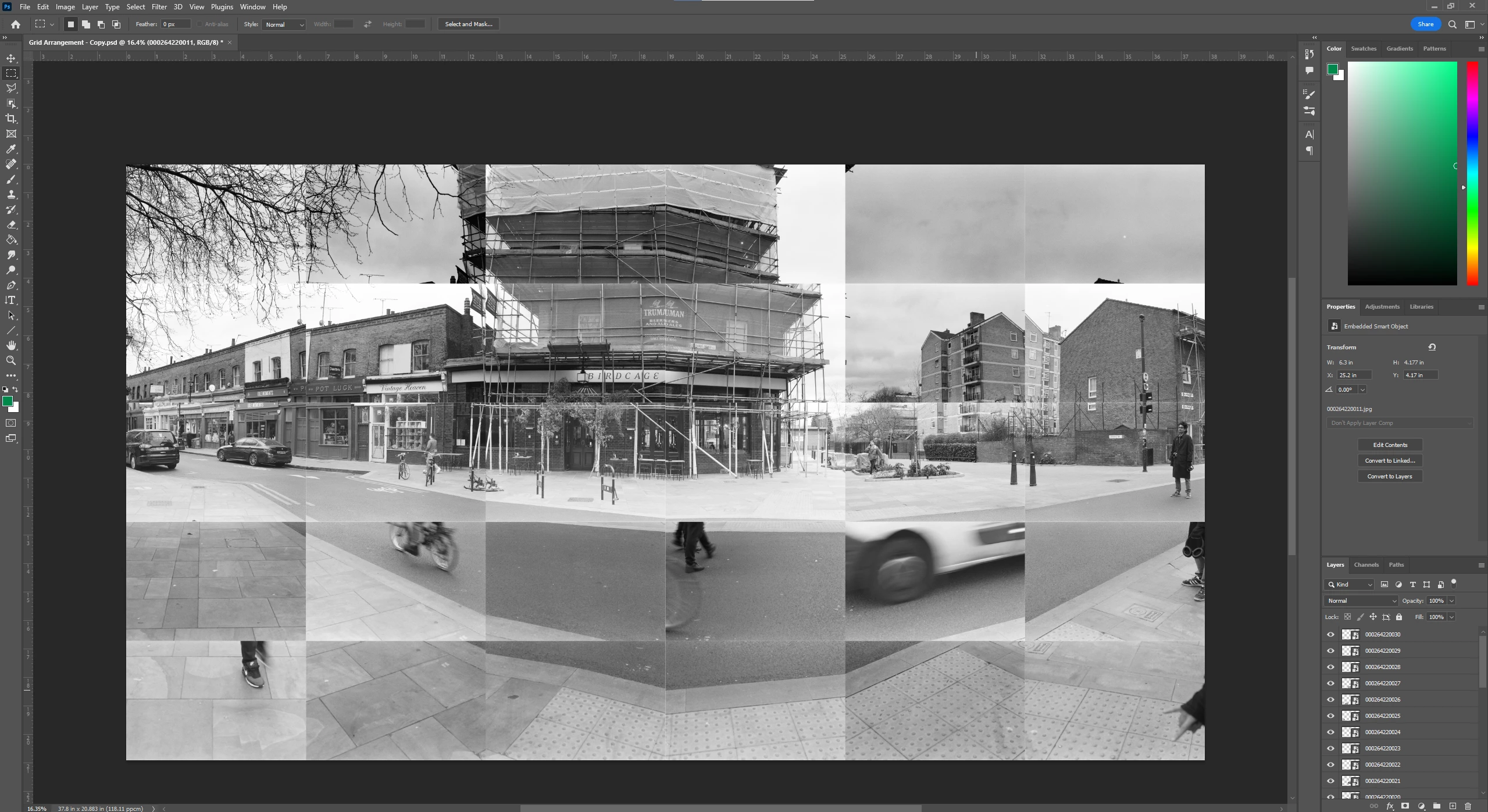
 

As I was taking the photos, the lighting conditions changed and I'd like them to all match (if that makes sense, I'm very new to photoshop!)


When I used the Photomerge feature, this was the output.
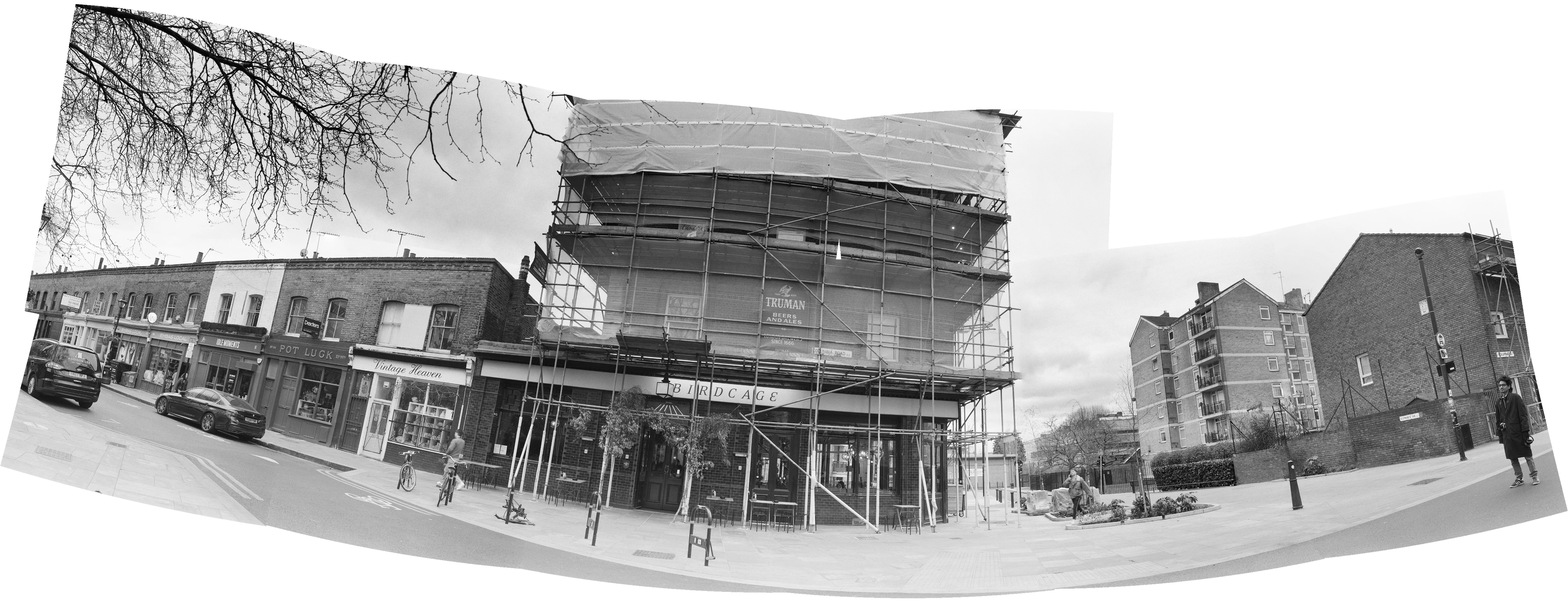
This is the sort of effect I'm looking for in terms of the light/color shifts! But I'd like to keep it in the layout of the first image.


If anyone has any suggestions I'd be very grateful 🙂

This topic has been closed for replies.
Correct answer Jeff Arola

If you arrange your images in a grid like your first screenshot, then you can select all the layers and go to Edit>Auto Blend Layers>Panorama.


You'll need to rsaterize the smart objects before using Auto Blend.

1 reply

Jeff Arola
Community Expert
Jeff ArolaCommunity ExpertCorrect answer
Community Expert
April 19, 2023

If you arrange your images in a grid like your first screenshot, then you can select all the layers and go to Edit>Auto Blend Layers>Panorama.


You'll need to rsaterize the smart objects before using Auto Blend.

Participant
April 22, 2023

Thank you!! 🙂