
Exit
  • Global community
    • Language:
      • Deutsch
      • English
      • Español
      • Français
      • Português
  • 日本語コミュニティ
  • 한국 커뮤니티
2

Batch Automation & PS Action Stop Working Suddenly

Explorer ,
Nov 29, 2023 Nov 29, 2023

Hello everyone,


I hope you are doing well. Recently I have been producing photos using the Batch Automation feature with Photoshop Actions in Adobe Photoshop 25 version. But after editing a certain amount of images (sometimes 800, or sometimes 3000 images) it stops editing and shows a pop-up window. But the pop-up window is white and black, I can not read the message on it. Please check the attached screenshot for better understanding. 

Note: I am using Photoshop Actions to run this Batch of images and the actions use features like Neural Filter, Camera Raw Filters, etc. I do not know if it is because of these features or not.
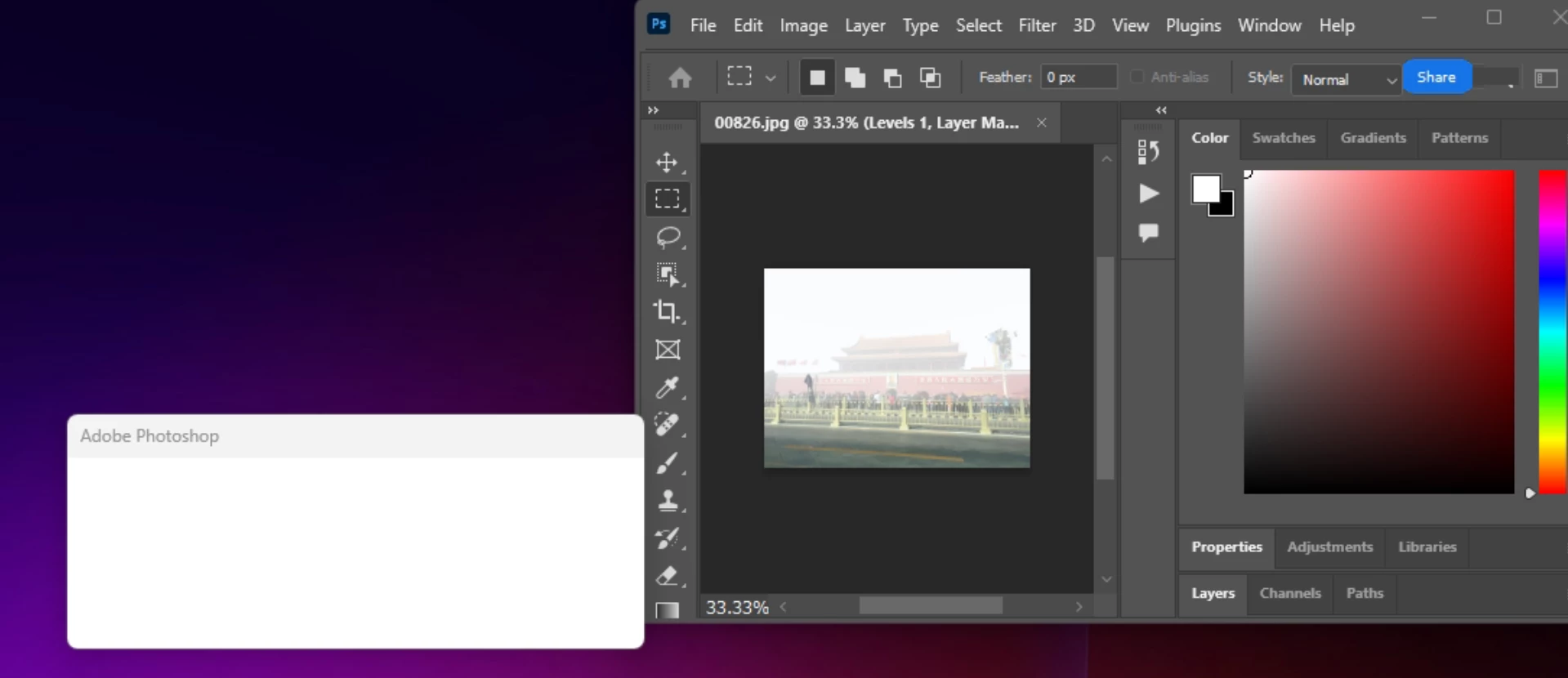
 

Tanvirnwu_0-1701320395596.png


What could be the reason behind this issue? How can I solve it? Please help me!


Thank you so much!


TOPICS
Actions and scripting , Windows
334
Translate
Report
Community guidelines
Be kind and respectful, give credit to the original source of content, and search for duplicates before posting. Learn more
community guidelines
Adobe
Community Expert ,
Nov 30, 2023 Nov 30, 2023

@Tanvirnwu 


I've moved your post to Photoshop and added the Topics for Actions & Windows for you


Jane


Translate
Report
Community guidelines
Be kind and respectful, give credit to the original source of content, and search for duplicates before posting. Learn more
community guidelines
Explorer ,
Nov 30, 2023 Nov 30, 2023

Thank you! 

Translate
Report
Community guidelines
Be kind and respectful, give credit to the original source of content, and search for duplicates before posting. Learn more
community guidelines
Explorer ,
Dec 06, 2023 Dec 06, 2023
LATEST

Hi dear Jane-e,


I haven't got any response yet, should I repost it? 

Translate
Report
Community guidelines
Be kind and respectful, give credit to the original source of content, and search for duplicates before posting. Learn more
community guidelines