
Mhall2714
Participant
April 11, 2017
Answered

Beginner needs help

  • April 11, 2017
  • 1 reply
  • 310 views

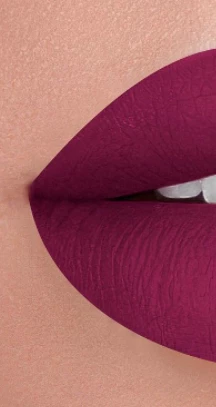
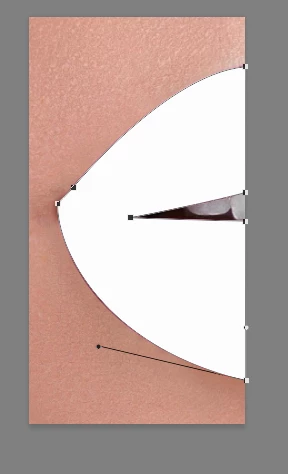
Hi there, I am wondering as to how I can create crisp clean edges like the edges of the lips in the picture below which is photoshoped, my guess is the refine edge tool...if so how would I not effect the skin around it. Thanks!
This topic has been closed for replies.
Correct answer davescm

For crisp edges like that , use the pen tool

A guide on using the tool is below. It can be a bit tricky at first, but is well worth the effort in mastering.

The pen tool creates a path which you can then stroke with a brush, create a shape or turn into a selection, and fill as required.

Draw with Pen tools in Photoshop

Dave

1 reply

davescm
Community Expert
davescmCommunity ExpertCorrect answer
Community Expert
April 11, 2017

For crisp edges like that , use the pen tool

A guide on using the tool is below. It can be a bit tricky at first, but is well worth the effort in mastering.

The pen tool creates a path which you can then stroke with a brush, create a shape or turn into a selection, and fill as required.

Draw with Pen tools in Photoshop

Dave

Mhall2714
Mhall2714Author
Participant
April 11, 2017

awesome!!!! thank you so much for your help and the link!