
Participating Frequently
March 30, 2019
Answered

Bending an image or selection in photoshop

  • March 30, 2019
  • 2 replies
  • 1589 views

Hey everyone,

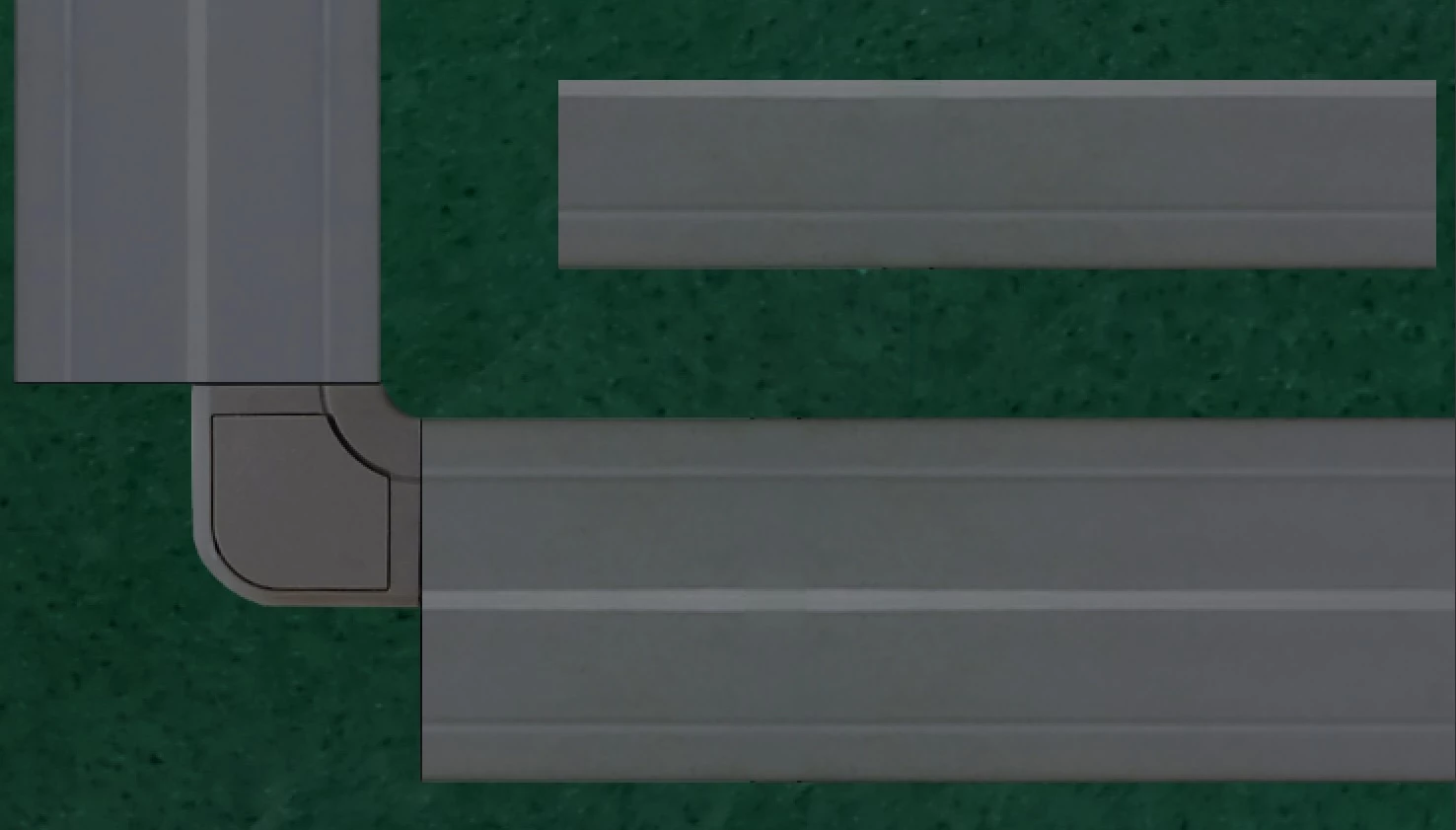
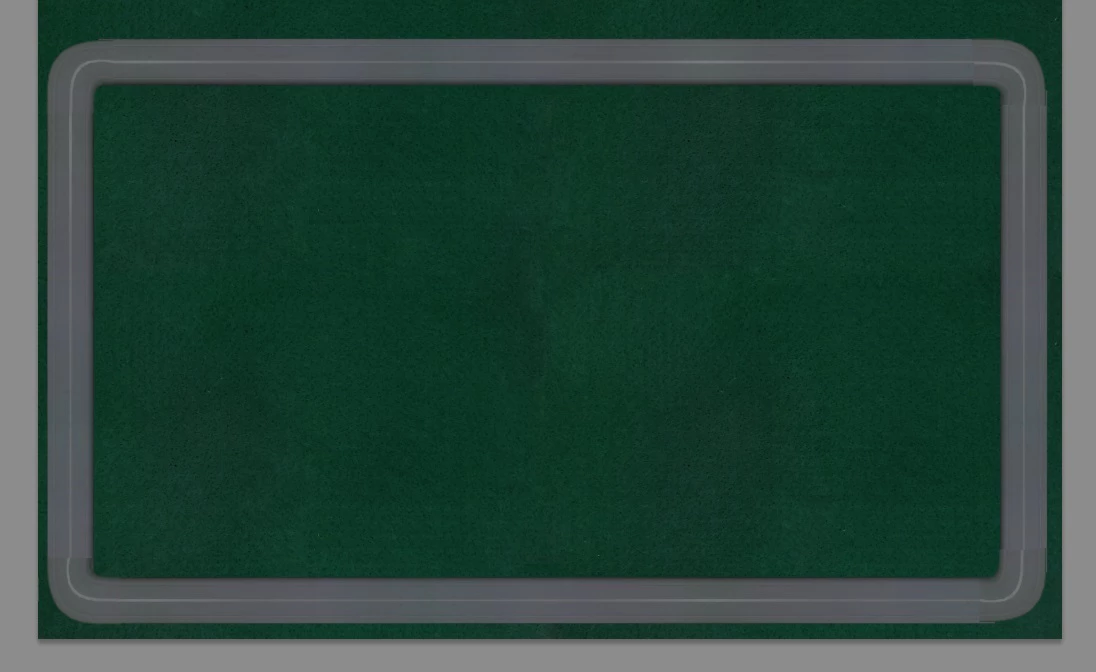
                       I am trying to use an existing part of an image to bend around a tight corner to create a notice board, I was wondering if anyone could help me? I have tried the various warp options and none can seem to get the desired effect I would like. I want to get the border to continue around the corner but im not sure how to, the top left part is a separate layer that I have been using to try and bend around the corner but its not working out.

Thanks in advance

Brownm13
    This topic has been closed for replies.
    Correct answer lambiloon

    I have but for example using the Arc option in warp didn't allow me to get a sharp enough bend around the corner. I will keep trying, I also tried just the generic warp tool and that can get it round the corner but then its all dented and not perfectly aligned but I will keep trying until either I get it or a solution is presented on here.

    Brownm13


    Like this ?

    2 replies

    lambiloon
    Community Expert
    Community Expert
    March 30, 2019

    use warp tool in edit distort i think that will work..thanks

    Ali Sajjad / Graphic Design Trainer / Freelancer / Adobe Certified Professional
    lambiloon
    Community Expert
    Community Expert
    March 30, 2019

    Hi please share a final effect picture which you want to get so i can guide you...Thanks

    Ali Sajjad / Graphic Design Trainer / Freelancer / Adobe Certified Professional
    Brownm13Author
    Participating Frequently
    March 30, 2019

    Hi Lambiloon,

                          Im not sure what you mean, I would like the border on the outside to continue around the corner around the back of the screw, so I want to try and bend the part of border in the top right of the image around the corner to connect to the straight sections. I cant get a final effect because that would require me to be able to do what I need help with. Im probably getting confused over what your asking.

    Brownm13

    lambiloon
    Community Expert
    Community Expert
    March 30, 2019

    Basically the outside part of the notice board will be wrapped around a 3d mesh because the outer side is the sides of the notice boards where as the completed part of the border is the front of the notice board. I will map this texture to a 3d mesh in 3dsmax when its completed


    Did you try to use warp tool in edit menu and try to get desired shape ?

    Ali Sajjad / Graphic Design Trainer / Freelancer / Adobe Certified Professional