Exit
  • Global community
    • Language:
      • Deutsch
      • English
      • Español
      • Français
      • Português
  • 日本語コミュニティ
  • 한국 커뮤니티
0

Bildprozessor unter Skripten geht nicht mehr

New Here ,
Jun 21, 2023 Jun 21, 2023

Unter Datei > Skripten > Bildprozessor war es mir bislang immer möglich, ganze Ordner oder Bilder auszuwählen und kleinzurechnen.


Seit einiger Zeit ist es jedoch nicht mehr möglich, einen Ordner oder auch ein Bild auszuwählen. Alle Ordner und Bilder sind ausgegraut und nicht anwählbar.

 

System

Photoshop 2023 24.5.0

macOS Ventura 13.2.1

TOPICS
Actions and scripting , macOS
307
Translate
Report
Community guidelines
Be kind and respectful, give credit to the original source of content, and search for duplicates before posting. Learn more
community guidelines
Adobe
Community Expert ,
Jun 21, 2023 Jun 21, 2023

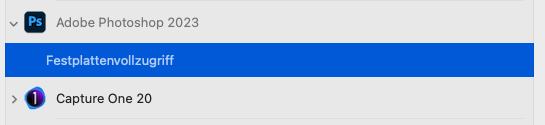
See if going to Apple>System Settings>Security & Privacy>Full Disk Access, adding the

Adobe Photoshop 2023.app

in

Applications/Adobe Photoshop 2023


Then restarting your Mac makes any difference.

Translate
Report
Community guidelines
Be kind and respectful, give credit to the original source of content, and search for duplicates before posting. Learn more
community guidelines
New Here ,
Jun 22, 2023 Jun 22, 2023

Thank you for your help.


I have tried several times, but unfortunately it does not work.

All my Adobe Apps have full hard disk access.

Translate
Report
Community guidelines
Be kind and respectful, give credit to the original source of content, and search for duplicates before posting. Learn more
community guidelines
Community Expert ,
Jun 22, 2023 Jun 22, 2023

With the Image Processor one can only select Folders, not individual images unless one selects open images or uses it from within Bridge.


/Users/UserName/Library/Preferences/Adobe Photoshop 2023 Settings

and trash the

Image Processor.xml

does that make a difference?

Translate
Report
Community guidelines
Be kind and respectful, give credit to the original source of content, and search for duplicates before posting. Learn more
community guidelines
New Here ,
Jun 22, 2023 Jun 22, 2023
LATEST

I have phoned Adobe Support and they have not yet found a solution to the problem 🤷🏻‍:male_sign:

Translate
Report
Community guidelines
Be kind and respectful, give credit to the original source of content, and search for duplicates before posting. Learn more
community guidelines