Inspiring
February 13, 2018
Answered

camera raw error after update

  • February 13, 2018
  • 3 replies
  • 6073 views

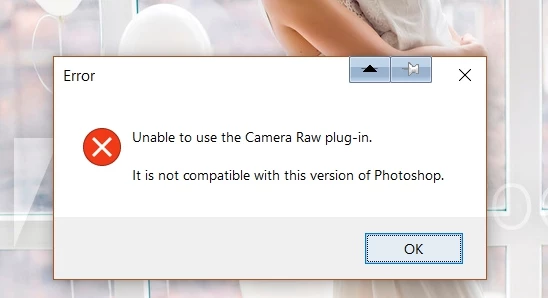
I updated photoshop today and can no longer access the camera raw filter
Really need help soon! Have a deadline and really need the raw filter

Regards
    This topic has been closed for replies.
    Correct answer ProDesignTools

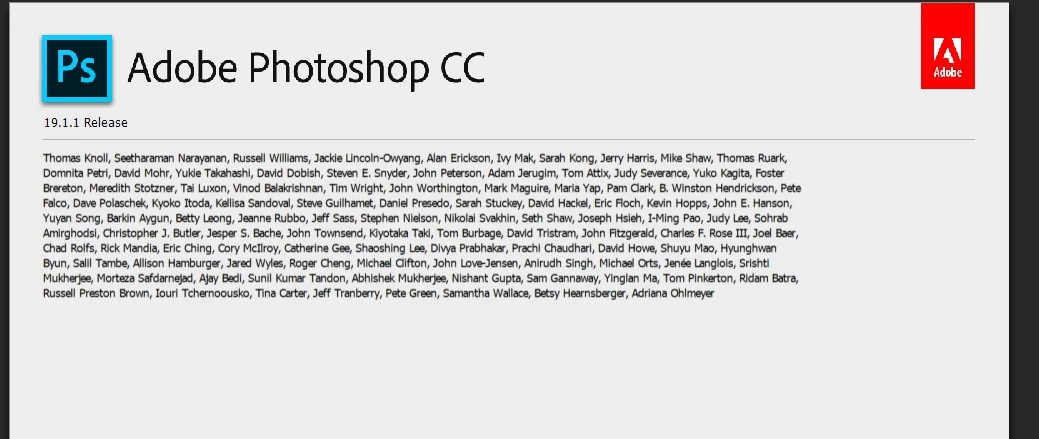
    The issue has been reported here

    Camera Raw 10.2: (Filter) Incompatible With PS CC2018 19.1.1 | Photoshop Family Customer Community


    Update:

    Adobe issued ACR version 10.2.1 on February 15th, which solves the issue:

    Camera Raw filter not compatible with this version of Photoshop

    3 replies

    saia77219078
    Participant
    May 7, 2018

    I have updated my Adobe Photoshop 19.1 and even updated camera 10.2.1 and the raw opens too slow it jz takes around 10min to open and the Photoshop gets stuck

    Adobe !

    Need help !

    Participating Frequently
    February 13, 2018

    Same issue here, got it after latest update...I installed previous version, didnt help, slso erased all my preferences and my ACTIONS !!!!

    Adobe!

    Help!

    NOW!

    bijouzAuthor
    Inspiring
    February 13, 2018

    the problem is solved here, but no idea what I did that fixed it.
    So I will go over all the steps , maybe it may help
    First I restarted my pc.Restarted photoshop then but at first the issue did not seem solved.
    I also was not able to open an image in raw from within bridge with CTRL R
    What I did then I think solved the issue
    I went into the camera raw prefs ( within bridge) and changed " disable jpg support" to automatically open jpg with settings and then was able to open them in raw again.The camera raw plugin in photoshop also worked again.
    If that does not solve the problem, startup another plugin in photoshop , like the filter gallery
    then try the raw filter again
    Good luck!

    raniag174812
    Participant
    February 13, 2018

    I have the same problem.

    I follow your instructions but nothing happened.

    I need help too.

    February 13, 2018

    There's an update for Camera Raw, latest version 10.2

    Snoozin' Susan
    Participant
    May 26, 2018

    Today I received the following error message when trying to use the Camera Raw filter:

    I opened Adobe up and saw there was an update available.  

    After the updated was completed I restarted my computer.

    Again I received the same error message as posted above.

    I totally shut down my PC and then re-started.

    Again, I received the same error message as posted above.

    Finally I completely uninstalled the entire package (Photoshop, Lightroom and Lightroom CC)

    I re-installed all three of these programs.

    But again I still receive this same error message.

    I use the Camera Raw filter daily for my work and this has become a major inconvenience.

    I searched all over the Adobe sight and found nothing that could help resolve my problem.

    HELP!!!

    ProDesignTools
    Community Expert
    Community Expert
    May 28, 2018

    Try googling the exact text of the error message and see what solutions that turns up"

        "Could not complete the camera raw filter command because of a program error"

    Or alternatively, see this related Forums help page:

    "Could not complete the Camera Raw Filter command because of a disk error"
