Exit
  • Global community
    • Language:
      • Deutsch
      • English
      • Español
      • Français
      • Português
  • 日本語コミュニティ
  • 한국 커뮤니티
0

Camera raw seems to be adjusting HSL, high lights and shadows automatically. How can I sop this?

New Here ,
Sep 21, 2020 Sep 21, 2020

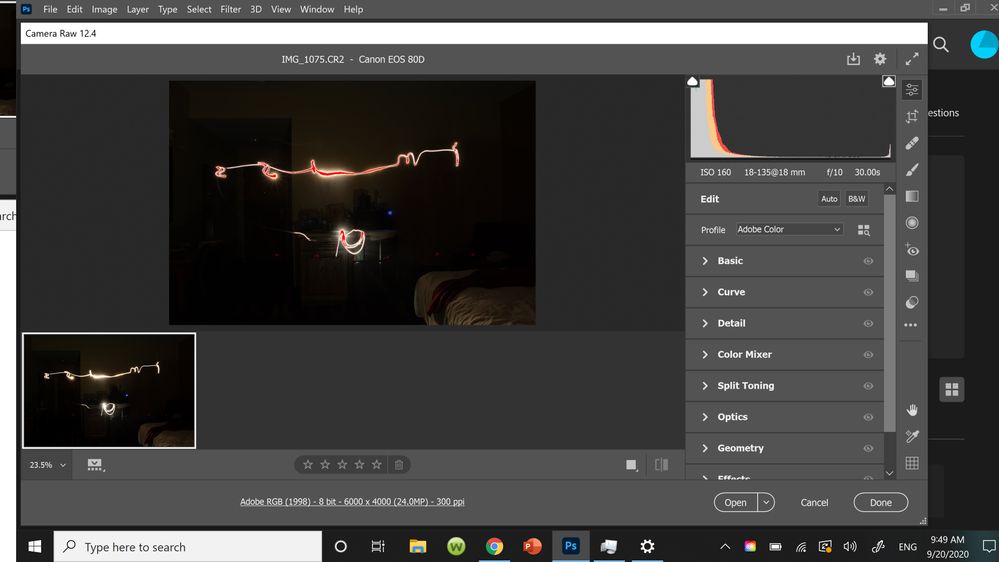
I have noticed that camera raw will adjust some of my photo properties as soon as i try to open them. I have checked my pictures on several different devices now because i thought it could just be that my screen just needed calibration but my pictures look all the same in all of my screens except in Photoshop. Here is an example of how it will mess up some properties automatically. I did not edit this picture at all myself but clearly the light i painted is all messed up. Does anyone know how to stop this? I am tired of having to adjust HSL and what not to make my pictures look more like in my camera and what my eyes see. I did not have this problem until I updated to camera raw 12.4 yesterday.Interface.jpg

374
Translate
Report
Community guidelines
Be kind and respectful, give credit to the original source of content, and search for duplicates before posting. Learn more
community guidelines
Adobe
Community Expert ,
Sep 21, 2020 Sep 21, 2020

The red is the clipping indicator. It shows blown out pixels.


Turn it off by clicking the upper-right triangle in the histogram.

Translate
Report
Community guidelines
Be kind and respectful, give credit to the original source of content, and search for duplicates before posting. Learn more
community guidelines
Community Expert ,
Sep 21, 2020 Sep 21, 2020
LATEST

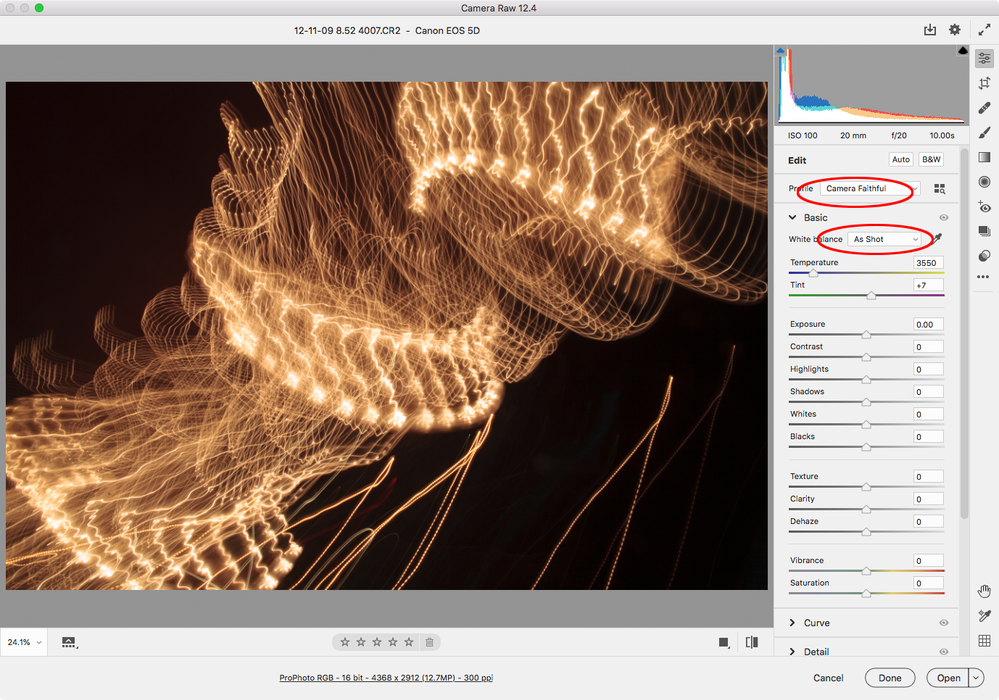
There’s also the Camera Faithful Profile with White Balance As Shot


Screen Shot 31.png

Translate
Report
Community guidelines
Be kind and respectful, give credit to the original source of content, and search for duplicates before posting. Learn more
community guidelines