

cannot make composites
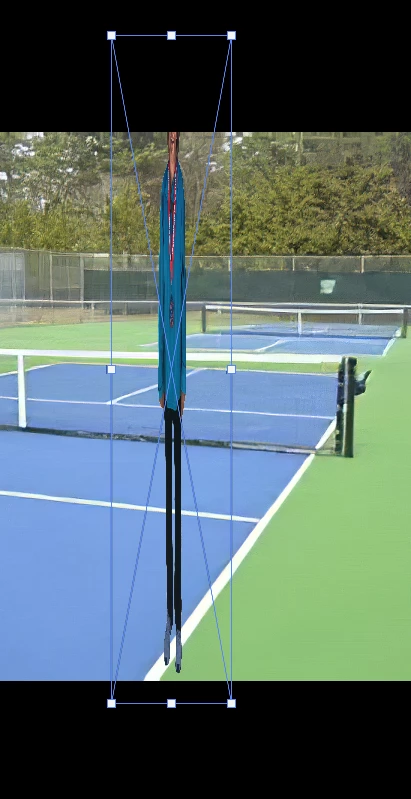
Running MacOS Mojave ver 10.14.6 and PS 2020 21.0.1 I'm a person who has used PS since 2006. However, I am running into a lot of problems. The most serious of which I will attempt to explain. 1. When bringing an new image into an existing image the new image automatically defaults to --> Pixel Aspect Ratio Correction - by removing the Pixel Aspect Ratio Correctio the image then becomes the normal size. 2. Now when I drag and drop an image directly from my homepage it automatically defaults to the Move tool and when I use the the Free Transform or the Transform dropdown the only thing I can do is move the image vertically as depicted below. The Pixel Aspect Ratio Correction tool is greyed out. All images are in .jpg format. I have had more problems with PS 2020 than all other upgrades combined. I will appreciate any help I receive. Thank you.
 AdChoices