Marko Subotin
Inspiring
December 10, 2020
Answered

Cannot save my work.

  • December 10, 2020
  • 2 replies
  • 1561 views

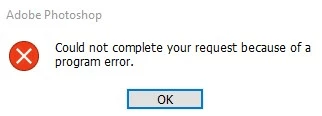
A few hours in an edit, and now I cannot save my file. I've tried export, puge all, nothing seems to help, anyone have an idea, how to save this and not to lose all my work?

This topic has been closed for replies.
Correct answer Marko Subotin

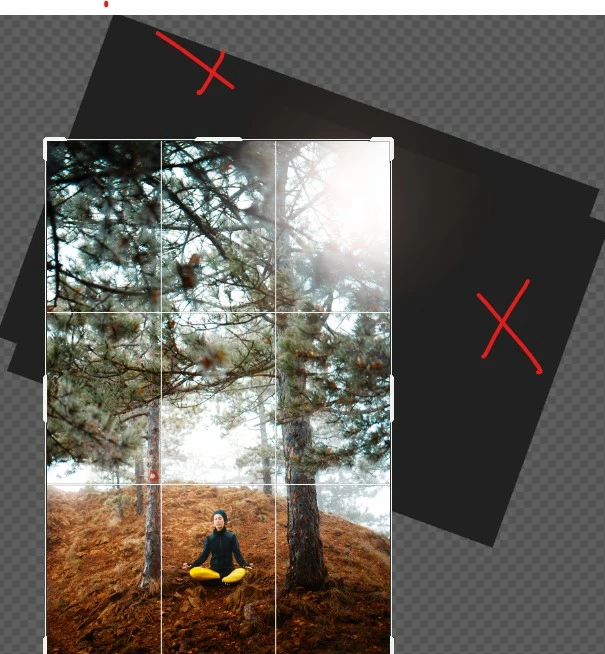
Well, somehow, I really don't know why, this was the problem. Disabling GPU didn't work, but some of my adjustment layers were ''poping' out. I've just cropped the image, and I was able to save it just fine. Why that was a problem, I really don't have a clue.
2 replies

WrittenWordsPublishing
Participating Frequently
December 10, 2020

I'm only replying to this comment because I'm having the same problem and want to be notified when someone answers your question. Praying someone responds ASAP. I don't have time to waste and don't want to redo my work.

Marko Subotin
Marko SubotinAuthorCorrect answer
Inspiring
December 10, 2020

Well, somehow, I really don't know why, this was the problem. Disabling GPU didn't work, but some of my adjustment layers were ''poping' out. I've just cropped the image, and I was able to save it just fine. Why that was a problem, I really don't have a clue.

War Unicorn
Community Expert
Community Expert
December 10, 2020

Awesome.  🙂


Make sure you delete your preferences when you get the chance, just to be sure; could be something went kablooey with the Preferences file. (You'll have to set everything the way you had it afterward again; panels, preferences, etc.)

War Unicorn
Community Expert
Community Expert
December 10, 2020

Did you try duplicating and saving that? (Image > Duplicate on the menu bar.)

Marko Subotin
Inspiring
December 10, 2020

Yup, dont work

War Unicorn
Community Expert
Community Expert
December 10, 2020

Try also disabling the GPU if you haven't done that yet. (Edit (Photoshop on Mac) > Preferences > Performance > Graphics Processor Settings.) Not sure if this will work, though.


Another thing to try: Create a new document (if you can) with the same canvas size as your original document. Select and drag all your layers into this new document. Try and save once more.