


질문
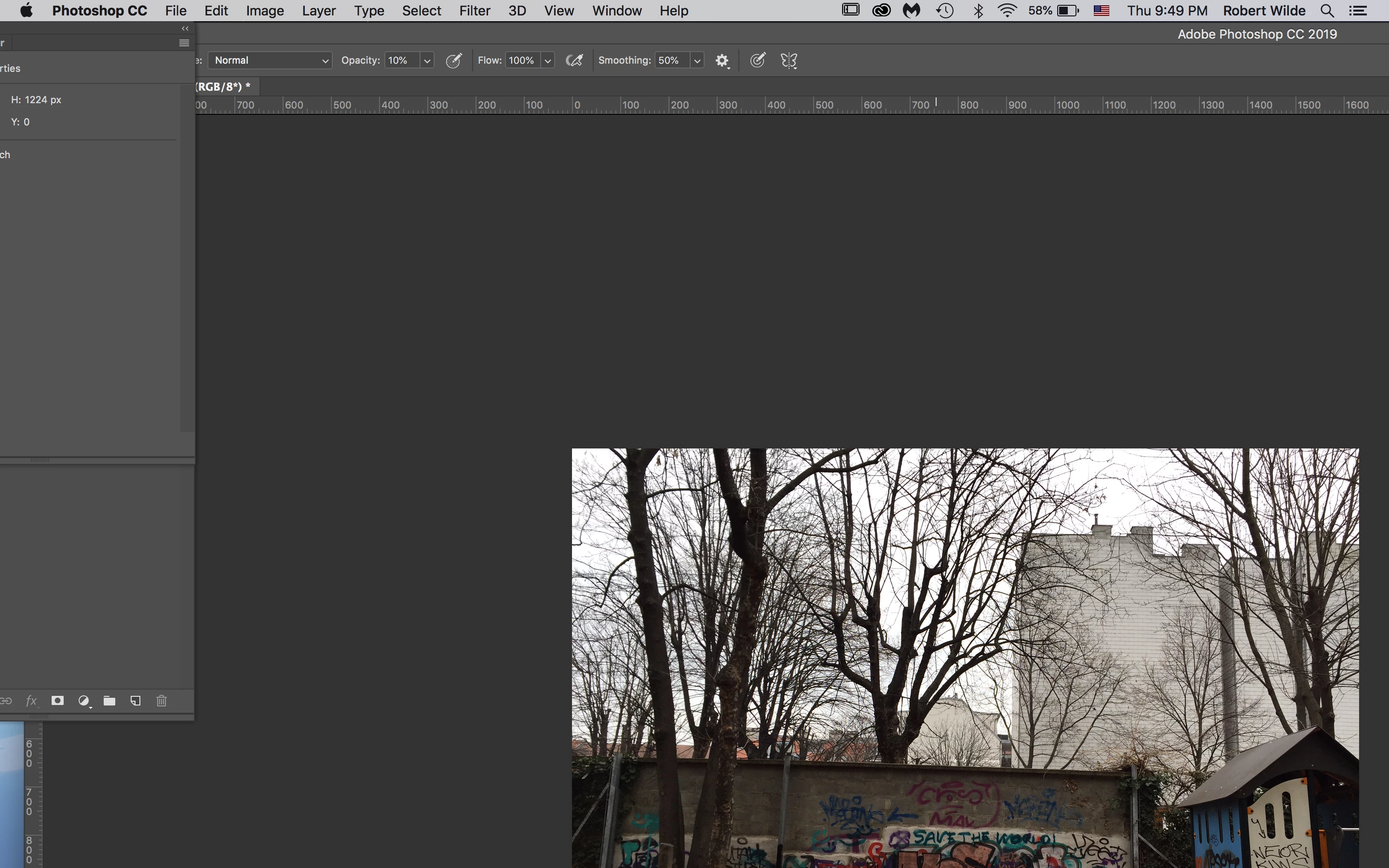
Cannot use Photoshop on a laptop - interface and images cropped to a partial macOS
 I have always used a big display with Photoshop.
Now for the first time I would have to use it on my MacBook Pro retina.
But it doesn't work.
The interface is cropped and strangely displaced.
The panels from the right show up partiall to the left.
The picture is cropped to a quarter, the rest is off screen.
Photoshop seems to not recognize my screen size properly (screenshot attached)
UI scaling is grayed out - and it is impossible to use Photoshop this way.
How can I get Photoshop CC to be properly scaled so I can actually work on my laptop with it?
{Thread renamed by moderator}
 AdChoices