Exit
  • Global community
    • Language:
      • Deutsch
      • English
      • Español
      • Français
      • Português
  • 日本語コミュニティ
  • 한국 커뮤니티
0

Change Brick colour.

Explorer ,
Jul 14, 2018 Jul 14, 2018

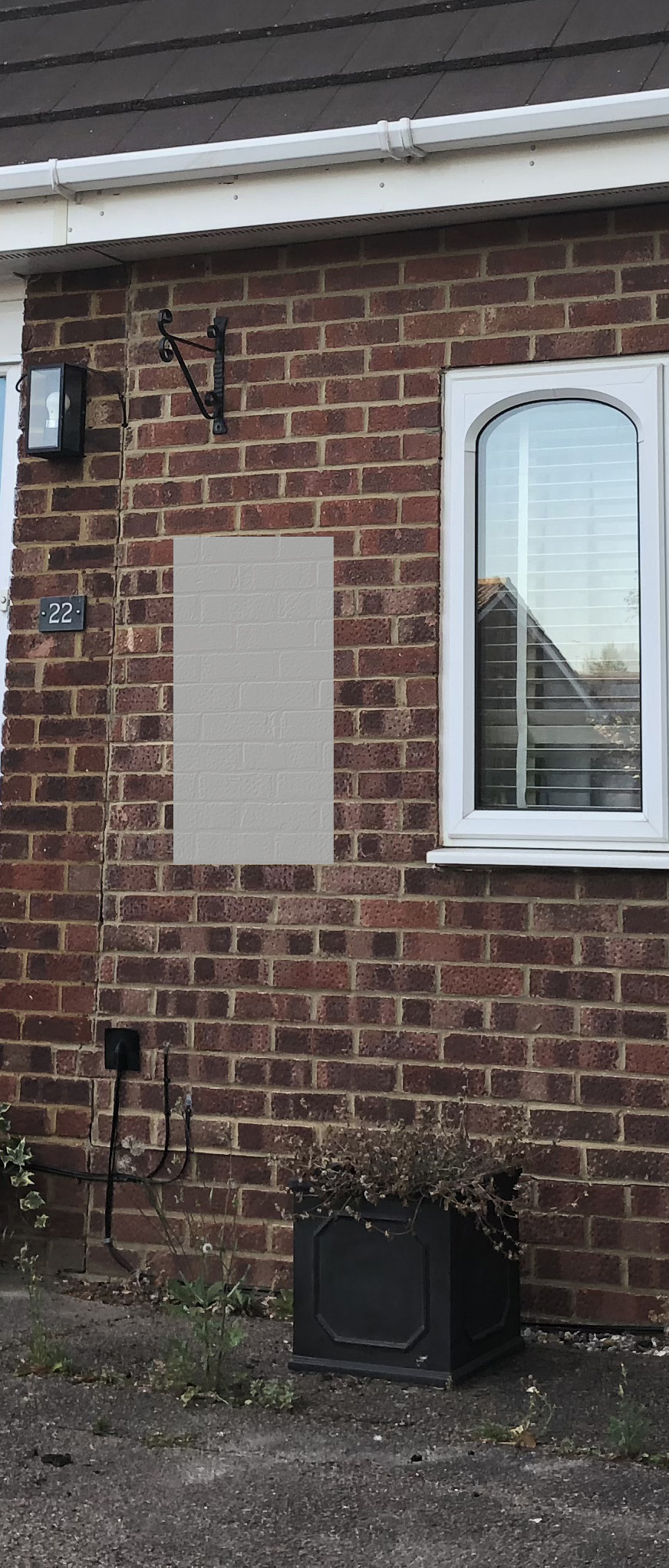
Hi all, is there a way that house bricks can have their colour changed as if being painted?

I've looked all over but cannot find anything on the subject (only wooden houses).

Win 8.1 64bit

Ps 19.1.1

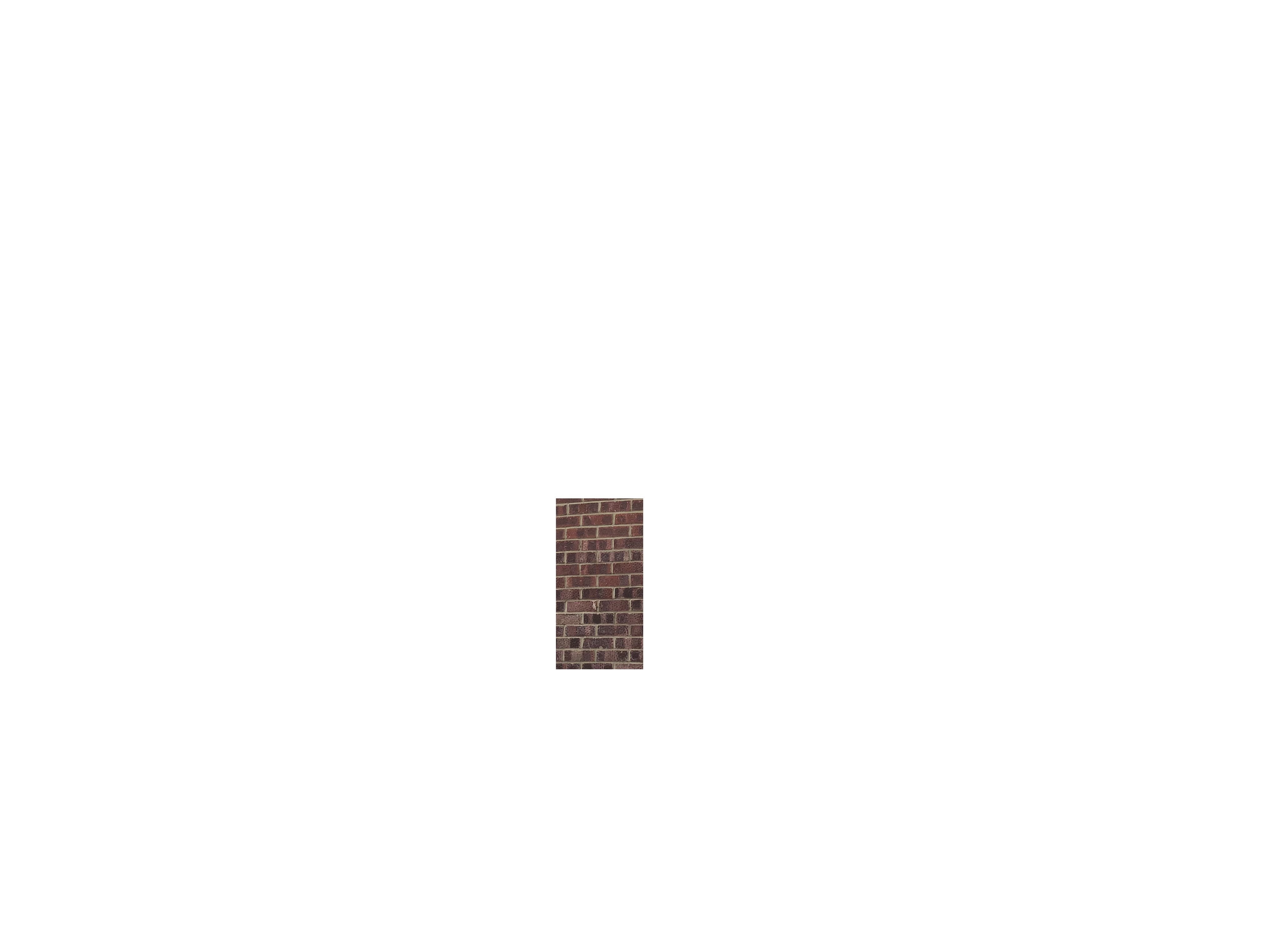
tiabrick.jpg

8.6K
Translate
Report
Community guidelines
Be kind and respectful, give credit to the original source of content, and search for duplicates before posting. Learn more
community guidelines

correct answers 1 Correct answer

Community Expert , Jul 14, 2018 Jul 14, 2018

Hi

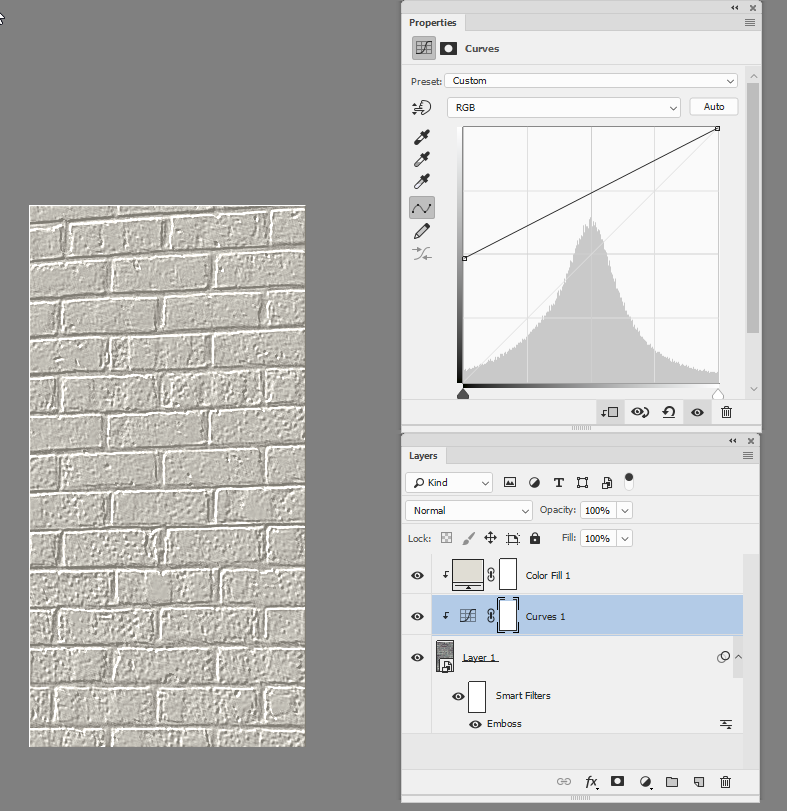
OK to use with a color fill - same steps for the emboss. Set the color fill layer to color blend mode and add a curve between the two - lightening up the dark end. You will need to paint in shadows again (e.g. under the guttering) by adding a layer at the top set to multiply

Dave

Translate
Adobe
Community Expert ,
Jul 14, 2018 Jul 14, 2018

What colour do you want to change them to (the approach may be different with different shades). Do you want the brick and concrete the same colour or just the brick?

Translate
Report
Community guidelines
Be kind and respectful, give credit to the original source of content, and search for duplicates before posting. Learn more
community guidelines
Explorer ,
Jul 14, 2018 Jul 14, 2018

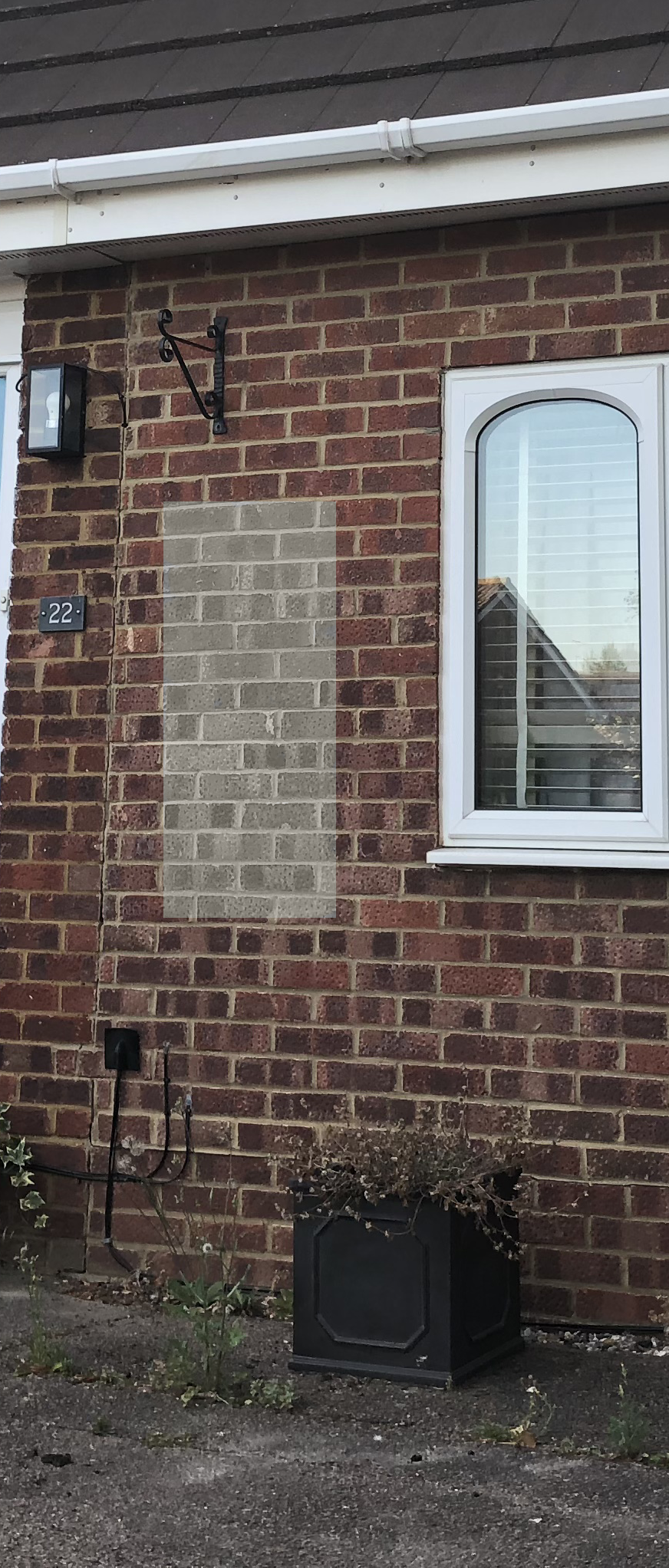
Hi Dave, the colour I was practicing with is #E1DDD4. I have desaturated the layer and adjusted in camera raw and came up with this

but it still doesn't look right.

wall.png

Translate
Report
Community guidelines
Be kind and respectful, give credit to the original source of content, and search for duplicates before posting. Learn more
community guidelines
Community Expert ,
Jul 14, 2018 Jul 14, 2018

If it is the whole wall including the concrete try this :

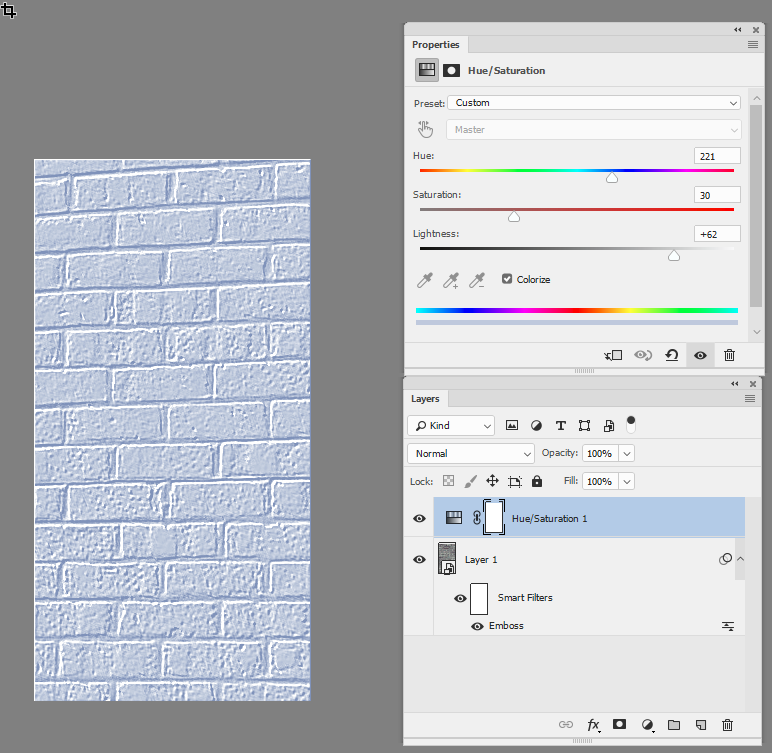
Put the brick layer in a smart object and use Filter > Stylize >Emboss

Now add a Hue and saturation layer above it and set the layer to Colorize - then pick your colour

Dave

Translate
Report
Community guidelines
Be kind and respectful, give credit to the original source of content, and search for duplicates before posting. Learn more
community guidelines
Community Expert ,
Jul 14, 2018 Jul 14, 2018

Hi

OK to use with a color fill - same steps for the emboss. Set the color fill layer to color blend mode and add a curve between the two - lightening up the dark end. You will need to paint in shadows again (e.g. under the guttering) by adding a layer at the top set to multiply

Dave

Translate
Report
Community guidelines
Be kind and respectful, give credit to the original source of content, and search for duplicates before posting. Learn more
community guidelines
Explorer ,
Jul 14, 2018 Jul 14, 2018

Hi, yeah I went for the colour fill firstly. I'll need to sort my emboss out, but I'm getting there. Really appriciate the help Dave

house1a.jpg

Translate
Report
Community guidelines
Be kind and respectful, give credit to the original source of content, and search for duplicates before posting. Learn more
community guidelines
Community Expert ,
Jul 14, 2018 Jul 14, 2018

You're welcome

Dave

Translate
Report
Community guidelines
Be kind and respectful, give credit to the original source of content, and search for duplicates before posting. Learn more
community guidelines
New Here ,
Oct 25, 2019 Oct 25, 2019

What about changing the mortar color and brick color independently?  Can this be easily done?  Thanks in advance.

Translate
Report
Community guidelines
Be kind and respectful, give credit to the original source of content, and search for duplicates before posting. Learn more
community guidelines
Community Expert ,
Oct 25, 2019 Oct 25, 2019
LATEST

You would need to mask them - i.e. create a mask for the bricks and use it with a colour fill layer then use an inverted copy of the mask on another color fill for the mortar

 

Dave

Translate
Report
Community guidelines
Be kind and respectful, give credit to the original source of content, and search for duplicates before posting. Learn more
community guidelines