



rbanks88
Inspiring
February 11, 2024
질문

Clone Stamp tool pastes with a little more saturation than the source

  • February 11, 2024
  • 5 답변들
  • 1236 조회

Sometimes when the Clone Stamp tool pastes, the result is more saturated (and sometimes) less detailed than the source. 
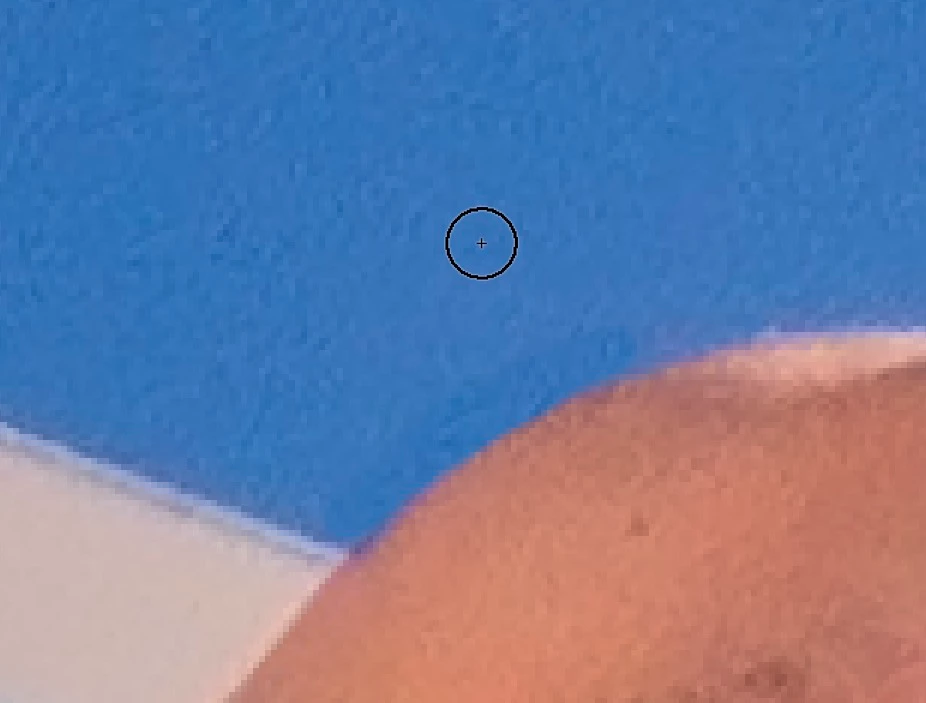
 

In this example, I've sampled at the circle's location, and "pasted" right below, removing a halo from the edge of the shoulder. As you can see, the result is a little darker, and a little more saturated than the source. To adapt, I sometimes have to paste with a lower opacity, but that just helps approximate the appearance.


I'm only sampling the current layer.

100% hardness doesn’t help.

I’ve reset the Clone Stamp tool.

M1 MacBook Air

Current Photoshop

Eizo CS2740 display


Any idea what’s going on? I do a lot of heavy tonal and color manipulation, and, in spite of taking care, I often have a few halos to deal with. 

이 주제는 답변이 닫혔습니다.

5 답변

c.pfaffenbichler
Community Expert
Community Expert
June 27, 2024

Can you provide that section of the original image (undamaged, so no jpg please)? 

c.pfaffenbichler
Community Expert
Community Expert
June 26, 2024

@rbanks88 , the Clone Stamp Tool apparently worked just fine – the Clone Source is simply darker than the target area. 


Compare your screenshot and the original section overlayed on the position of the Clone Stamp-application. 

mglush
Community Expert
Community Expert
June 25, 2024

Hi!

Can you show us a screen shot of your Options bar with the Clone Stamp tool selected in your tool panel, as well as your brushes panel so we can see their settings?

Thanks,

Michelle 

c.pfaffenbichler
Community Expert
Community Expert
June 26, 2024
quote

Hi!

Can you show us a screen shot of your Options bar with the Clone Stamp tool selected in your tool panel, as well as your brushes panel so we can see their settings?

Thanks,

Michelle 


By @mglush

Plus the Layers Panel so we can see about the Layer structure. 

Trevor.Dennis
Community Expert
Community Expert
June 23, 2024

Did you have any adjustment layers higher up the stack?  I usually turn them off when this sort of thing happens, and re-enable them afterwards.

D Fosse
Community Expert
Community Expert
February 11, 2024

Do you have adjustment layers and the clone tool set to "sample all layers"? Set it to current layer only.

rbanks88
rbanks88작성자
Inspiring
February 11, 2024

Yes, the clone tool is set to sample the current layer only. It's a stamped visible layer, so it’s all pixels.

It's a tight space, but I was able to get better results from the patch tool.

D Fosse
Community Expert
Community Expert
February 11, 2024

OK, odd. You're sure there isn't a very subtle gradient there? Can you reliably reproduce this, or is it erratic?