
Participant
January 24, 2022
Question

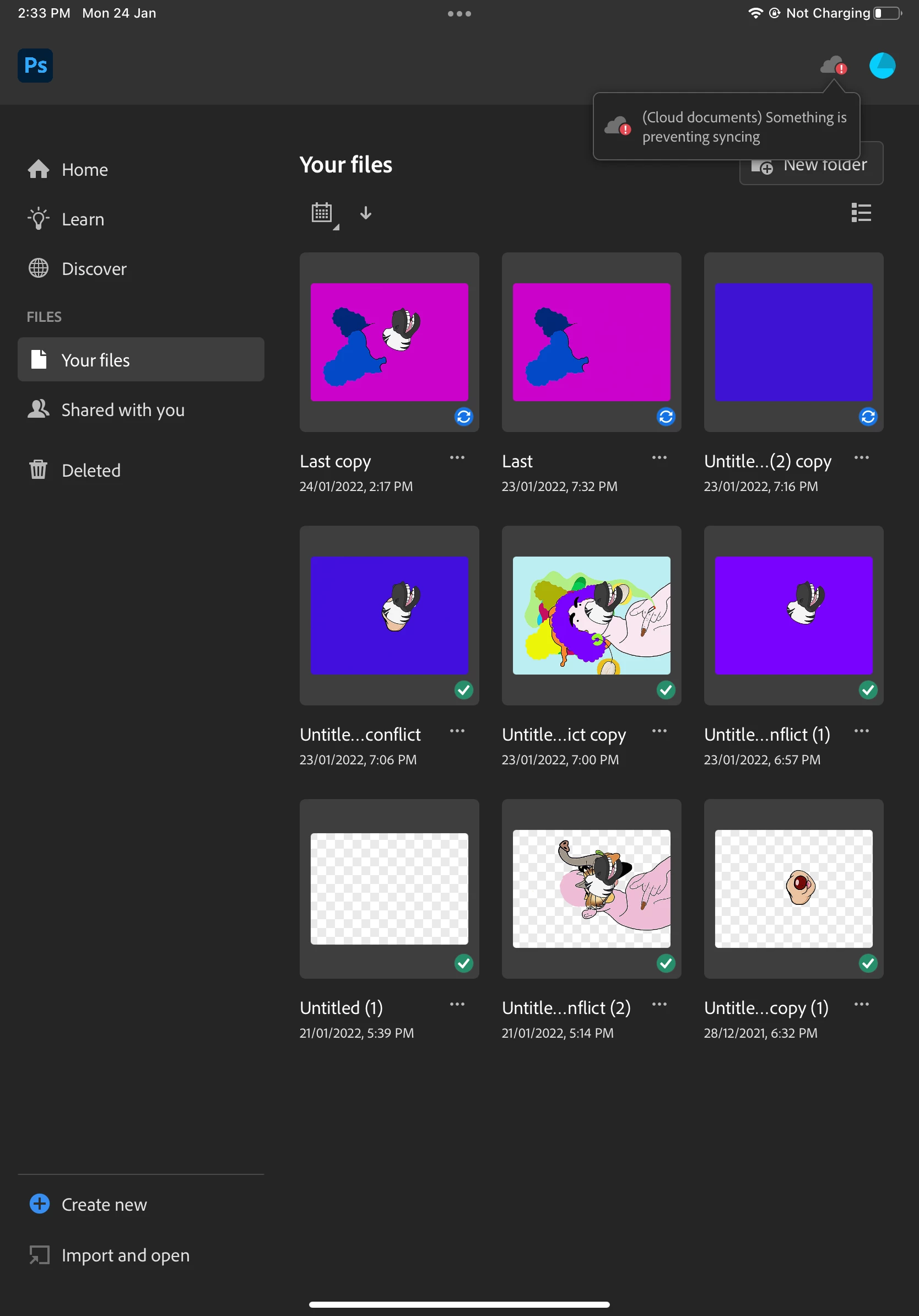
(Cloud documents) something is preventing syncing ERROR using iPad Pro

  • January 24, 2022
  • 6 replies
  • 3777 views

Dear community


i was drawing on Photoshop using my iPad Pro. 
Since I have opened my photoshop account with my PC (windows 10), I cannot sync my drawings on the cloud from my iPad. It says "(Cloud documents) something is preventing syncing"


can someone help me ?🙏
thanks


This topic has been closed for replies.

6 replies

NOVELETTE
Inspiring
January 5, 2023

I'm having the same issue as Corentine since Monday 2Jan 2023, my device is iPad Pro Version iPadOS 16.2.

I'm really getting fraustated. 

Novelette


Participant
January 13, 2023

Having the same issues. Becoming a joke, I cant sync any files from pc to ipad or vise versa. 


Known Participant
August 11, 2022

Same here.  It was working three days ago, now it is not working even though I have tried all of the solutions.  I need this feature.  Help!


Participant
July 26, 2022

I'm having the same problem. When I click on the cloud it says this

Known Participant
August 23, 2022

yes it was the same message same with mine. see above I found a soloution that worked in my case.


Participant
January 28, 2022

Same issue here. Would love to find a solution. Its such a non-descript error message. The internet has thus far provided no assistance.

Known Participant
July 15, 2022

I have the same issue I have logged out of Adobe on both Mac and iPad logged i again in 2 ways Mac then iPad , out again and back in ipad the Mac same result so thing is preventing synching error shows . I was able to create in  when I used the remove backround feature  in cc on the ipad it saved in the cloud direct from the interface I can access those files from ipad and Mac.  No others plus I can't delete one image on my ipad after  editing it on ipad it is stuck  this item cannot be deleted something  is preventing synching .

Known Participant
July 15, 2022

Same issue in all cc aps on iPad that I've tried. Here's a snap shot from photoshop on iPad

italosan
Community Expert
Community Expert
January 24, 2022

Hi, have you tried logging out and back in your Adobe account?

Participant
January 24, 2022

Yes, but the problem remains.


I found another discussion on the community where a guy had the same problem with his computer (screenshot below). This guy saved the file to cloud document from his computer which allowed syncing and access from iPad.

but my problem is coming from my iPad (not from a computer). I don't know how to save a photoshop file to cloud document on iPad. 
would you have any advice?

jane-e
Community Expert
Community Expert
July 6, 2022

@Corentine22804049330k wrote:

I don't know how to save a photoshop file to cloud document on iPad. 


When you work with Photoshop for iPad, it's an automatic save to .psdc on the Cloud. All you do is close the document (after confirming that you don't need to Undo first). 


When I click the Cloud icon, the message box says, "You're online". Can you check to see if your iPad is online? That would prevent syncing and would be an easy fix.


I also see that the app is not showing your avatar. When you open the Creative Cloud app, are you properly signed in? You might sign out of CC on both your iPad and desktop, then sign back in with your Adobe ID and password.


Jane


Participant
January 24, 2022

To complete, I want to sync my drawings (currently on my iPad) on the cloud to get access from my computer (windows)

Known Participant
July 6, 2022

' l have the same issue new iPad says something is preventing synching