Exit
  • Global community
    • Language:
      • Deutsch
      • English
      • Español
      • Français
      • Português
  • 日本語コミュニティ
  • 한국 커뮤니티
0

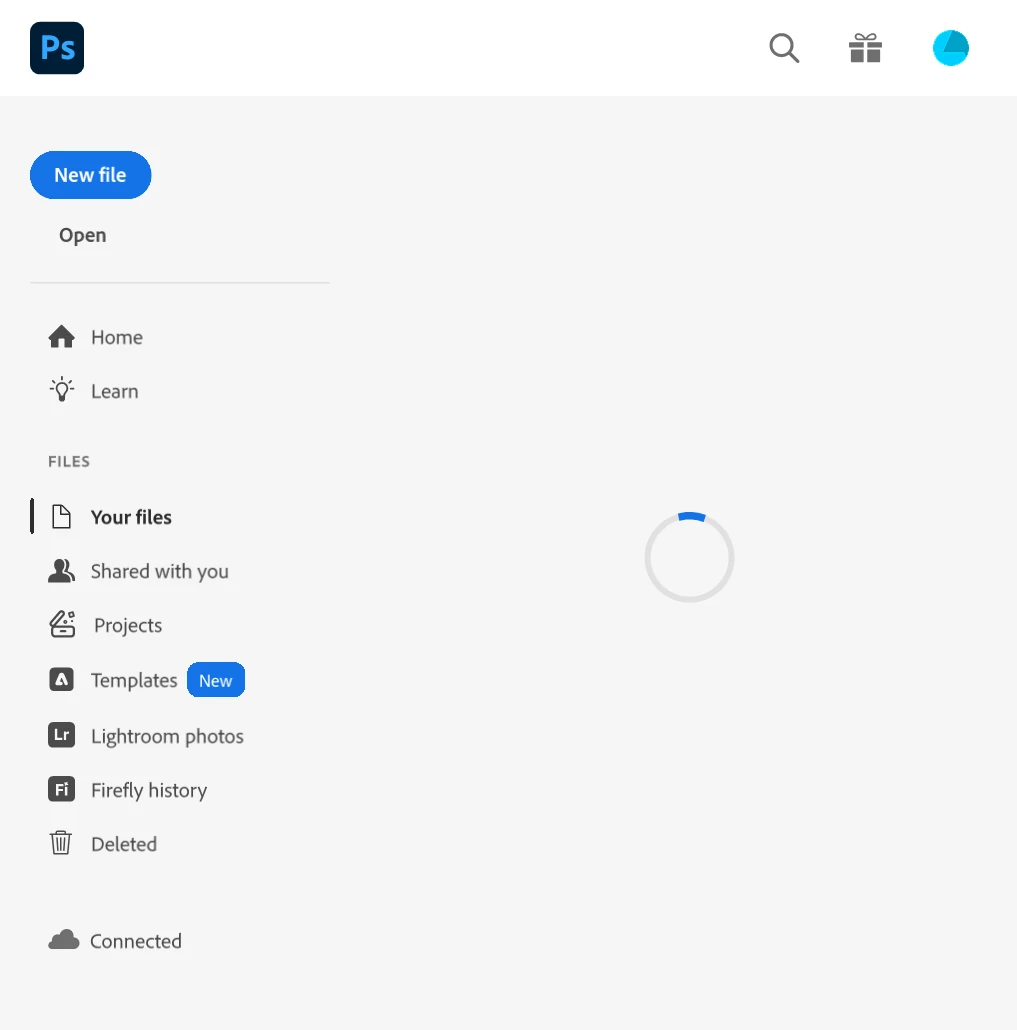
Cloud Files still loading?

Explorer ,
Oct 12, 2025 Oct 12, 2025

As it shows below, any suggestion? Thanks.
X28_0-1760312818133.png


TOPICS
Windows
90
Translate
Report
Community guidelines
Be kind and respectful, give credit to the original source of content, and search for duplicates before posting. Learn more
community guidelines

correct answers 1 Correct answer

Explorer , Oct 28, 2025 Oct 28, 2025

I found that this issue may relate to Google Drive desktop, after I quit the Google Drive, it can show my cloud files. If I open Google Drive again, it spins again. Interesting.

Translate
Adobe
Adobe Employee ,
Oct 28, 2025 Oct 28, 2025

Hi @X28,


Thanks for sharing that screenshot; it helps clarify what’s happening. The loading spinner on the “Your Files” panel typically indicates that Photoshop is still trying to sync or fetch your cloud documents.

Could you please confirm if you’re still experiencing this issue? We recently rolled out Photoshop version 27.0. Updating to the latest version may resolve this behavior.


You can learn more about the new release and find the download details here: https://adobe.ly/4oFboQu


Once you’ve updated, try signing out and back into the Creative Cloud desktop app to refresh the connection, then relaunch Photoshop and check if your files load correctly.


Please let me know if the issue persists after updating. I’ll be happy to explore additional troubleshooting steps if needed.


Best,

Anshul Saini

Translate
Report
Community guidelines
Be kind and respectful, give credit to the original source of content, and search for duplicates before posting. Learn more
community guidelines
Explorer ,
Oct 28, 2025 Oct 28, 2025
LATEST

I found that this issue may relate to Google Drive desktop, after I quit the Google Drive, it can show my cloud files. If I open Google Drive again, it spins again. Interesting.

Translate
Report
Community guidelines
Be kind and respectful, give credit to the original source of content, and search for duplicates before posting. Learn more
community guidelines
