
Color Change To Color Fill Layer in Color Picker Window is Not Taking Effect
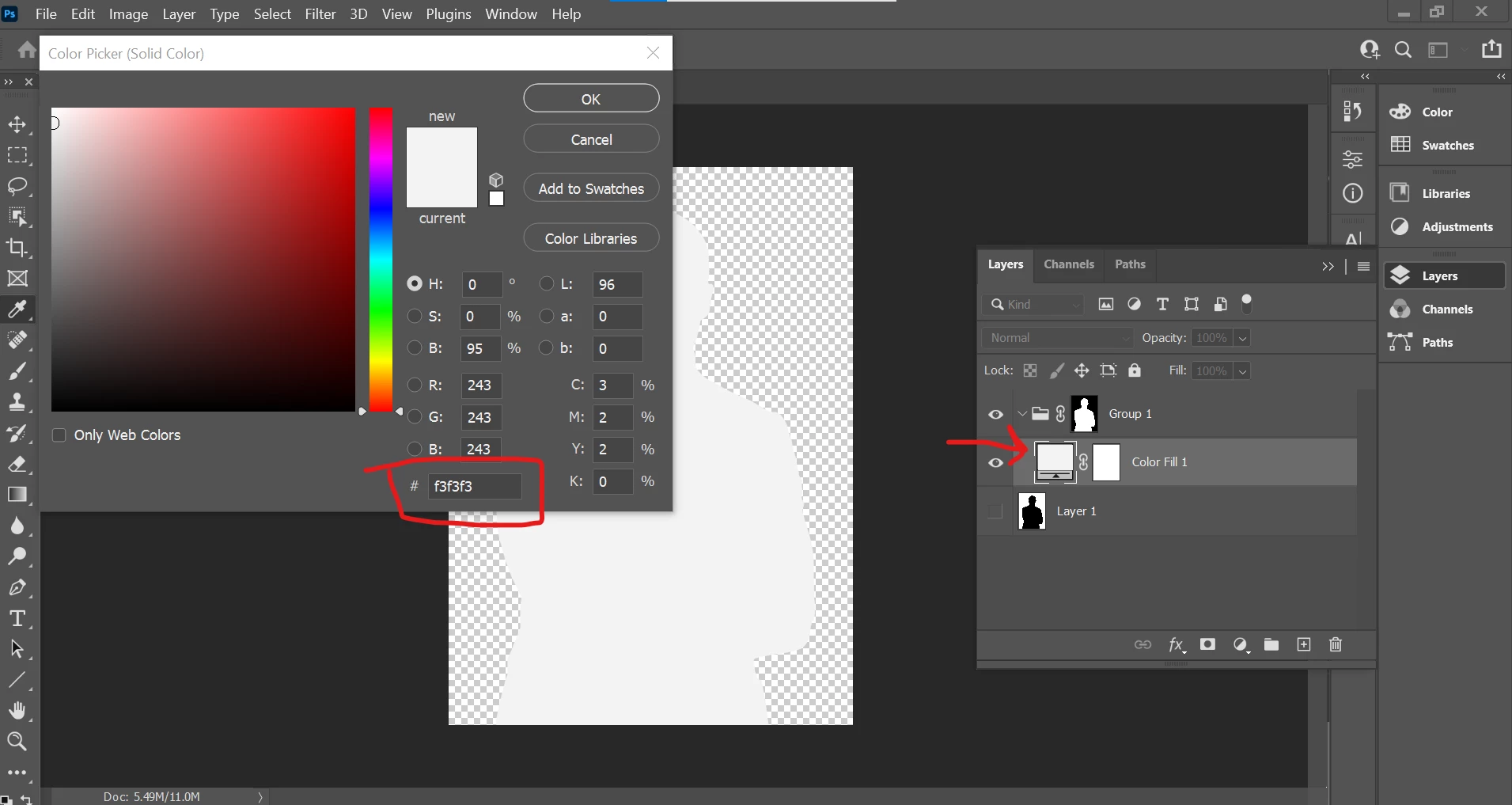 Hi there, so I'm trying to change the fill color layer to #eff3ff, and I hit okay in the color picker, the window closes, and the change doesn't take effect. I open the color picker again by double-clicking in the Color Fill layer, and it defaults back to #f3f3f3. I never set it to that gray color to begin with, just the pale blue, but it keeps changing it to gray. This is a very odd glitch.
I am creating the color fill after using the select tool to create a new group and masking layer as I was instructed.
I should note that while I have been using Photoshop for well over a decade, I only use it for basic tasks as I need them to update websites. I've not had a formal course in it, and I look up what I need to do. I must say this is the first glitch I've run into. I had three files I was doing this for. One worked fine and I was able to get the pale blue accent color I wanted, but this one and the other one keep defaulting to the gray. All three files are from Adobe Stock Photo, but the one I was able to change was a copy/paste from an Ai grouping of images, and these two that I can't change were jpegs by the same author. I even tried to copy/paste the original black silhouette into a new file as I did for the one I had success with. I'm not doing anything differently, but it only worked for 1 out of 3. It is so bizarre. Wondering if there's any way to get help for this. Thank you.


 AdChoices