


해결됨
Color displays desaturated only in workspace: Photoshop
I've realized that my colors are showing up as somewhat desaturated in the workspace, but all other areas such as the pages, color picker, and saved PNG, all display the colors as brighter than they actually are. I havnt found what could be causing this and played around with the color settings, but nothing seemed to change. I dont believe it is my monitor, because when switching between monitors nothing changes, but also, I'm able to see the brighter colors on the same screen, it seems to only happen in the workspace. Please if anyone knows how to remove this desaturation, it would be greatly appreciated because i cant work when its messed up like this. Thanks!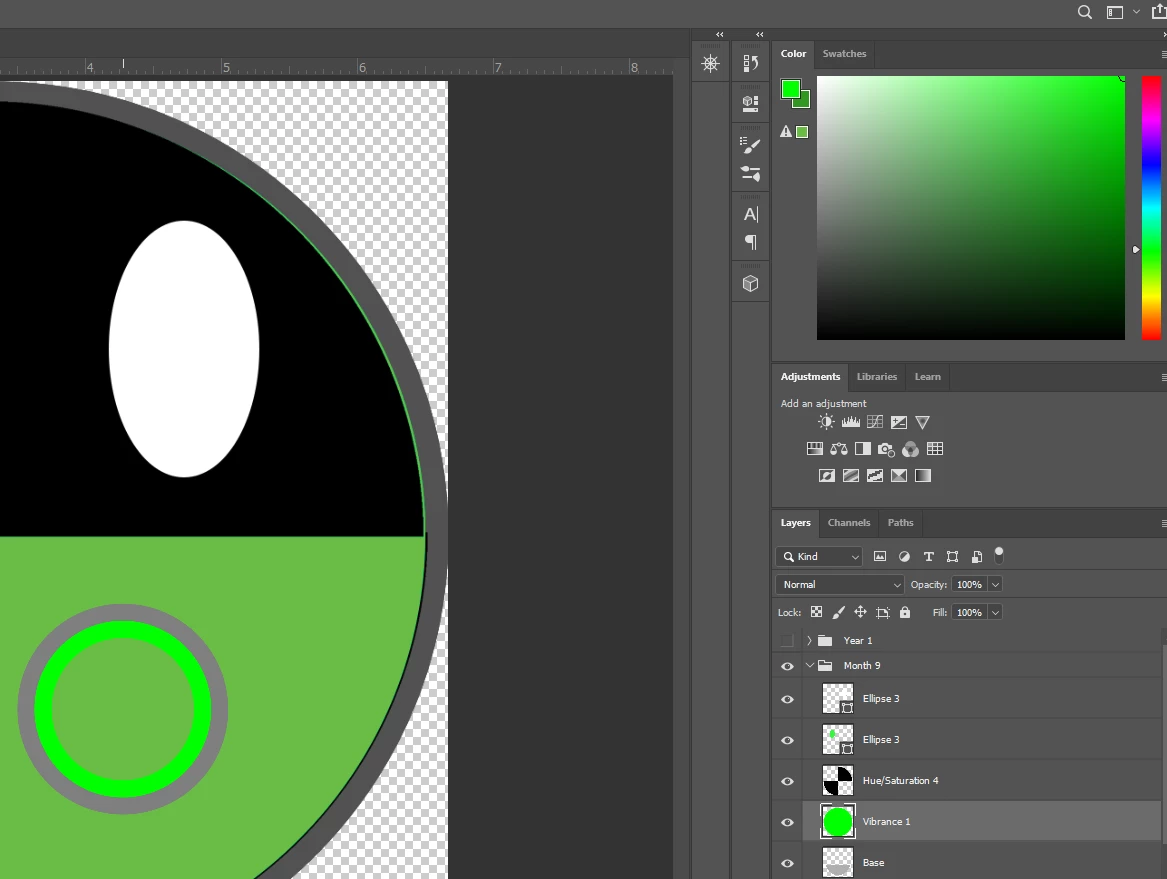
 AdChoices