Participant
November 4, 2020
Answered

Color problem on photoshop

  • November 4, 2020
  • 1 reply
  • 2833 views

Hello,


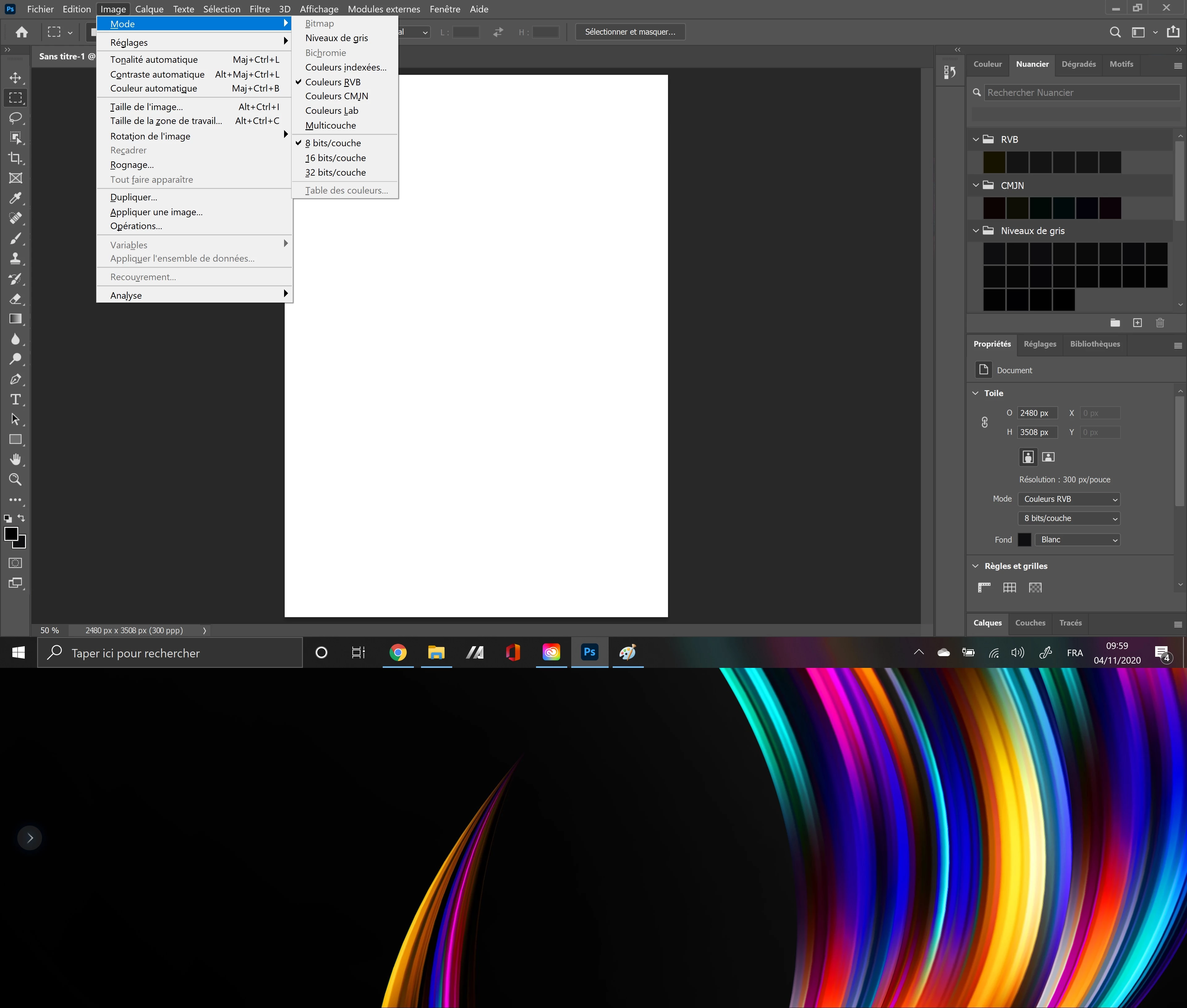
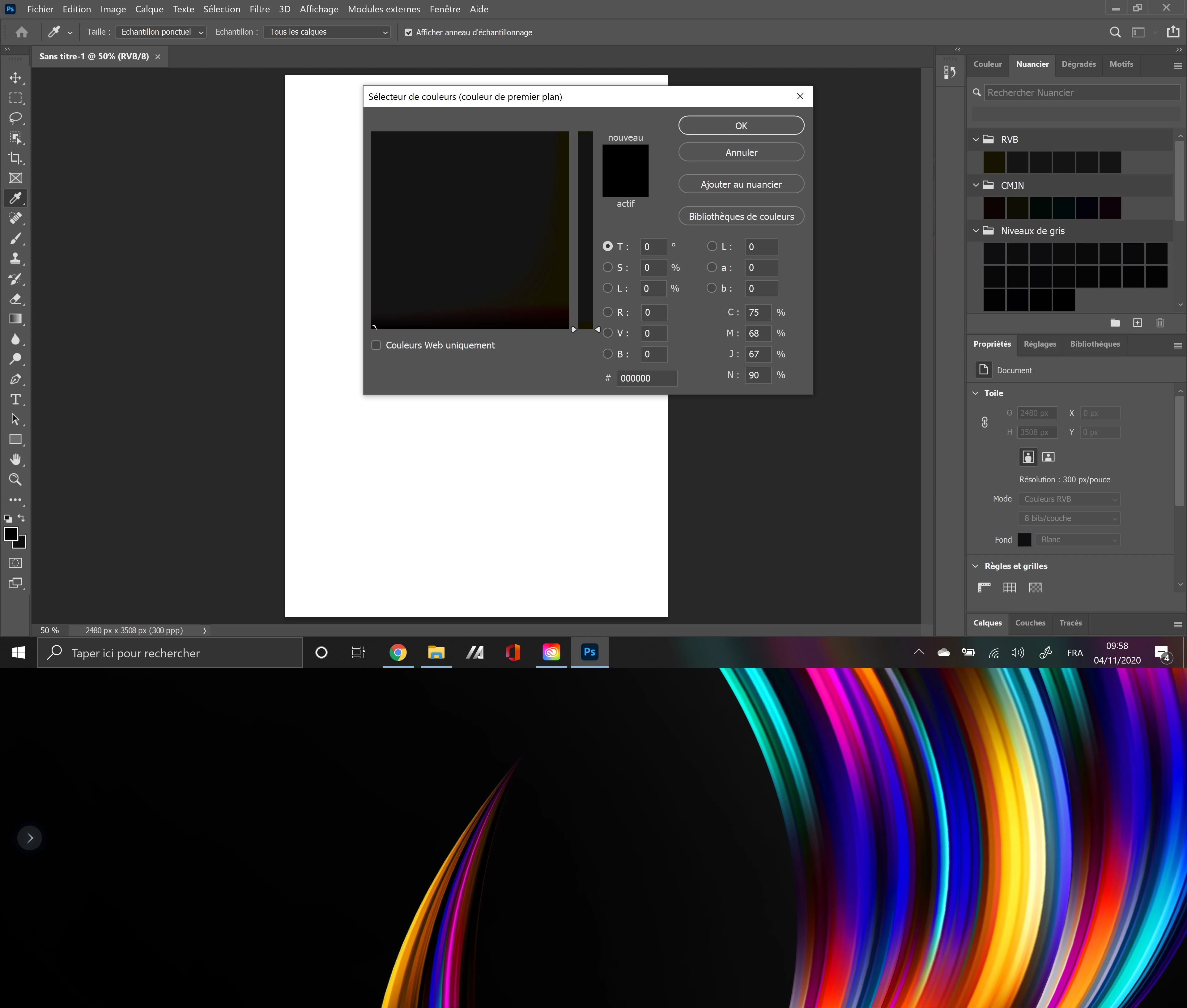
I have a problem with my photoshop. I installed it on my new laptop (Zenbook pro duo) yesterday and since the installation i have a problem with the color on photoshop. I don't have color. All my color are black.

Here two screen : On the first one the problem with my color, on the second one 
This topic has been closed for replies.
Correct answer

Hi

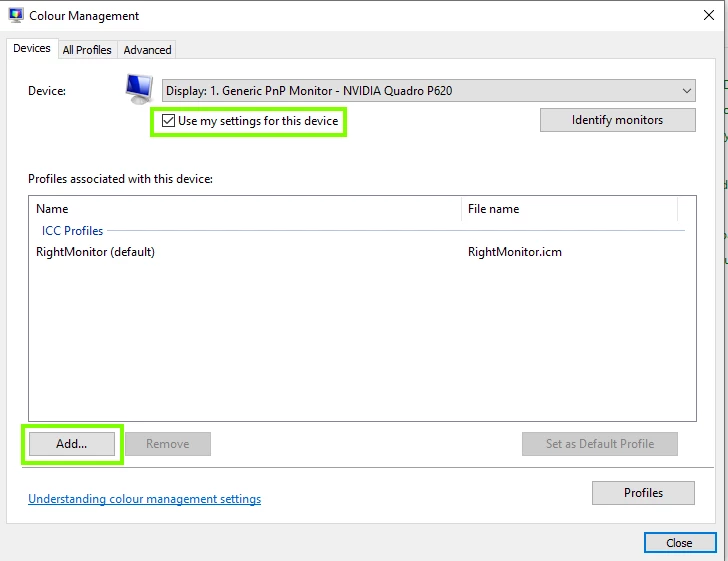
More than likely it's an issue with your monitor profile, open the control panel and then open colour management

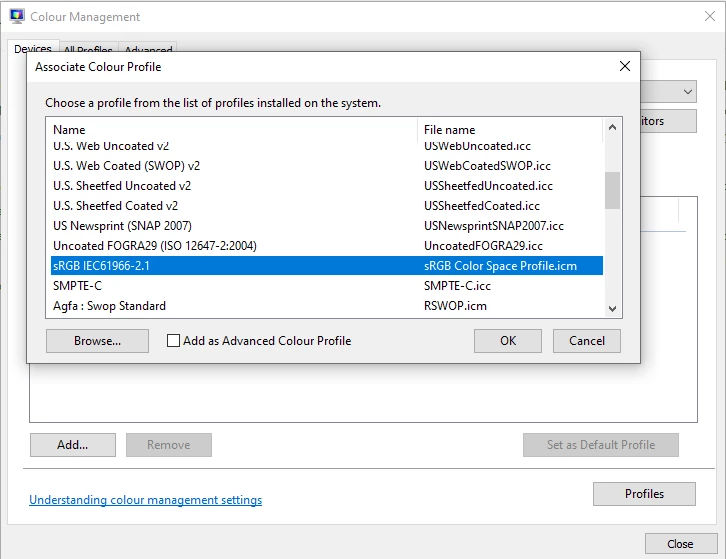
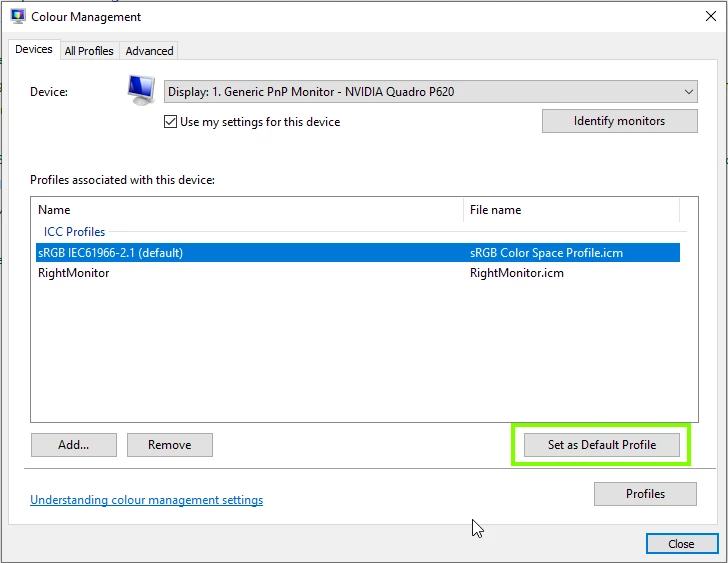
If there's no profile there or if there's something other than sRGB, click on the add button and select sRGB


1 reply

Correct answer
November 4, 2020

Hi

More than likely it's an issue with your monitor profile, open the control panel and then open colour management

If there's no profile there or if there's something other than sRGB, click on the add button and select sRGB


xGenoAuthor
Participant
November 4, 2020

Thank you for the reply.

I Don't have the same pannel than you, when i try to change the ICC profil i can't change it 😕😕

Tony_M
Participant
December 14, 2020

Ok it's good, thank you i found how to add the ICC profil.

Problem solved ! Thank you 🙂


Thank you thank you thank you !!! I had the same problem with my zenbook pro, spent 5 hours with the adobe tech support and nothing... finaly that was so easy ! Thank you im so late with my work but I can finally work again !