
Question
Colors look different when importing palette from Color CC to Photoshop
Hello,
I have created a set of colors on the Color CC website.
I'm in Photoshop and trying to import the colors through the palette in my library.
I was hoping there would be a way to do the whole thing at once but it looks like I have to do each individually.
However, my main problem is that each of the colors is showing up way less saturated in Photoshop.
The hex numbers are the same. And the file I'm in is RGB (although I'm just trying to add them to the swatches panel).
And another crazy thing is that when I add them to the swatches and have the "add to my current library" checked, the color looks different again.
How come I can't get the same color to look the same in all 3 instances??
Thank you
Cameron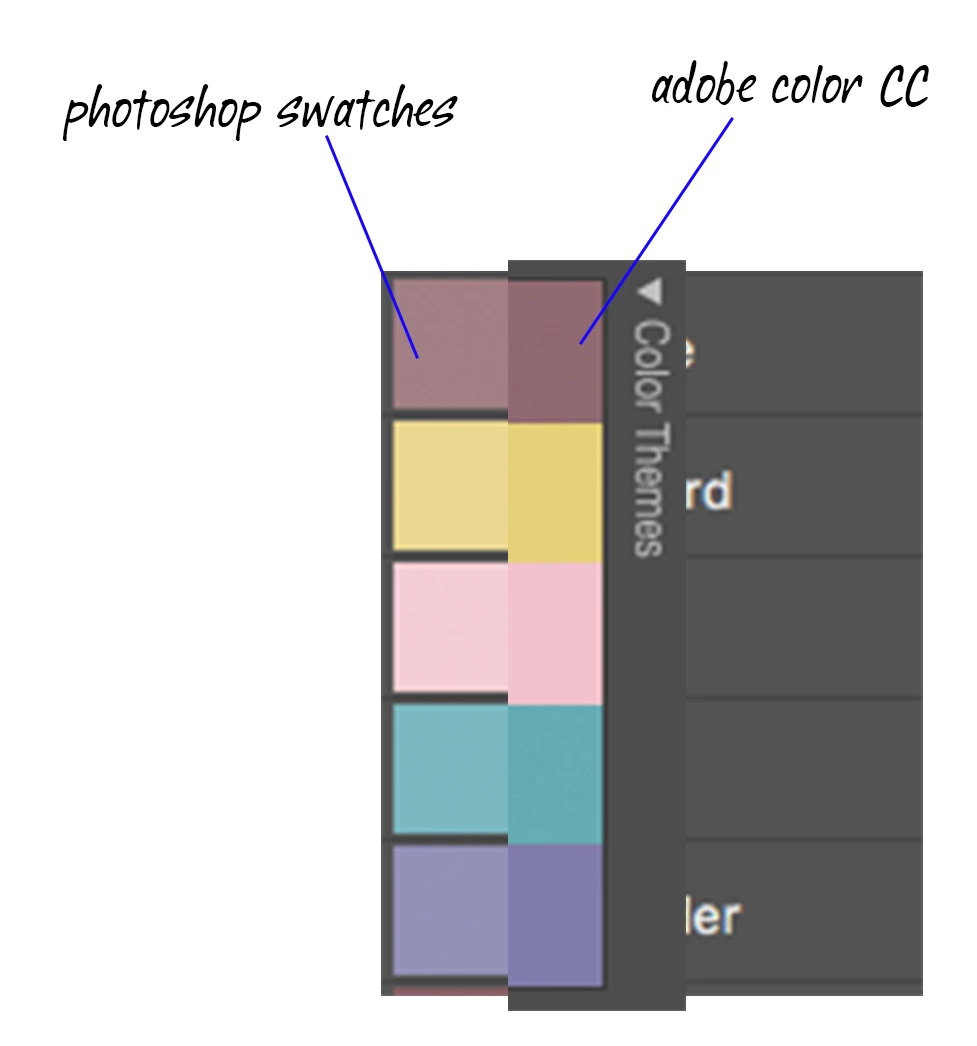
 AdChoices