ThioJoe
Community Expert
Community Expert
December 9, 2023
Answered

Context Menu Order Changed For Layers?

  • December 9, 2023
  • 1 reply
  • 1898 views

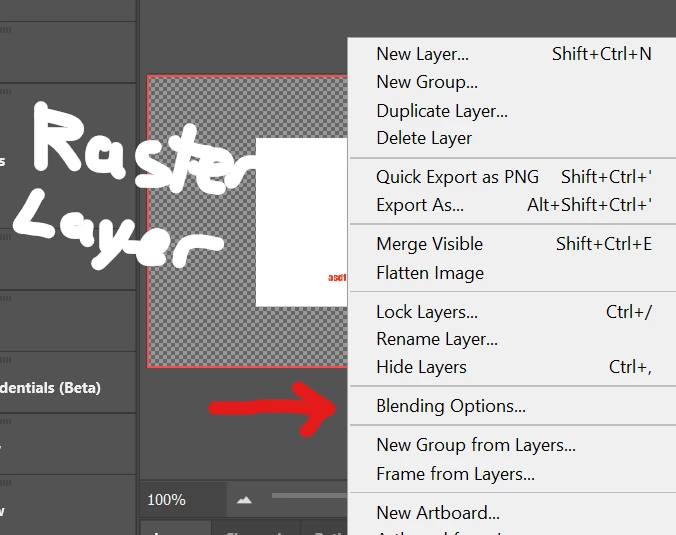
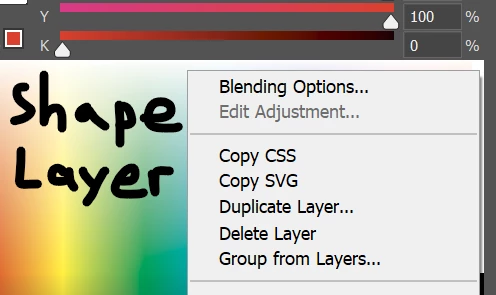
I could have sworn that until one of the most recent updates, when you would right click any kind of layer in the layer panel, "Blending Options" would always be at the top. But now it seems that for many/most of them, it's all been switched around, such as for raster and text layers. For shape layers, it's like it was before.


I assume it has to do with this change. It mentions "customizable flyout menu and right-click options", but I can't figure out how to customize it.


The problem is that this has severely screwed up my muscle memory. The blending options menu is one I use very often, and now it's stuck in the middle of a huge menu and I have to search for it visually instead of just going to the top.


Is there a way to re-arrange the menu?


Correct answer Jeff Arola

Adobe introduced the "customizable flyout menu and right-click options" in the photoshop beta, then in the photoshop 25.2 update to the 2024 stable version, however, Adobe has never, said as far as i can find, how a user can customize the menus as it states on the page you referenced.


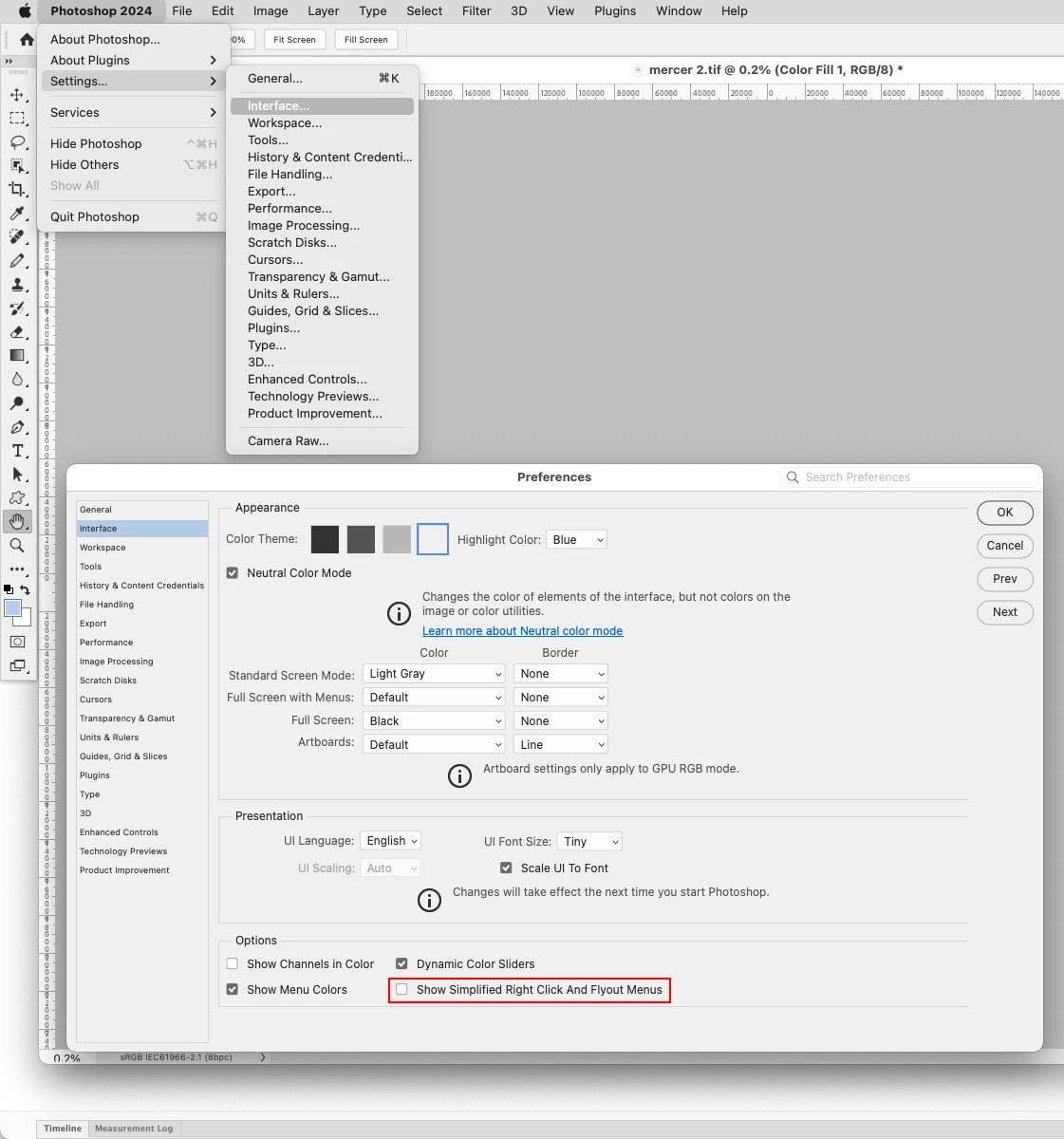
You can turn off the "customizable flyout menu and right-click options" in  Edit>Preferences>Interface by unchecking

Show Simplified Right Click And Flyout Menus.

On the Mac side it's Adobe Photoshop 2024>Settings (Prferences)>Interface


1 reply

Jeff Arola
Community Expert
Jeff ArolaCommunity ExpertCorrect answer
Community Expert
December 9, 2023

Adobe introduced the "customizable flyout menu and right-click options" in the photoshop beta, then in the photoshop 25.2 update to the 2024 stable version, however, Adobe has never, said as far as i can find, how a user can customize the menus as it states on the page you referenced.


You can turn off the "customizable flyout menu and right-click options" in  Edit>Preferences>Interface by unchecking

Show Simplified Right Click And Flyout Menus.

On the Mac side it's Adobe Photoshop 2024>Settings (Prferences)>Interface


AkdenizMia
Participant
March 15, 2024

I can't thank you enough! After all those years i was clicking menu items without looking since i know their places by memory.. This new feature ruined my process for a while.. Thank you so much.. 🙏😊✨ I hope we can customize the menu ourselves in future