Inspiring
February 4, 2019
Answered

Convert all text to shapes - bulk conversion, multiple layers?

  • February 4, 2019
  • 3 replies
  • 2680 views

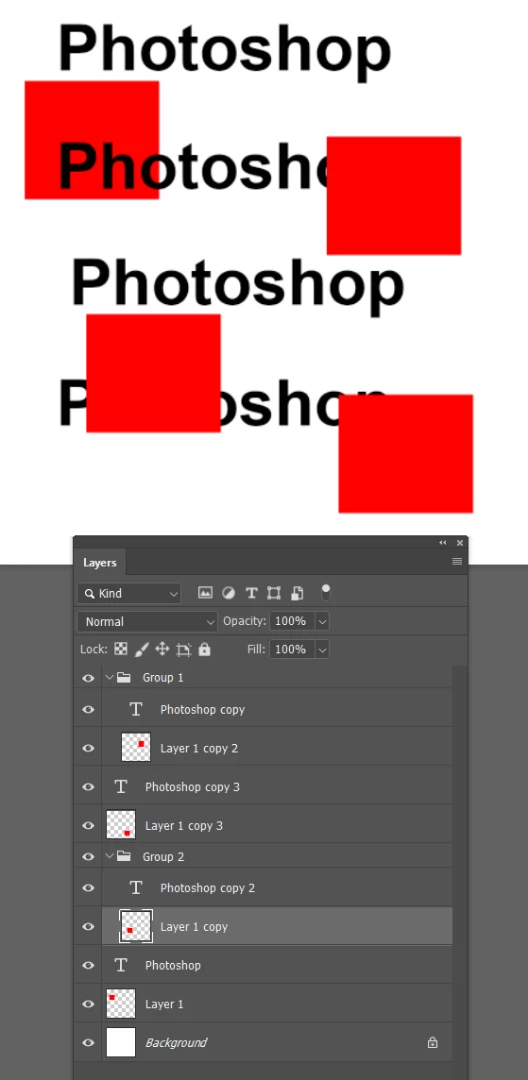
I have a lot of goups and text layers inside. I need to convert them all (text layers) to shapes before export to PDF. Can I make some bulk convert?

This topic has been closed for replies.
Correct answer Trevor.Dennis

Do you use Layer filters?

Filter only Type layers
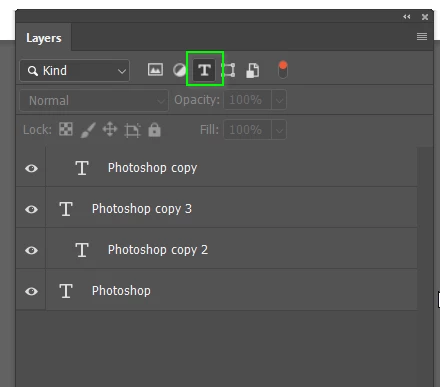
And convert to Shape.  They become individual Shape layers.  Is that OK?
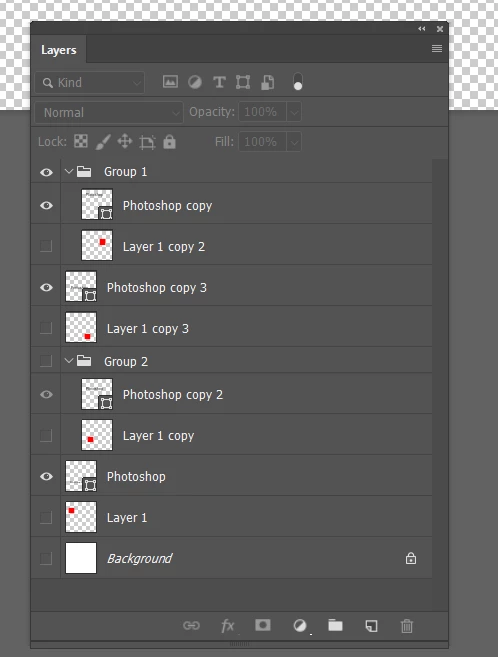
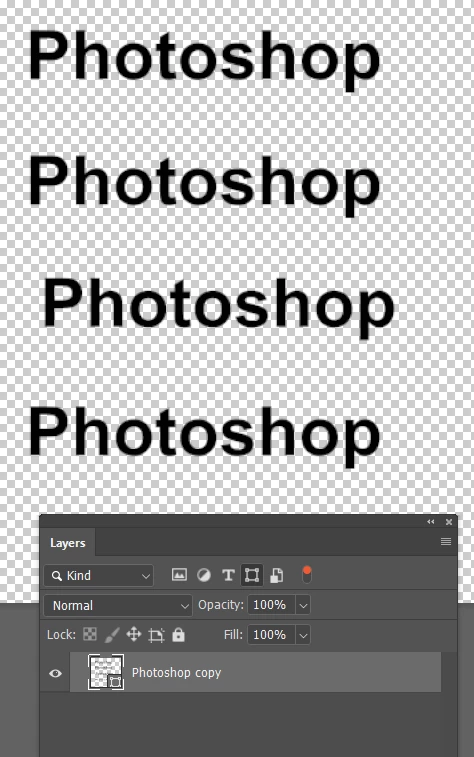
If not, you can filter for Shape layers and merge (Ctrl e)
3 replies

jane-e
Community Expert
Community Expert
February 5, 2019

BryanPS  wrote

I have a lot of goups and text layers inside. I need to convert them all (text layers) to shapes before export to PDF. Can I make some bulk convert?

Hi Bryan,

How can we convince you not to convert your text layers to shapes before exporting to PDF? Not only is it not considered a best practice, it is a bad practice. Keep your text live.

Please read this entire thread, but start with the response from Dov Isaacs​ from Adobe and follow his recommendations.

Re: [Photoshop + Acrobat] "Export As Optimized PDF" distorts / garbles all vector data

~ Jane

BryanPSAuthor
Inspiring
February 5, 2019

jane-e  napisał(-a)

BryanPS   wrote

I have a lot of goups and text layers inside. I need to convert them all (text layers) to shapes before export to PDF. Can I make some bulk convert?

Hi Bryan,

How can we convince you not to convert your text layers to shapes before exporting to PDF? Not only is it not considered a best practice, it is a bad practice. Keep your text live.

Please read this entire thread, but start with the response from https://forums.adobe.com/people/Dov+Isaacs  from Adobe and follow his recommendations.

Re: [Photoshop + Acrobat] "Export As Optimized PDF" distorts / garbles all vector data 

~ Jane

I have to because I need send it to print. Printing house need all text converted to shapes.

Dov Isaacs
Legend
February 5, 2019

BryanPS  wrote

I have to because I need send it to print. Printing house need all text converted to shapes.

Then you are dealing with a “printing house” that is certainly not following best or even prudent workflow practices. The only time where converting text to outlines is really required is for certain sign making equipment that cuts material based on vector data and even that equipment is now moving towards handling text properly via fonts!

          - Dov

- Dov Isaacs, former Adobe Principal Scientist (April 30, 1990 - May 30, 2021)
Trevor.Dennis
Community Expert
Trevor.DennisCommunity ExpertCorrect answer
Community Expert
February 4, 2019

Do you use Layer filters?

Filter only Type layers

And convert to Shape.  They become individual Shape layers.  Is that OK?

If not, you can filter for Shape layers and merge (Ctrl e)

Sahil.Chawla
Adobe Employee
Adobe Employee
February 4, 2019

Hi Bryan,

Could you please check the steps suggested here and let us know if it helps?

Batch - Convert shapes from text

Regards,
Sahil