greless
Inspiring
March 5, 2019
Answered

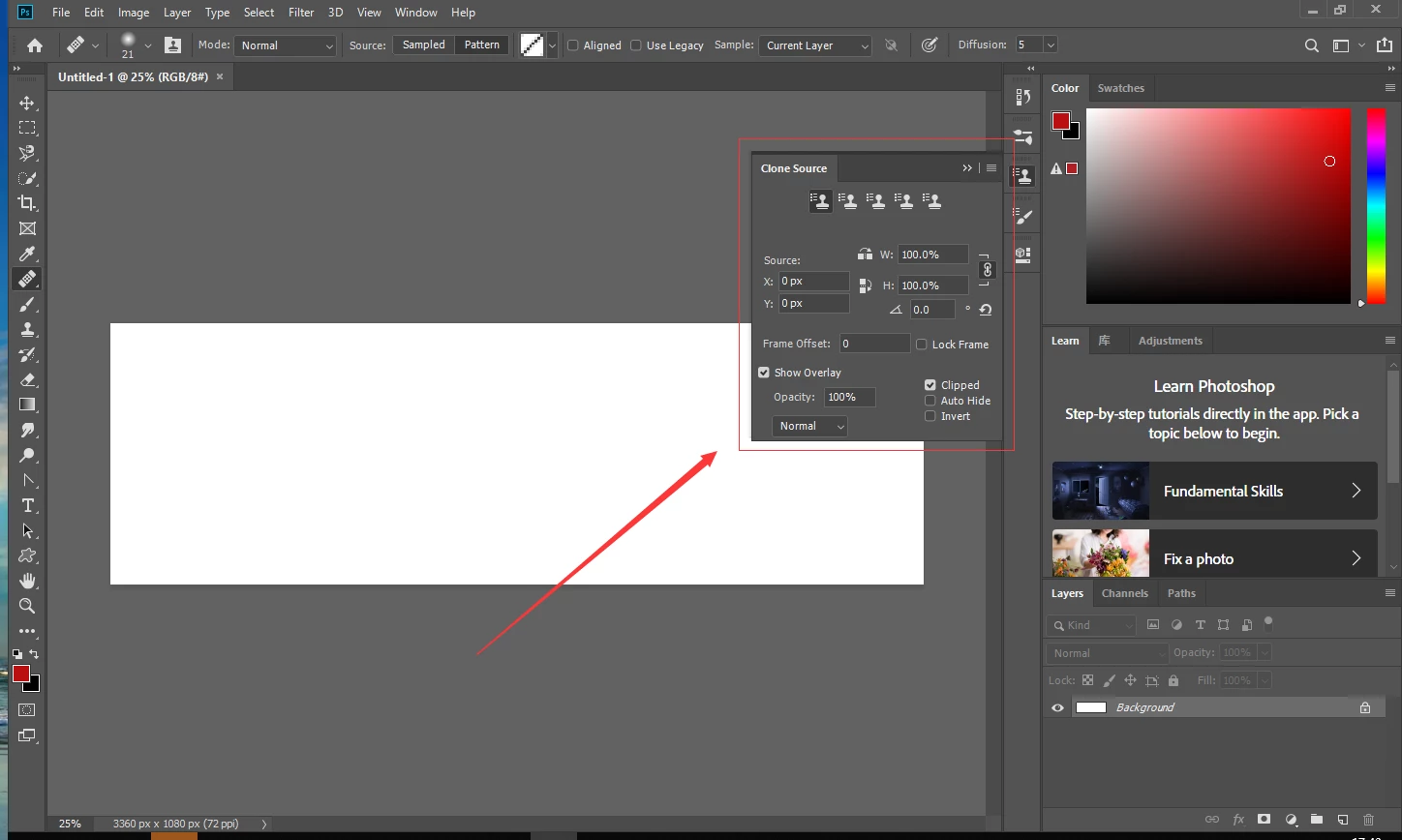
could we get the property of the Clone Source pannel?

  • March 5, 2019
  • 1 reply
  • 1117 views

so  how to get the property?

This topic has been closed for replies.
Correct answer r-bin

I also found some parameters of the panel (in CC2018), but there is nothing that is of high interest in the resulting descriptor.

var d = new ActionDescriptor();

var r = new ActionReference();      

r.putEnumerated(stringIDToTypeID("application"), stringIDToTypeID("ordinal"), stringIDToTypeID("targetEnum"));

d.putReference(stringIDToTypeID("null"), r);  

d.putString (stringIDToTypeID("command"), "getViewInfo");  

d.putString (stringIDToTypeID("viewID"), "$clnS");  

d.putString (stringIDToTypeID("panel"), "clonesource");

var ret = executeAction(stringIDToTypeID("uiInfo"), d, DialogModes.NO);

1 reply

Legend
March 5, 2019

Theoretically, yes, because there are such IDs.

"cloneSource",
"cloneSourceAutoHideOverlay",
"cloneSourceInvertOverlay",
"cloneSourceLockFrame",
"cloneSourceResetTransform",
"cloneSourceShowOverlay",
"cloneSourceClipOverlay",
"cloneSourceSource1",
"cloneSourceSource2",
"cloneSourceSource3",
"cloneSourceSource4",
"cloneSourceSource5",
"cloneSourceToolOptions",

But most likely, not, since Adobe again forgot to screw it to the scripts or to ActionManager.

greless
grelessAuthor
Inspiring
March 5, 2019

it's alright ,How do i use these?at present i just get the name/ID/visible/obscured from  "panelList".

var ref = new ActionReference();

ref.putEnumerated( charIDToTypeID("capp"), charIDToTypeID("Ordn"), charIDToTypeID("Trgt") );

var applicationDesc = executeActionGet(ref);

var thePanelList = applicationDesc.getList(stringIDToTypeID("panelList"));

var thePanels = new Array;

for (var m = 0; m < thePanelList.count; m++) {

thePanels.push(checkDesc2 (thePanelList.getObjectValue(m)));

};

.........

output:

Key 0 = name: DescValueType.STRINGTYPE

Clone Source

Key 1 = ID: DescValueType.STRINGTYPE

panelid.static.clonesource

Key 2 = visible: DescValueType.BOOLEANTYPE

true

Key 3 = obscured: DescValueType.BOOLEANTYPE

false

Legend
March 5, 2019

The script listener shows that some parameters can still be set, such as the name of the source layer and the coordinates of the point. But to read this data is not possible. And this is not only the case with this example.

var d = new ActionDescriptor();

var r = new ActionReference();

r.putProperty(stringIDToTypeID("property"), stringIDToTypeID("cloneSource"));

r.putEnumerated(stringIDToTypeID("application"), stringIDToTypeID("ordinal"), stringIDToTypeID("targetEnum"));

d.putReference(stringIDToTypeID("null"), r);

var d1 = new ActionDescriptor();

var r1 = new ActionReference();

r1.putName(stringIDToTypeID("layer"), "Layer 1");

d1.putReference(stringIDToTypeID("source"), r1);

var d2 = new ActionDescriptor();

d2.putUnitDouble(stringIDToTypeID("horizontal"), stringIDToTypeID("distanceUnit"), 333);

d2.putUnitDouble(stringIDToTypeID("vertical"), stringIDToTypeID("distanceUnit"), 259);

d1.putObject(stringIDToTypeID("position"), stringIDToTypeID("point"), d2);

d.putObject(stringIDToTypeID("to"), stringIDToTypeID("imageCachePreferences"), d1);

executeAction(stringIDToTypeID("set"), d, DialogModes.NO);