Inspiring
May 24, 2022
Answered

Create masked area using javascript

  • May 24, 2022
  • 2 replies
  • 871 views

How its possible, using javascript, to create masked area that is positioned on the right side and that makes up 30% of canvas width? It is ideal if it is possible for the mask to have a blurred edge on the left side 🙂


This topic has been closed for replies.
Correct answer Stephen Marsh

Offhand I'd do it the same way as I would manually/recording an action, using the Scripting Listener plug-in + the Clean SL script:


// Updated 10th August 2022
activeDocument.selection.selectAll();
activeDocument.quickMaskMode ^= 1;
transformSelection(0, 0, 30);
app.activeDocument.quickMaskMode ^= 1;
addLayerMask();
motionBlur(0, 25);

// Functions

function transformSelection(horizontal, vertical, width) {
	var s2t = function (s) {
		return app.stringIDToTypeID(s);
	};
	var descriptor = new ActionDescriptor();
	var descriptor2 = new ActionDescriptor();
	var reference = new ActionReference();
	reference.putProperty( s2t( "channel" ), s2t( "selection" ));
	descriptor.putReference( s2t( "null" ), reference );
	descriptor.putEnumerated( s2t( "freeTransformCenterState" ), s2t( "quadCenterState" ), s2t( "QCSSide1" ));
	descriptor2.putUnitDouble( s2t( "horizontal" ), s2t( "percentUnit" ), horizontal );
	descriptor2.putUnitDouble( s2t( "vertical" ), s2t( "percentUnit" ), vertical );
	descriptor.putObject( s2t( "offset" ), s2t( "offset" ), descriptor2 );
	descriptor.putUnitDouble( s2t( "width" ), s2t( "percentUnit" ), width );
	descriptor.putEnumerated( s2t( "interfaceIconFrameDimmed" ), s2t( "interpolationType" ), s2t( "nearestNeighbor" ));
	executeAction( s2t( "transform" ), descriptor, DialogModes.NO );
}

function addLayerMask() {
	var s2t = function (s) {
		return app.stringIDToTypeID(s);
	};
	var descriptor = new ActionDescriptor();
	var reference = new ActionReference();
	descriptor.putClass( s2t( "new" ), s2t( "channel" ));
	reference.putEnumerated( s2t( "channel" ), s2t( "channel" ), s2t( "mask" ));
	descriptor.putReference( s2t( "at" ), reference );
	descriptor.putEnumerated( s2t( "using" ), s2t( "userMaskEnabled" ), s2t( "revealSelection" ));
	executeAction( s2t( "make" ), descriptor, DialogModes.NO );
}

function motionBlur(angle, distance) {
	var s2t = function (s) {
		return app.stringIDToTypeID(s);
	};
	var descriptor = new ActionDescriptor();
	descriptor.putInteger( s2t( "angle" ), angle );
	descriptor.putUnitDouble( s2t( "distance" ), s2t( "pixelsUnit" ), distance );
	executeAction( s2t( "motionBlur" ), descriptor, DialogModes.NO );
}


Thanks to @c.pfaffenbichler for finding the error with the transform selection code. I have added a QuickMask toggle to overcome the issue (thanks to @Kukurykus for the toggle code).

2 replies

Stephen Marsh
Community Expert
Stephen MarshCommunity ExpertCorrect answer
Community Expert
May 24, 2022

Offhand I'd do it the same way as I would manually/recording an action, using the Scripting Listener plug-in + the Clean SL script:


// Updated 10th August 2022
activeDocument.selection.selectAll();
activeDocument.quickMaskMode ^= 1;
transformSelection(0, 0, 30);
app.activeDocument.quickMaskMode ^= 1;
addLayerMask();
motionBlur(0, 25);

// Functions

function transformSelection(horizontal, vertical, width) {
	var s2t = function (s) {
		return app.stringIDToTypeID(s);
	};
	var descriptor = new ActionDescriptor();
	var descriptor2 = new ActionDescriptor();
	var reference = new ActionReference();
	reference.putProperty( s2t( "channel" ), s2t( "selection" ));
	descriptor.putReference( s2t( "null" ), reference );
	descriptor.putEnumerated( s2t( "freeTransformCenterState" ), s2t( "quadCenterState" ), s2t( "QCSSide1" ));
	descriptor2.putUnitDouble( s2t( "horizontal" ), s2t( "percentUnit" ), horizontal );
	descriptor2.putUnitDouble( s2t( "vertical" ), s2t( "percentUnit" ), vertical );
	descriptor.putObject( s2t( "offset" ), s2t( "offset" ), descriptor2 );
	descriptor.putUnitDouble( s2t( "width" ), s2t( "percentUnit" ), width );
	descriptor.putEnumerated( s2t( "interfaceIconFrameDimmed" ), s2t( "interpolationType" ), s2t( "nearestNeighbor" ));
	executeAction( s2t( "transform" ), descriptor, DialogModes.NO );
}

function addLayerMask() {
	var s2t = function (s) {
		return app.stringIDToTypeID(s);
	};
	var descriptor = new ActionDescriptor();
	var reference = new ActionReference();
	descriptor.putClass( s2t( "new" ), s2t( "channel" ));
	reference.putEnumerated( s2t( "channel" ), s2t( "channel" ), s2t( "mask" ));
	descriptor.putReference( s2t( "at" ), reference );
	descriptor.putEnumerated( s2t( "using" ), s2t( "userMaskEnabled" ), s2t( "revealSelection" ));
	executeAction( s2t( "make" ), descriptor, DialogModes.NO );
}

function motionBlur(angle, distance) {
	var s2t = function (s) {
		return app.stringIDToTypeID(s);
	};
	var descriptor = new ActionDescriptor();
	descriptor.putInteger( s2t( "angle" ), angle );
	descriptor.putUnitDouble( s2t( "distance" ), s2t( "pixelsUnit" ), distance );
	executeAction( s2t( "motionBlur" ), descriptor, DialogModes.NO );
}


Thanks to @c.pfaffenbichler for finding the error with the transform selection code. I have added a QuickMask toggle to overcome the issue (thanks to @Kukurykus for the toggle code).
milevicAuthor
Inspiring
August 10, 2022

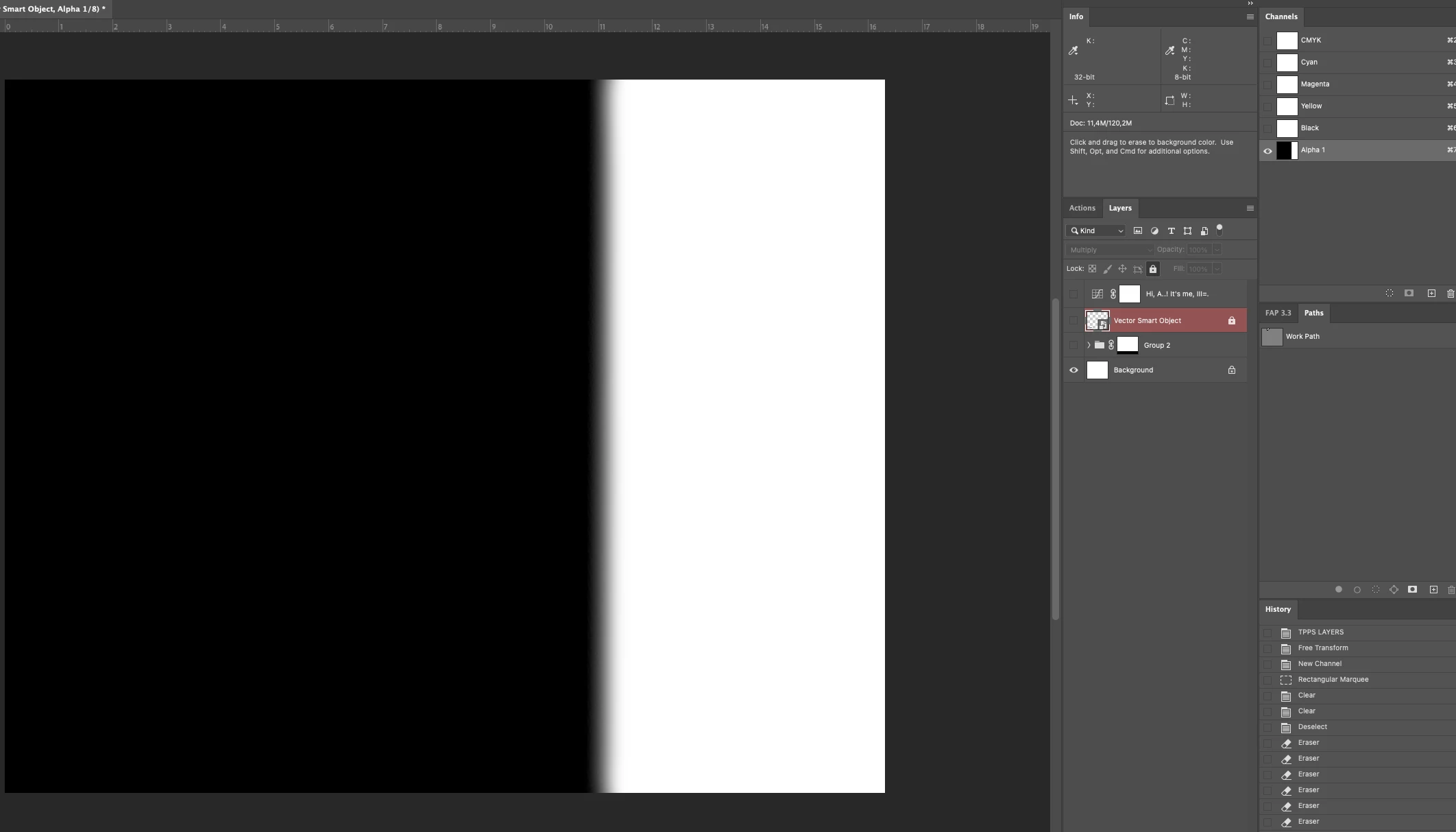
Dear @Stephen Marsh i have the problem when i use this script on a group of layers i got message as on image below. Is it possible to imporve this? Thanks in avance

c.pfaffenbichler
Community Expert
Community Expert
August 10, 2022

Could you please post screenshots with the pertinent Panels (Toolbar, Layers, Options Bar, History, …) visible? 

c.pfaffenbichler
Community Expert
Community Expert
May 24, 2022


// 2022, use it at your own risk;
if (app.documents.length > 0) {
// set to pixels;
var originalRulerUnits = app.preferences.rulerUnits;
app.preferences.rulerUnits = Units.POINTS;
rectangularSelection ([activeDocument.width*0.666666, 0, activeDocument.width, activeDocument.height], false, 100);
// reset;
app.preferences.rulerUnits = originalRulerUnits;
};
////// rectangular selection //////
function rectangularSelection (theBounds, add, theFeather) {
// =======================================================
if (add == false ||  add == undefined) {var idsetd = charIDToTypeID( "setd" )}
else {var idsetd = charIDToTypeID( "AddT" )};
    var desc55 = new ActionDescriptor();
    var idnull = charIDToTypeID( "null" );
        var ref11 = new ActionReference();
        var idChnl = charIDToTypeID( "Chnl" );
        var idfsel = charIDToTypeID( "fsel" );
        ref11.putProperty( idChnl, idfsel );
    desc55.putReference( idnull, ref11 );
    var idT = charIDToTypeID( "T   " );
        var desc56 = new ActionDescriptor();
        var idTop = charIDToTypeID( "Top " );
        var idRlt = charIDToTypeID( "#Rlt" );
        desc56.putUnitDouble(idTop, idRlt, theBounds[1]-theFeather);
        var idLeft = charIDToTypeID( "Left" );
        desc56.putUnitDouble(idLeft, idRlt, theBounds[0]);
        var idBtom = charIDToTypeID( "Btom" );
        desc56.putUnitDouble(idBtom, idRlt, theBounds[2]+theFeather);
        var idRght = charIDToTypeID( "Rght" );
        desc56.putUnitDouble(idRght, idRlt, theBounds[3]+theFeather);
    var idRctn = charIDToTypeID( "Rctn" );
    desc55.putObject(idT, idRctn, desc56 );
    desc55.putUnitDouble( stringIDToTypeID("feather"), stringIDToTypeID("pointsUnit"), theFeather);
executeAction( idsetd, desc55, DialogModes.NO );
};

edited