Known Participant
November 16, 2018
Question

Creating high quality gifs in photoshop for Dribbble

  • November 16, 2018
  • 2 replies
  • 964 views

Hey all,

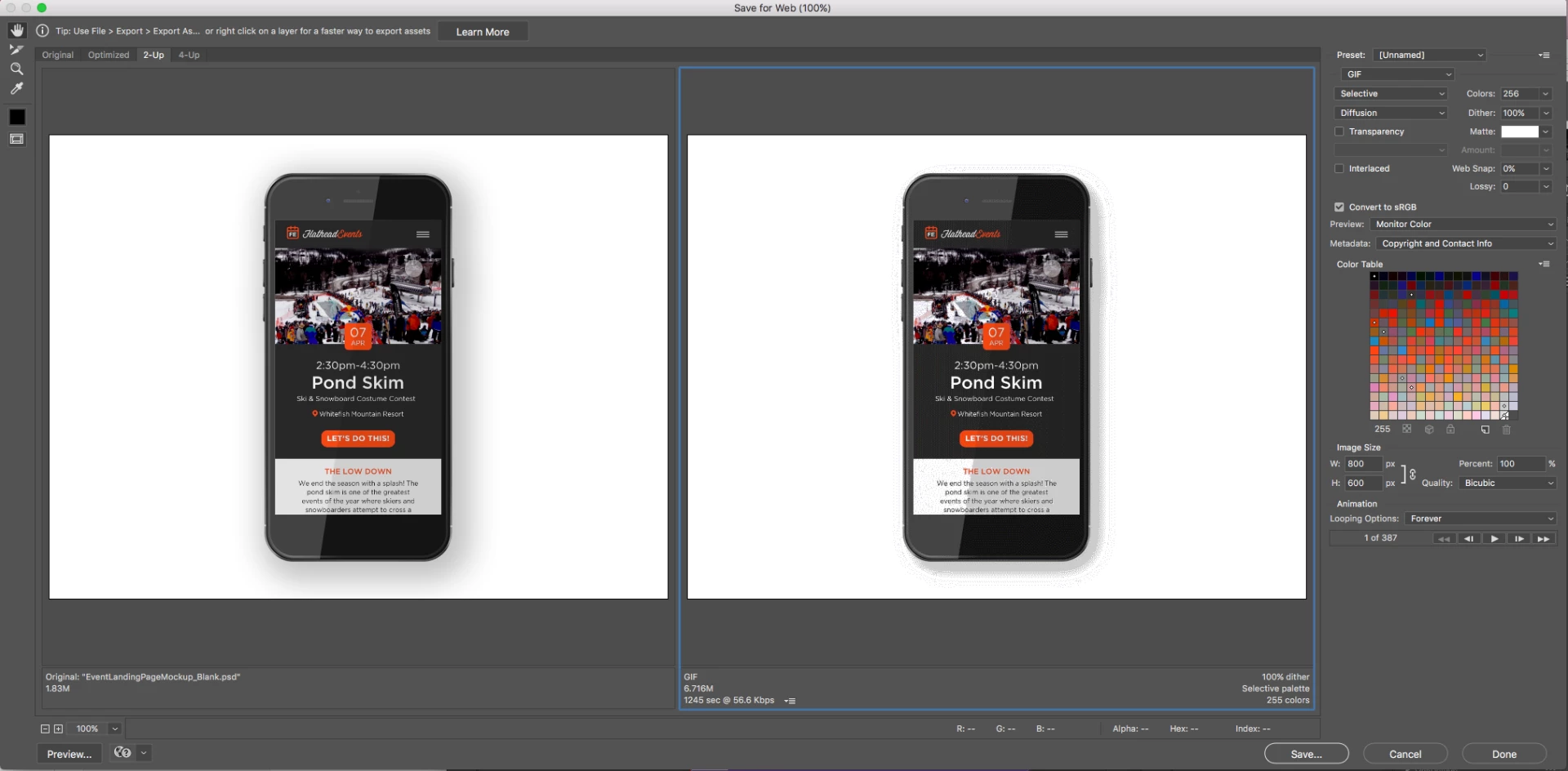
I've been struggling to create high quality gifs from photoshop to post on Dribbble and I'm having some trouble.. especially with the drop shadow. The dimensions are 800x600 at 72ppi. Here is an example of what I would like my gif to look like. Interaction Idea by Gil - Dribbble

I've attached my export settings and a finished version if anyone has any thoughts. Thanks!

-Steve
    This topic has been closed for replies.

    2 replies

    Mohammad.Harb
    Community Expert
    Community Expert
    November 16, 2018

    change the dither algorithm to NOISE it will make the shadow looks smoother,

    Mohammad.Harb
    Community Expert
    Community Expert
    November 16, 2018

    Gif file formats only supprts 256 colors, this is why you will get the same result whenever you have smooth color transition like gradient or drop shadwo

    Known Participant
    November 16, 2018

    But in the link Interaction Idea by Gil - Dribbble there is a drop shadow and it looks nice..

    Known Participant
    November 16, 2018

    Somewhat better  No matter what you do there only 256 mapped colors.  If you want good drop shadows render out MP4 videos and play them in you web pages.


    I tried adjusting the settings on the drop shadow and it cleaned up pretty well. That's about as good as I could get it. Toughmedia​ I'll try the double resolution trick next time. Thanks all!