
Known Participant
January 1, 2021
Resuelto

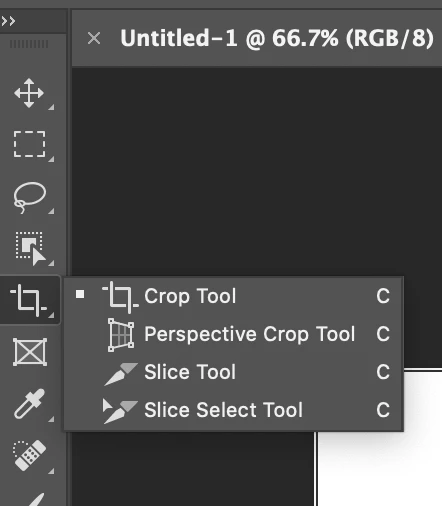
Crop tool vanished from tool bar

  • January 1, 2021
  • 1 respuesta
  • 588 visualizaciones

Crop and a couple of other tools like burn, have mysteriously vanished from the tool bar.

I see the little arrow that allows replacing a currently visible tool with them, but I would

rather not loose any currently visible tools.

Any help appreciated.
 

Este tema ha sido cerrado para respuestas.
Mejor respuesta de Derek Cross

When you click on the little triangle does the list pop out?

If not reset your Photoshop preferences, which you can do under the General tab in Photoshop preferences.


1 respuesta

Derek Cross
Community Expert
Derek CrossCommunity ExpertRespuesta
Community Expert
January 1, 2021

When you click on the little triangle does the list pop out?

If not reset your Photoshop preferences, which you can do under the General tab in Photoshop preferences.


Known Participant
January 1, 2021

Thanks, Derek!  Reset was the solution.

The problem with the triangle is that the tool you select replaces the current tool on display,

and I didn't want to do that.

Thank you again!

Derek Cross
Community Expert
Community Expert
January 1, 2021

You can toggle though the lists by selecting the keyboard short-cut letter and shift.

For example, shift + c