


Participant
March 19, 2023
질문

Cuadro dialogo "guardar como" aparece negro en Photoshop v23.5

  • March 19, 2023
  • 3 답변들
  • 7358 조회

Mirad lo que me ha ocurrido. El cuadro de diálogo que se debe abrir cuando yo pulso "guardar como", se abre pero aparece totalmente en negro y no me da opción a poder cambiar el formato de la imagen que deseo guardar, ni el tamaño, ni la ubicación. ¿Por favor, sabe alguien cómo solucionar este problema?
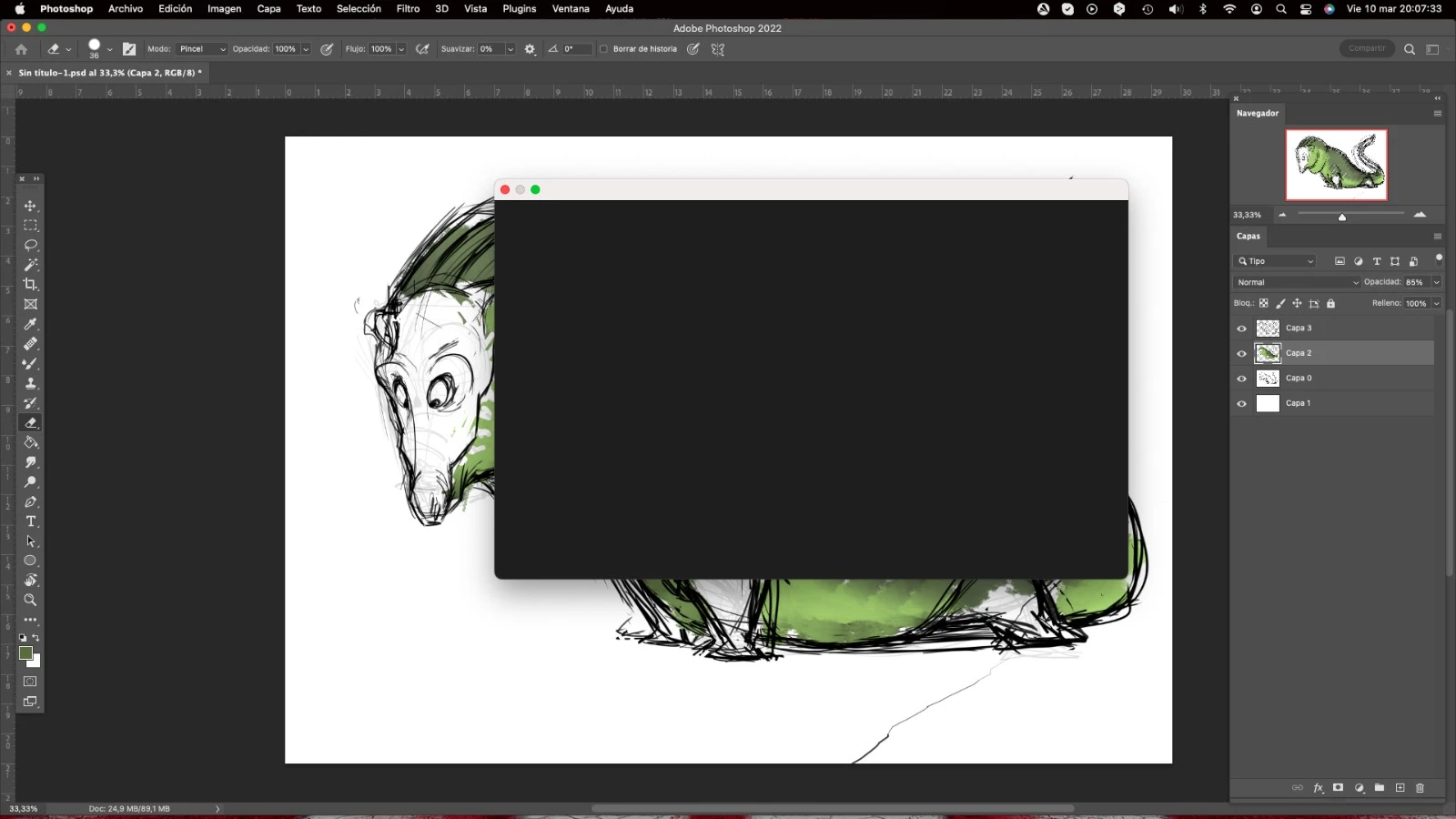
 

Look what happened to me. The dialogue box that should open when I click "save as", opens but it is completely black and does not give me the option to change the format of the image I want to save, nor the size, nor the location. Please, does anyone know how to solve this problem?

이 주제는 답변이 닫혔습니다.

3 답변

Ranjisha Sengupta
Legend
March 20, 2023

Hi @Manolo288733370s6x 


Thanks for trying out the suggestion by @Ged_Traynor

Could you please share the system info of Photoshop from Help > System info > Copy & paste into a text document > upload to Creative Cloud files (https://assets.adobe.com/files) and share with us? 

You may try resetting Photoshop preferences back to defaults and check if that helps. Here's the article for the steps: https://adobe.ly/3ceal5t

Also, back up the existing Photoshop preferences if you have any custom brushes, action, and workspace: https://adobe.ly/2vNz6FG


Let us know how it goes.


Best,

Ranjisha

Participant
March 27, 2023

Hi Ranjisha good afternoon, thank you very much for your reply, but the problem has corrected itself. I reinstalled the Mac operating system and the problem disappeared. Nevertheless, thank you for your reply and sorry I didn't reply sooner.


All the best

Manolo

Participant
March 20, 2023

Hi Ged, mucks thanks for your reply. I have taken your advice and restarted the program, but unfortunately the error persists.

Ged_Traynor
Community Expert
Community Expert
March 19, 2023

Hi

Try enabling this option in preferences and restarting Photoshop to see if it helps