Answered
Custom Patterns
How do I recover my custom patterns once the update is done. They are all gone.

How do I recover my custom patterns once the update is done. They are all gone.
Nancy, the regular posters here will be bored with seeing me say this, but you are not the first person to experience this, and I count myself as a victim. So I keep all presets in a My Documents/Finder folder, and place shortcuts that redirect to those folders in the relevant Photoshop presets folder.
It means that:
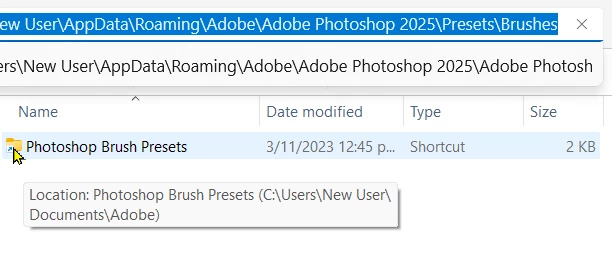
The downside is that if I create new presets, they are saved to the default location, so I have to remember to move them to my central cache — so to speak.
It's good practice to keep it in mind that assets live in the Photoshop settings file unless you export them. That means saving a group of brush presets to a .abr file, and the same with shapes, patterns, layer styles, gradients and any I have left out.. Custom Workspaces with their saved custom keyboard and toolbars just need the folder contents saved. It's just good Photoshop housekeeping, and saves frustration and heart ache
Already have an account? Login
Enter your E-mail address. We'll send you an e-mail with instructions to reset your password.


 AdChoices