AlexValdes
Participating Frequently
September 27, 2022
Answered

Data Set Variables too Many

  • September 27, 2022
  • 4 replies
  • 2962 views

So I know this has been asked before but I have tried all the fixes and none of them has worked. I have tried .csv and .txt tab dilimeated. I have tried removing extra lines or columns. I have 14 columns in my excel file, is this too many? Is there a limit to how many fields you can have? Please help!


Correct answer Stephen Marsh


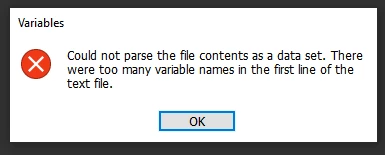
What's the error message?


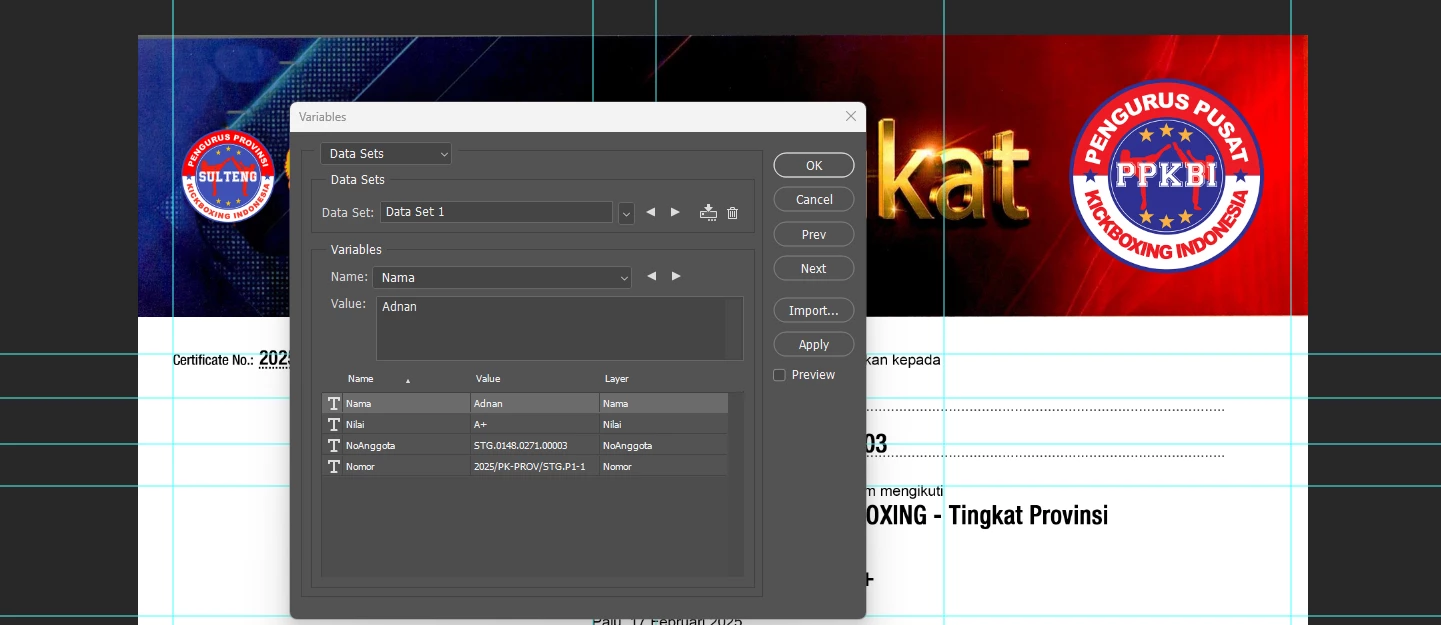
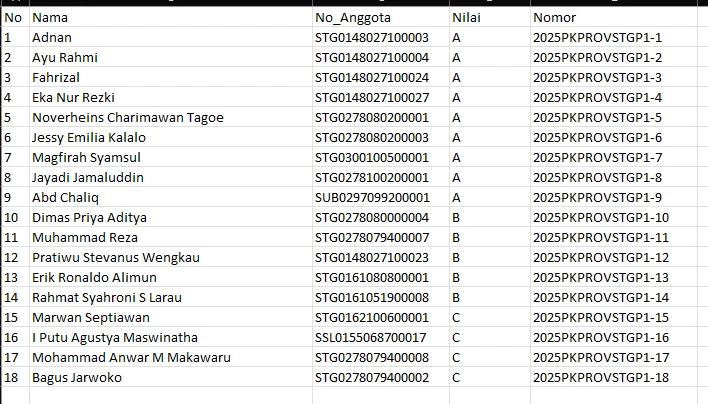
You have 5 variables defined in your spreadsheet, but only 4 in Photoshop. Try deleting the first "No" number column.

4 replies

Participant
July 1, 2025

I have the same issue and tried bunches way but still no result

Stephen Marsh
Community Expert
Community Expert
July 1, 2025
quote

I have the same issue and tried bunches way but still no result


By @allan_6969


Post the PSD and CSV or at least screenshots, my clairvoyance isn't working tonight  :]

Participant
July 1, 2025

Participant
May 13, 2025

i'm having the same trouble right now bro, i have 20 variables. have you found the fix?

Stephen Marsh
Community Expert
Community Expert
May 13, 2025

It's really hard to comment without seeing the psd+csv or at the minimum even screenshots.

Participant
May 13, 2025

Here's the screenshoot of the photoshop file and the csv bro pls help me

Stephen Marsh
Community Expert
Community Expert
September 27, 2022

Do you also have 14 variables in Photoshop with names matching the column headers?

AlexValdes
Participating Frequently
September 27, 2022

yes 14 different headers

Stephen Marsh
Community Expert
Community Expert
September 27, 2022

Yes, but what about the Photoshop file?

Myra Ferguson
Community Expert
Community Expert
September 27, 2022

Are any of your layers that you're replacing Smart Objects? If so, see the following thread:

AlexValdes
Participating Frequently
September 27, 2022

No smart object in file